If you click on the links and make a purchase, we may earn a commission.
The best business laptops need to do more than run everyday applications. Professionals need dependable performance, strong battery life, comfortable keyboards, high-quality displays, useful connectivity, security features, and durable designs.
Table of Contents

Image Credit: canva
Whether you’re a business owner, remote worker, executive, accountant, consultant, student entrepreneur, or corporate professional, the right laptop can improve productivity while making it easier to work from almost anywhere.
Business laptops also differ from consumer laptops. Enterprise-focused models often emphasize security, durability, repairability, docking support, and long-term reliability. Premium options can also include advanced processors, excellent webcams, fingerprint readers, IR cameras, and business-oriented management features.
In this guide, we’ve compared the best laptops for business in 2026 based on performance, battery life, portability, keyboard quality, display, connectivity, security, durability, and overall value.
Quick Comparison: Best Business Laptops
| Business Laptop | Best For | Key Feature | Display | Battery Potential* | Rating |
|---|---|---|---|---|---|
| Lenovo ThinkPad X1 Carbon Gen 13 | Best Overall | Lightweight business design | 14-inch | All-day class | 9.7/10 |
| Apple MacBook Pro 14 | Best for Creatives | Powerful Apple silicon | 14.2-inch | Long battery life | 9.6/10 |
| Dell Pro 14 Premium | Best Windows Premium | Premium business design | 14-inch | All-day class | 9.5/10 |
| HP EliteBook Ultra G1i | Best HP Business Laptop | Premium enterprise features | 14-inch | All-day class | 9.4/10 |
| Microsoft Surface Laptop | Best for Portability | Slim design & touchscreen | 13.8-inch | Long battery life | 9.3/10 |
| Lenovo ThinkPad T14 | Best Value Business | Excellent keyboard & durability | 14-inch | All-day class | 9.2/10 |
| ASUS ExpertBook | Best Lightweight Value | Portable business design | 14-inch | All-day class | 9.0/10 |
Actual battery life varies significantly by processor, display, brightness, applications, network usage, and configuration.
1. Lenovo ThinkPad X1 Carbon Gen 13: Best Business Laptop Overall
The Lenovo ThinkPad X1 Carbon Gen 13 is our top overall business laptop for professionals who want an excellent combination of portability, performance, keyboard quality, durability, and enterprise-oriented features.
The ThinkPad X1 Carbon has long been popular among business users because it focuses on productivity rather than unnecessary design elements.

- The ThinkPad X1 Carbon Gen 13 with Copilot+ PC boasts many even better features than the previous generation. It has a m…
- Stunning 14″ 2.8K OLED Display with Dolby Vision- Enjoy crisp visuals on the 14″ 2.8K OLED display with a 2880×1800 reso…
- Advanced Security & Privacy Features – Keep your data safe with the integrated camera privacy shutter, IR camera for Win…
Key Features
- Lightweight 14-inch design
- Modern Intel Core Ultra processors
- Excellent ThinkPad keyboard
- TrackPoint pointing device
- Strong security features
- Business-focused construction
- Multiple connectivity options
- Premium display configurations
- Long battery potential
The keyboard is one of its biggest strengths. Professionals who type documents, emails, reports, and spreadsheets throughout the day can benefit from its comfortable layout.
The lightweight design also makes it easy to carry between meetings, offices, airports, and home.
Best for: Executives, professionals, consultants, business owners, and frequent travelers.
Our Rating: 9.7/10
2. Apple MacBook Pro 14: Best Business Laptop for Creatives
The 14-inch MacBook Pro is an excellent choice for professionals who work in creative industries or need substantial computing performance.
Apple’s silicon processors provide strong performance and power efficiency, making the MacBook Pro suitable for demanding workloads.

- FAST RUNS IN THE FAMILY — The 14-inch MacBook Pro with the M5 Pro or M5 Max chip brings next-generation speed and powerf…
- BUCKLE UP — Along with a next-generation CPU, faster unified memory, and up to 2x faster SSD storage,* M5 Pro and M5 Max…
- BUILT FOR AI — Apple silicon, and every major component that powers it, is designed to run demanding on-device AI worklo…
Key Features
- 14.2-inch high-quality display
- Apple silicon processor
- Excellent battery efficiency
- Premium aluminum construction
- High-quality speakers
- Excellent trackpad
- Strong webcam
- Thunderbolt connectivity
- macOS ecosystem
It is particularly well suited to:
- Video editing
- Graphic design
- Software development
- Photography
- Content creation
- Business productivity
Its display is another major advantage for professionals who work with images and video.
Best for: Creative professionals, developers, executives, and Apple ecosystem users.
Our Rating: 9.6/10
3. Dell Pro 14 Premium: Best Premium Windows Business Laptop
Dell’s premium business-focused laptops are designed for professionals who want a polished Windows experience.
The Dell Pro 14 Premium combines portability with modern business hardware and productivity features.

- Dell Pro 14 Plus Laptop – US English Single Pointing Backlit Copilot key Keyboard
- Laptop, 14 inch FHD+ (1920 x 1200) Anti-Glare 300-nits 45% NTSC Non-Touch Display, WLAN Capable- Intel vPro Enterprise T…
- 2.2 GHz Intel Core Ultra 7 268V 8-Core – 32GB of LDDR5 RAM | 512GB PCIe M.2 SSD -3-Cell, 55 WHr Lithium Ion Battery (Lon…
Key Features
- 14-inch premium display options
- Modern Intel processors
- Lightweight construction
- Business security features
- High-quality webcam options
- Thunderbolt connectivity
- Comfortable keyboard
- Professional design
The 14-inch format provides a good balance between screen space and portability.
For employees who travel frequently between home and office, it is small enough to carry while still providing a comfortable working area.
Best for: Corporate professionals, executives, remote workers, and Windows users.
Our Rating: 9.5/10
4. HP EliteBook Ultra G1i: Best HP Business Laptop
The HP EliteBook Ultra G1i is designed for business users who want premium hardware, enterprise features, and a professional appearance.
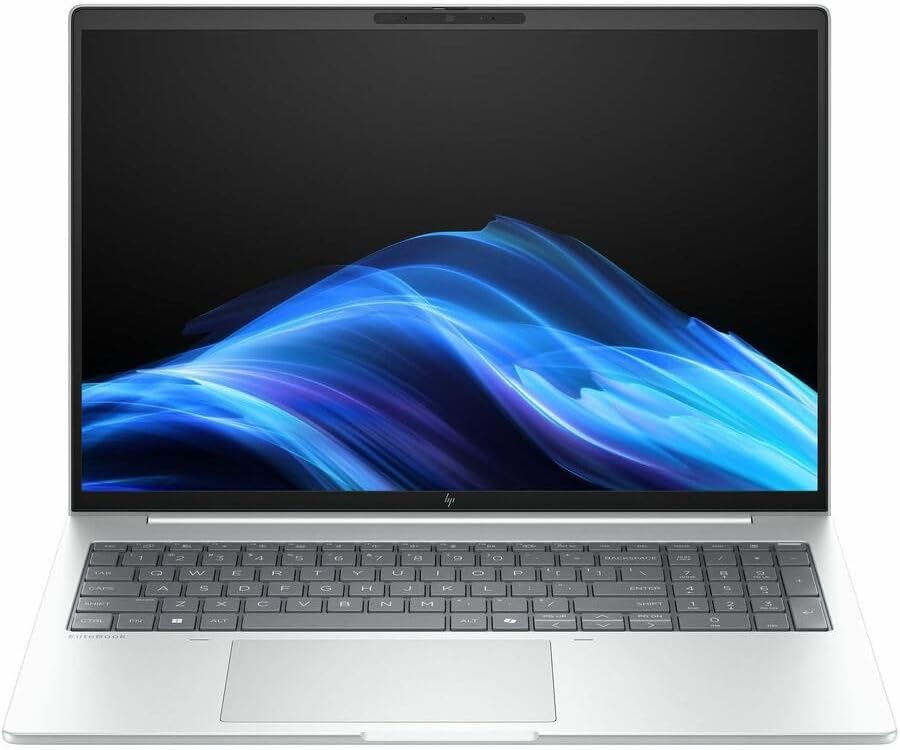
- AI-powered: Yes
- Processor Manufacturer: Intel
- Processor Type: Core Ultra 7
Key Features
- 14-inch display
- Intel Core Ultra platform
- Premium lightweight design
- Business security features
- High-quality webcam
- AI-focused capabilities
- Strong connectivity
- Professional keyboard
- Long battery potential
HP’s EliteBook family is aimed at business and enterprise users rather than casual consumers.
It is a strong option for professionals who need a Windows laptops for meetings, office productivity, communication, and travel.
Best for: Enterprise users, managers, executives, and professionals.
Our Rating: 9.4/10
5. Microsoft Surface Laptop: Best Portable Business Laptop
The Microsoft Surface Laptops is an excellent choice for professionals who value portability, a clean Windows experience, and a high-quality display.
Its slim design makes it particularly appealing to people who frequently work outside the office.

- 【Intel Core i5-11th Processor】Equipped with Intel Core i5-1145G7 processor, this Surface Laptop 4 has a powerful process…
- 【8GB RAM】This refurbished Surface Laptop 4 has a 8GB RAM configuration that ensures smoothness when running multiple pro…
- 【Large Storage】This Surface Laptop 4 comes with a 512GB SSD, providing ample storage space so that users don’t have to w…
Key Features
- Slim and lightweight design
- High-resolution touchscreen
- Modern processor options
- Comfortable keyboard
- Excellent trackpad
- Windows integration
- Long battery potential
- Premium build quality
The Surface Laptop is particularly suitable for business users who spend significant time in meetings, coffee shops, coworking spaces, or while traveling.
Best for: Remote workers, consultants, students, and mobile professionals.
Our Rating: 9.3/10
6. Lenovo ThinkPad T14: Best Value Business Laptop
The ThinkPad T14 offers many of the features business users expect from Lenovo without necessarily reaching the price of premium flagship models.
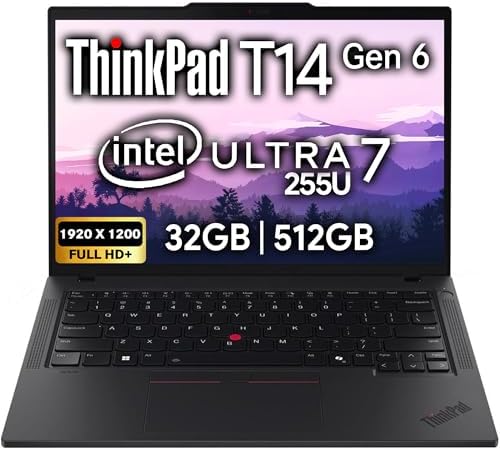
- Newly Released ThinkPad T14 Gen 6 with MIL-STD 810H Military Grade certification, equipped with Intel Core Ultra 7 255U,…
- 14″ FHD+ (1920 x 1200) IPS Anti-glare Non-Touch Display delivers sharp visuals and wide viewing angles; Integrated Intel…
- 2 x USB-A 3.2 Gen 1 (1 Always On), 2 x Thunderbolt 4, HDMI, Ethernet (RJ-45), Headphone/Microphone Combo Jack; enhanced …
Key Features
- 14-inch display
- Business-oriented construction
- Excellent keyboard
- Multiple processor configurations
- Strong connectivity
- Security features
- Upgrade options on selected configurations
- Docking support
- Durable design
It is a particularly strong option for companies purchasing laptops for employees.
The T14 is also suitable for individual professionals who want a dependable work computer.
Best for: Small businesses, corporate deployments, professionals, and value-focused buyers.
Our Rating: 9.2/10
7. ASUS ExpertBook: Best Lightweight Business Value
The ASUS ExpertBook range is designed around portability, business productivity, and professional use.

- Windows 11 Pro – ASUS recommends Windows 11 Pro for business
- The world’s lightest 14” OLED business laptop, weighing a mere 2.18lbs
- Intel Core 7 processor (Series 1)
Key Features
- Lightweight design
- Business-focused features
- Modern Intel/AMD processor options depending on model
- Multiple connectivity options
- Professional appearance
- Security features
- Long battery potential
- Business-oriented construction
ExpertBook models are worth considering when you want a relatively lightweight Windows business laptop without paying flagship prices.
Best for: Small-business owners, remote workers, mobile professionals, and budget-conscious buyers.
Our Rating: 9.0/10
What Should You Look for in a Business Laptop?
Buying a business laptops requires different priorities from buying a gaming laptop.
1. Processor Performance
For everyday business tasks, you don’t necessarily need the most powerful processor available.
A modern laptop processor should comfortably handle:
- Microsoft Office
- Google Workspace
- Web browsing
- Video conferencing
- Accounting software
- CRM platforms
- Presentations
Professionals working with large spreadsheets, software development, video editing, or data analysis should consider higher-performance processors.
2. RAM
RAM determines how well your laptop handles multiple applications simultaneously.
For general business use:
16GB is a strong starting point.
For demanding multitasking:
32GB or more may be preferable.
If you regularly keep dozens of browser tabs, spreadsheets, communication applications, and productivity tools open, additional RAM can make a noticeable difference.
3. SSD Storage
An SSD provides significantly faster storage performance than older mechanical hard drives.
For most business users:
- 256GB: Basic work
- 512GB: Recommended for most professionals
- 1TB: Better for large files and creative workloads
- 2TB+: Heavy storage requirements
A 512GB SSD is often a good balance between capacity and price.
4. Battery Life
Business users often spend the day away from power outlets.
Battery life matters for:
- Meetings
- Flights
- Conferences
- Remote work
- Client visits
- Coffee shops
- University campuses
Remember that manufacturer battery estimates don’t necessarily represent real-world usage.
Screen brightness, processor workload, video calls, Wi-Fi, and background applications can all reduce battery life.
5. Keyboard and Trackpad
Don’t underestimate the keyboard.
Business users often spend hours typing:
- Emails
- Reports
- Proposals
- Documents
- Presentations
- Messages
ThinkPad keyboards are particularly well regarded among productivity-focused laptop users.
A precise trackpad is also important when you don’t want to carry a mouse.
6. Security Features
Security is one of the biggest differences between business and consumer laptops.
Useful features may include:
- Fingerprint reader
- IR facial recognition
- TPM security
- Webcam privacy shutter
- BIOS protection
- Enterprise management
- Smart card support on selected models
Businesses should also consider device-management capabilities and manufacturer support policies.
7. Ports and Connectivity
A business laptops should provide enough connectivity for your workflow.
Look for:
- USB-C
- Thunderbolt on supported systems
- USB-A
- HDMI
- Headphone jack
- Wi-Fi
- Bluetooth
USB-C docking support is particularly useful for professionals who work from a desk.
A single cable can potentially connect the laptop to:
- External monitors
- Keyboard
- Mouse
- Ethernet
- Storage
- Charging
Best Business Laptop by Use Case
| Use Case | Recommended Laptop |
|---|---|
| Best overall | Lenovo ThinkPad X1 Carbon |
| Creative professionals | MacBook Pro 14 |
| Premium Windows | Dell Pro 14 Premium |
| Enterprise users | HP EliteBook Ultra |
| Remote workers | Microsoft Surface Laptop |
| Best value | ThinkPad T14 |
| Lightweight value | ASUS ExpertBook |
| Business travel | ThinkPad X1 Carbon |
| Video editing | MacBook Pro 14 |
| Office work | ThinkPad T14 |
| Programming | MacBook Pro / ThinkPad X1 Carbon |
| Executive use | Dell Pro / ThinkPad X1 Carbon |
Windows vs. Mac for Business
Choosing between Windows and macOS depends on your existing software and ecosystem.
Windows
Windows laptops offer:
- Huge hardware selection
- Wide software compatibility
- Enterprise management
- More price options
- Excellent Microsoft 365 integration
- Large selection of business applications
Windows is often the safer choice for organizations using specialized corporate software.
Mac
MacBooks offer:
- Excellent performance
- Strong battery efficiency
- Premium construction
- Excellent displays
- Great trackpads
- Strong creative software ecosystem
- Apple ecosystem integration
MacBooks are particularly popular among creative professionals and developers.
What Size Business Laptop Should You Buy?
13–14 inches
Best for:
- Travel
- Remote work
- Consultants
- Students
- Frequent meetings
15–16 inches
Better for:
- Large spreadsheets
- Video editing
- Multitasking
- Desktop replacement
- Professionals who want a larger display
For most business travelers, a 14-inch laptop offers the best combination of portability and productivity.
Do You Need a Business Laptop With AI Features?
Modern laptops increasingly include processors with dedicated AI capabilities, such as NPUs.
AI-focused hardware can potentially improve:
- Video conferencing effects
- Background blur
- Noise reduction
- AI-powered applications
- Local AI workloads
However, don’t buy a laptops solely because it has an AI label. Processor performance, battery life, RAM, storage, display quality, and software compatibility remain more important for most business users.
Final Verdict
The Lenovo ThinkPad X1 Carbon Gen 13 is our best overall business laptop for 2026 because it combines portability, performance, an excellent keyboard, strong security features, and a professional design.
The MacBook Pro 14 is an excellent choice for creative professionals and Apple users, while the Dell Pro 14 Premium and HP EliteBook Ultra G1i are strong premium Windows options for corporate professionals.
For remote workers and highly mobile users, the Microsoft Surface Laptop provides a sleek and portable experience. The ThinkPad T14 offers excellent value for businesses, while ASUS ExpertBook models are worth considering when portability and price are priorities.
Before buying, consider the software your business uses, processor performance, RAM, SSD capacity, battery life, keyboard quality, security features, ports, warranty, and docking support. The best business laptop is not necessarily the most expensive model—it is the one that reliably supports your workflow while remaining comfortable to use every day.
Frequently Asked Questions
What is the best business laptop in 2026?
The Lenovo ThinkPad X1 Carbon Gen 13 is our top overall choice because of its lightweight design, excellent keyboard, performance, security features, and business-focused construction.
What is the best laptop for business professionals?
The ThinkPad X1 Carbon, Dell Pro 14 Premium, and HP EliteBook Ultra are excellent choices for business professionals who prioritize portability, reliability, security, and productivity.
Is a MacBook good for business?
Yes. MacBooks can be excellent business laptops, particularly for creative professionals, developers, and businesses already using Apple devices.
How much RAM does a business laptop need?
16GB is a good starting point for most business users. Professionals handling large datasets, development workloads, or heavy multitasking may benefit from 32GB or more.
Is 512GB SSD enough for business?
For most professionals, 512GB provides a good balance of capacity and performance. Users storing large video files, databases, or extensive media libraries may want 1TB or more.
What processor is best for a business laptop?
A modern Intel Core Ultra, AMD Ryzen, or Apple silicon processor can provide excellent business performance. Choose based on your workload rather than the processor name alone.
Is a 14-inch laptop good for business?
Yes. A 14-inch laptop offers an excellent balance between screen space and portability, making it particularly suitable for professionals who travel.
What is the best business laptop for travel?
The Lenovo ThinkPad X1 Carbon is an excellent travel option because of its lightweight design, strong battery potential, comfortable keyboard, and business-focused features.
Do business laptops need dedicated graphics?
Most business users don’t need a dedicated GPU. Integrated graphics are sufficient for office applications, browsing, video conferencing, and general productivity. Creative professionals may benefit from dedicated graphics.
What security features should a business laptop have?
Useful features include TPM security, fingerprint authentication, IR facial recognition, webcam privacy shutters, BIOS protection, and enterprise management capabilities.
Can a business laptop connect to multiple monitors?
Yes. Many modern business laptops can connect to multiple external displays using USB-C, Thunderbolt, HDMI, or a compatible docking station.
Is ThinkPad better than HP EliteBook?
Both offer strong business laptops. ThinkPads are particularly known for their keyboards and business-focused design, while EliteBooks offer premium construction and enterprise features. The best choice depends on the exact configuration and price.
How long should a business laptop last?
A quality business laptop can remain productive for several years. Longevity depends on hardware specifications, workload, battery health, software support, and maintenance.
Should I buy a business laptop or a consumer laptop?
Choose a business laptop if you prioritize durability, security, professional support, docking, comfortable keyboards, and long-term reliability. A consumer laptop can be better if price and entertainment features are your primary concerns.
Best Products
Best Smartphones for Everyday Use in 2026
Best Laptops for Students in 2026