If you click on the links and make a purchase, we may earn a commission.
Choosing the best monitors for video editing is critical if you want accurate colors, sharp detail, consistent brightness, and enough screen space for your editing timeline and preview window. A monitor that looks great for gaming isn’t necessarily ideal for professional video production.
Table of Contents
Image Credit: canva
Video editors should prioritize color accuracy, resolution, panel quality, HDR performance, brightness, wide color gamut, connectivity, and ergonomic adjustment. A larger display can also make complex editing timelines easier to manage.
Whether you’re editing YouTube videos, social media content, documentaries, commercials, or professional films, this guide covers the best monitors for video editing in 2026.
Quick Comparison: Best Monitors for Video Editing
| Monitor | Best For | Key Feature | Size | Resolution | Panel | Rating |
|---|---|---|---|---|---|---|
| Apple Studio Display | Best for Mac | 5K Retina display | 27″ | 5120×2880 | IPS | 9.7/10 |
| ASUS ProArt PA32UCX-PK | Best Professional | Mini-LED HDR | 32″ | 3840×2160 | IPS | 9.8/10 |
| ASUS ProArt PA279CRV | Best Value | 4K + wide color | 27″ | 3840×2160 | IPS | 9.5/10 |
| BenQ SW321C | Best Color Accuracy | Hardware calibration | 32″ | 3840×2160 | IPS | 9.6/10 |
| Dell UltraSharp U3223QE | Best 32-inch | 4K + IPS Black | 32″ | 3840×2160 | IPS Black | 9.4/10 |
| LG UltraFine 32EP950 | Best OLED | 4K OLED | 31.5″ | 3840×2160 | OLED | 9.7/10 |
| BenQ PD3225U | Best Mac Alternative | 4K + Thunderbolt | 32″ | 3840×2160 | IPS Black | 9.5/10 |
| Dell UltraSharp U2723QE | Best 27-inch | 4K + USB-C | 27″ | 3840×2160 | IPS Black | 9.3/10 |
Specifications may vary by region or configuration. Always verify current manufacturer specifications before purchasing.
1. ASUS ProArt PA32UCX-PK: Best Professional Monitor for Video Editing
The ASUS ProArt PA32UCX-PK is designed for professional content creators who need accurate color reproduction and strong HDR performance.
Its large 32-inch 4K display provides plenty of workspace for video editing applications such as DaVinci Resolve, Adobe Premiere Pro, Final Cut Pro, and other professional software.

- 【EXCEPTIONAL COLOR ACCURACY FOR CREATIVES】 Designed for photo and video editing, this 27-inch QHD (2560 x 1440) IPS moni…
- 【PERSONALIZED EDITING EXPERIENCE】 The exclusive ProArt Preset provides multiple modes for quick color-gamut adjustment, …
- 【WORK SMARTER WITH VIRTUAL SCALE】 Save time with the QuickFit Virtual Scale feature, which overlays a grid on the screen…
Key Features
- 32-inch 4K display
- Mini-LED backlighting
- Professional HDR support
- Wide color gamut
- Hardware calibration
- 3840×2160 resolution
- Multiple connectivity options
- Ergonomic stand
- Professional color controls
Why Buy?
HDR performance can be especially important when editing HDR content.
The monitor’s professional-oriented color capabilities make it suitable for demanding workflows where color consistency matters.
Best for: Professional video editors, filmmakers, colorists, and HDR production.
Rating: 9.8/10
2. Apple Studio Display: Best Video Editing Monitor for Mac
The Apple Studio Display is an excellent choice for Mac-based video editors who want a sharp 5K display with Apple’s familiar ecosystem.
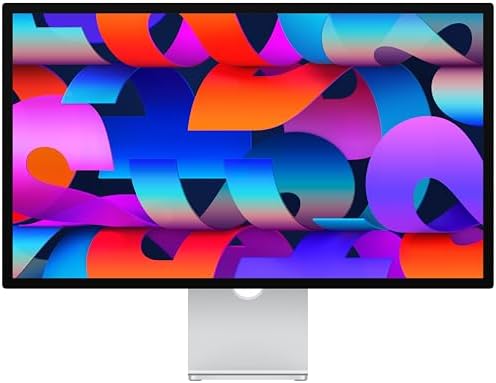
- A SIGHT TO BE BOLD — An immersive 27-inch 5K Retina display, 12MP Center Stage camera with Desk View, advanced mics and …
- WITH FLYING COLORS — 14.7 million pixels, 600 nits of brightness, support for 1 billion colors, and P3 wide color make e…
- ADVANCED CAMERA AND AUDIO — The 12MP Center Stage camera helps you look sharp in any light and keeps you in frame during…
Key Features
- 27-inch 5K Retina display
- 5120×2880 resolution
- P3 wide color
- 600-nit brightness
- True Tone
- 12MP camera
- Studio-quality microphone system
- Six-speaker audio system
- Thunderbolt/USB connectivity
Why Buy?
The 5K resolution provides exceptional detail and a large workspace.
It’s particularly attractive for Final Cut Pro users and editors working primarily on Mac.
The high pixel density also makes text, interface elements, and video previews appear exceptionally sharp.
Best for: Mac users, Final Cut Pro editors, YouTubers, and creative professionals.
Rating: 9.7/10
3. BenQ SW321C: Best for Color Accuracy
The BenQ SW321C is designed specifically for professionals who require highly accurate color reproduction.
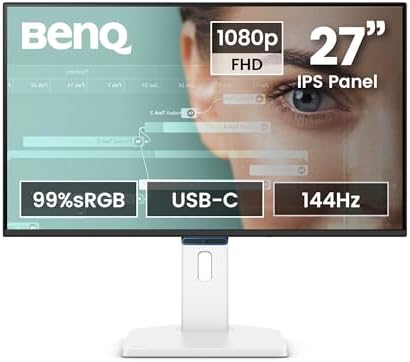
- 【Designed for Comfortable All-Day Productivity】 Enhance your workflow with a 24-inch IPS eye care monitor built for home…
- 【USB-C One-Cable Convenience】 Connect your laptop or MacBook with a single USB-C cable for video, data, and power delive…
- 【Smooth 144Hz for Better Work Experience】 Enjoy smoother scrolling, reduced motion blur, and more responsive multitaskin…
Key Features
- 32-inch 4K display
- IPS panel
- 99% Adobe RGB
- 100% sRGB
- 99% DCI-P3
- Hardware calibration
- 16-bit 3D LUT
- USB-C
- Uniformity technology
- Shading hood
Why Buy?
Color accuracy is one of the most important characteristics of a professional video-editing display.
The SW321C is particularly appealing to editors who also work with photography, color grading, and print-oriented workflows.
Best for: Professional colorists, photographers, filmmakers, and creative studios.
Rating: 9.6/10
4. LG UltraFine 32EP950: Best OLED Monitors for Video Editing
The LG UltraFine 32EP950 uses an OLED panel to deliver extremely deep blacks and excellent contrast.

- 【UltraFine 4K HDR】Featuring a 32-inch UltraFine display, it delivers crisp 4K resolution and vibrant HDR effects, elevat…
- 【Exceptional Audio and Gaming Enhancements】Built-in stereo speakers provide a more immersive audio-visual experience; Di…
- 【Enhanced Visibility in Dark Scenes】Black Stabilizer boosts shadow detail, helping players pinpoint enemy locations more…
Key Features
- 31.5-inch OLED display
- 4K resolution
- DCI-P3 coverage
- Deep blacks
- Excellent contrast
- Professional color support
- DisplayPort
- HDMI
- USB hub
Why Buy?
OLED technology can be especially useful for video editing because dark scenes and shadow detail are displayed with excellent contrast.
This makes the display particularly appealing for filmmakers and editors working with cinematic content.
Best for: Video editors, filmmakers, HDR content creators, and professionals who prioritize contrast.
Rating: 9.7/10
5. ASUS ProArt PA279CRV: Best Value Monitor for Video Editing
The ASUS ProArt PA279CRV provides professional-oriented features at a lower price than some high-end reference displays.

- Accurate and Vivid Color Reproduction: Experience true-to-life color accuracy with the ASUS ProArt Display featuring 100…
- High Color Fidelity for Truly Expressive Hues: Experience precise and accurate color reproduction with 100% sRGB/Rec.709…
- WUXGA Resolution Display: Enjoy sharp images and vivid colors with this monitor display featuring a WUXGA resolution of …
Key Features
- 27-inch 4K display
- IPS panel
- Wide color gamut
- 99% DCI-P3
- 100% sRGB
- USB-C
- DisplayPort
- HDMI
- Factory calibration
- Ergonomic stand
Why Buy?
It’s a strong option for independent creators who want accurate color and 4K resolution without buying an expensive reference monitor.
Best for: YouTubers, freelance editors, photographers, and content creators.
Rating: 9.5/10
6. Dell UltraSharp U3223QE: Best Large General-Purpose Editing Monitor
The Dell UltraSharp U3223QE isn’t exclusively designed for video editing, but its 32-inch 4K display and productivity features make it an excellent option for creators.
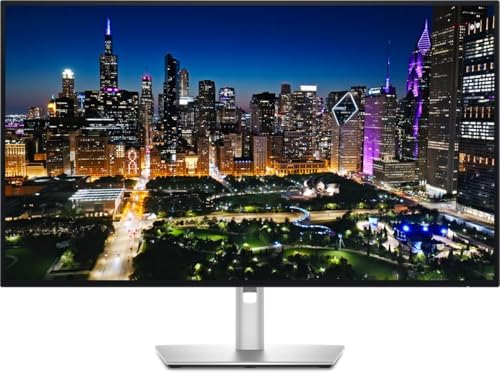
- Energy efficiency class: F
- 31.5 inch 16:9, resolution: 3840 x 2.160 4K (Ultra HD)
- Response time: 5 ms, Contrast: 2000:1 Panel: IPS
Key Features
- 31.5-inch 4K display
- IPS Black technology
- USB-C
- USB hub
- KVM
- DisplayPort
- HDMI
- Ergonomic stand
- Wide viewing angles
Why Buy?
The 32-inch size provides plenty of room for a video-editing timeline, preview window, media browser, and editing controls.
It’s also a great choice if you use the same monitor for office work, programming, and content creation.
Best for: Hybrid workstations, YouTubers, editors, and professionals.
Rating: 9.4/10
7. BenQ PD3225U: Best Mac Alternative
The BenQ PD3225U is a strong choice for Mac users who want a large 4K monitor with professional color features.

- Connect to productivity: Simplify your setup with this versatile monitor featuring USB-C (up 90W power delivery) single-…
- Enhanced eye comfort: This monitor achieves TÜV Rheinland 4-star eye comfort certification — the latest industry standar…
- See your work clearly: With In-Plane Switching (IPS) technology, this monitor offers a wide 178°/178° viewing angle, so …
Key Features
- 31.5-inch 4K display
- IPS Black panel
- Thunderbolt connectivity
- USB-C
- Wide color coverage
- Hardware calibration support
- KVM
- Ergonomic stand
Why Buy?
The large 32-inch screen gives editors a comfortable workspace while Thunderbolt connectivity can simplify Mac-based setups.
Best for: MacBook users, video editors, designers, and creative professionals.
Rating: 9.5/10
8. Dell UltraSharp U2723QE: Best 27-Inch Editing Monitor
The Dell UltraSharp U2723QE is an excellent choice if you prefer a smaller 27-inch monitor.

- Elevated entertainment: The QHD resolution and 1500:1 contrast ratio bring astounding depth and vivid detail, while a 14…
- Hear the audio difference: Immerse yourself in sound with integrated dual 3W speakers delivering a wider range of freque…
- Eye comfort: Prioritize visual comfort with this 4-star TÜV-certified display. Reduce harmful blue light emissions while…
Key Features
- 27-inch 4K
- IPS Black
- USB-C
- USB hub
- KVM
- DisplayPort
- HDMI
- Ergonomic adjustment
Why Buy?
A 27-inch display is easier to fit into smaller editing studios.
The 4K resolution provides excellent sharpness, while USB-C makes it convenient for laptop-based workflows.
Best for: Home studios, MacBook users, freelancers, and compact workstations.
Rating: 9.3/10
What Makes a Good Video Editing Monitor?
A good editing monitor needs more than a high resolution.
1. Color Accuracy
Color accuracy is arguably the most important feature.
Look for displays supporting wide color spaces such as:
- sRGB
- DCI-P3
- Adobe RGB
- Rec. 709
- Rec. 2020, where appropriate
For modern video editing, DCI-P3 and Rec. 709 are particularly important depending on your workflow.
2. Resolution
Full HD
Suitable for basic editing but increasingly limited for professional work.
1440p
A reasonable option for budget-conscious editors.
4K
The sweet spot for most video editors.
A 4K monitor lets you edit 4K footage at native resolution while maintaining space for editing controls.
5K
Excellent for Mac users and high-density workflows.
3. HDR Performance
If you’re editing HDR video, monitor capabilities become much more important.
Look for:
- High brightness
- Local dimming
- Wide color gamut
- Strong contrast
- HDR certification or professional HDR support
A standard office monitor may display HDR content, but that doesn’t necessarily mean it can accurately reproduce HDR highlights and shadows.
4. Panel Technology
| Panel | Advantages | Video Editing |
|---|---|---|
| IPS | Accurate colors + viewing angles | Excellent |
| IPS Black | Better contrast | Excellent |
| OLED | Perfect blacks + contrast | Excellent |
| VA | Strong contrast | Good |
| TN | Fast response | Not recommended |
For professional editing, IPS, IPS Black, and OLED are generally the most attractive choices.
5. Screen Size
27 Inches
Good for:
- Home studios
- Smaller desks
- Single-monitor setups
32 Inches
Excellent for:
- Professional editing
- Large timelines
- Color grading
- Multitasking
Ultrawide
Useful for:
- Long timelines
- Multiple applications
- Side-by-side editing workflows
For many professional editors, 32 inches is an excellent balance.
Best Resolution for Video Editing
For most editors, 4K is the ideal target.
A 4K display provides enough resolution to:
- Preview 4K footage
- Read detailed timelines
- View color grading tools
- Keep multiple windows visible
- Inspect image detail
If you primarily edit 1080p footage for social media, a QHD monitor can still be sufficient.
Best Monitors for DaVinci Resolve
DaVinci Resolve users should prioritize:
- Color accuracy
- DCI-P3 support
- 4K resolution
- HDR capabilities
- High contrast
- Hardware calibration
- Good screen size
The ASUS ProArt PA32UCX-PK and BenQ SW321C are particularly attractive for professional color-focused workflows.
Best Monitor for Premiere Pro
Adobe Premiere Pro benefits from a large high-resolution workspace.
A 27-inch or 32-inch 4K monitor allows you to comfortably arrange:
- Timeline
- Program monitor
- Source monitor
- Project panel
- Effects
- Audio controls
The Dell U3223QE is a strong general-purpose choice, while the ASUS ProArt PA279CRV offers stronger color-oriented features.
Best Monitor for Final Cut Pro
Mac users editing in Final Cut Pro should consider:
- 4K or 5K resolution
- Wide color gamut
- High pixel density
- USB-C/Thunderbolt
- Accurate color
The Apple Studio Display is a natural choice for users who want a high-resolution Mac-centric workflow.
Best Monitor for YouTube Video Editing
YouTubers don’t necessarily need a professional reference monitor.
A good 27-inch 4K monitor with wide color coverage is usually sufficient.
Recommended options include:
ASUS ProArt PA279CRV — excellent value.
Dell U2723QE — excellent general-purpose option.
Apple Studio Display — premium Mac option.
Best Monitors for Color Grading
Color grading requires greater attention to:
- Color accuracy
- Calibration
- Uniformity
- Contrast
- Black levels
- HDR
- Color gamut
Professional editors should consider monitors designed specifically for color-critical workflows rather than ordinary consumer displays.
The BenQ SW321C and ASUS ProArt PA32UCX-PK are strong choices.
Monitors Calibration for Video Editing
Even an expensive monitor should be calibrated correctly.
Calibration helps ensure that:
- Colors are accurate
- Brightness is appropriate
- White balance is consistent
- Gamma is correct
- Your output looks closer to the intended result
For professional workflows, a hardware colorimeter can be more reliable than manually adjusting the monitor’s settings.
Best Monitor Setup for Video Editing
Single Monitor
A 32-inch 4K monitor is an excellent choice.
Dual Monitors
Use one display for editing and another for preview or tools.
Reference Monitors Setup
Professional studios may use a dedicated reference display alongside the main computer monitor.
Ultrawide
Useful for maximizing horizontal timeline space.
Your choice should depend on your editing software, available desk space, budget, and workflow.
Best Monitors for Video Editing by Use Case
| Use Case | Best Monitor | Key Reason |
|---|---|---|
| Best overall | ASUS ProArt PA32UCX-PK | Professional HDR |
| Best Mac | Apple Studio Display | 5K Retina |
| Best color accuracy | BenQ SW321C | Hardware calibration |
| Best OLED | LG UltraFine 32EP950 | Deep blacks |
| Best value | ASUS ProArt PA279CRV | 4K + wide gamut |
| Best large | Dell U3223QE | 32-inch 4K |
| Best Mac alternative | BenQ PD3225U | Thunderbolt |
| Best 27-inch | Dell U2723QE | 4K + USB-C |
| Best for YouTube | ASUS ProArt PA279CRV | Strong value |
| Best for color grading | BenQ SW321C | Color-focused design |
Pros and Cons of Video Editing Monitors
Pros
- Accurate color
- High resolution
- Better editing workspace
- Wide color gamut
- HDR options
- Excellent contrast
- USB-C connectivity
- Large-screen options
- Professional calibration features
Cons
- Professional monitors can be expensive
- HDR performance varies significantly
- OLED models can cost more
- Calibration may require additional equipment
- Large displays require substantial desk space
- Some monitors prioritize color over gaming performance
How to Choose the Best Monitors for Video Editing
Before buying, consider:
Resolution: 4K is ideal for most modern editors.
Color gamut: Look for wide DCI-P3 and appropriate Rec. 709 support.
Calibration: Factory calibration is useful; hardware calibration is even better for professional workflows.
HDR: Important if you’re producing HDR content.
Panel: IPS and OLED are excellent options.
Size: 32 inches is ideal for many professional editing setups.
Connectivity: USB-C and Thunderbolt are useful for modern laptops.
Brightness: Particularly important for HDR work.
Ergonomics: Height, tilt, and swivel can improve long editing sessions.
Budget: Don’t spend heavily on HDR capabilities if you only produce standard SDR content.
Final Verdict: Best Monitors for Video Editing
The ASUS ProArt PA32UCX-PK is our top choice for professional video editing because it combines a 32-inch 4K display with professional color features and Mini-LED HDR capabilities.
For Mac users, the Apple Studio Display provides an exceptionally sharp 5K workspace and excellent ecosystem integration. The BenQ SW321C is a strong choice for color-critical workflows, while the LG UltraFine 32EP950 stands out for editors who want OLED contrast and deep blacks.
For creators looking for value, the ASUS ProArt PA279CRV delivers a compelling combination of 4K resolution, wide color coverage, USB-C connectivity, and factory calibration.
For a general-purpose editing workstation, the Dell UltraSharp U3223QE is an excellent choice because its 32-inch 4K screen provides ample room for editing timelines and multitasking.
Ultimately, the best video-editing monitor depends on your workflow. A YouTube creator may not need a professional HDR reference display, while a commercial colorist may require much more advanced calibration and HDR capabilities.
For most serious editors, the ideal specification is 27–32 inches, 4K resolution, excellent color accuracy, wide gamut, strong contrast, USB-C connectivity, and reliable calibration.
Frequently Asked Questions
What is the best monitor for video editing in 2026?
The ASUS ProArt PA32UCX-PK is our overall professional pick because of its 4K resolution, large 32-inch workspace, professional color features, and HDR capabilities.
Is 4K necessary for video editing?
4K isn’t mandatory, but it is highly recommended for modern video production. It provides enough resolution to preview 4K footage accurately and gives you more workspace.
Is IPS or OLED better for video editing?
Both can be excellent. IPS displays often provide strong color accuracy and consistent performance, while OLED offers superior blacks and contrast.
What size monitors is best for video editing?
A 32-inch monitors is an excellent choice for professional editing because it provides plenty of room for timelines, previews, and editing controls.
What color gamut should a video editing monitors have?
For many workflows, look for strong sRGB, Rec. 709, and DCI-P3 coverage. The appropriate gamut depends on the content you’re producing.
Is HDR important for video editing?
HDR is important if you’re producing HDR content. For standard SDR YouTube videos, investing heavily in HDR capabilities may not be necessary.
Is the Apple Studio Display good for video editing?
Yes. Its 5K resolution, wide color support, high pixel density, and Mac integration make it an excellent choice for many Mac-based editors.
What is the best monitor for DaVinci Resolve?
Professional color-focused monitors such as the ASUS ProArt PA32UCX-PK and BenQ SW321C are excellent options for demanding DaVinci Resolve workflows.
What is the best monitor for Premiere Pro?
A 27- or 32-inch 4K display with good color accuracy is ideal. The Dell U3223QE and ASUS ProArt PA279CRV are strong choices.
Do video editors need a 120Hz monitor?
No. Refresh rate is less important than color accuracy and resolution for video editing. A 60Hz monitor is sufficient for many professional workflows.
Should I buy a curved monitors for video editing?
Curved monitors can provide an immersive and wide workspace, but flat displays are often preferred for color-critical work because they provide a more traditional viewing geometry.
What should I look for in a video-editing monitors?
Prioritize color accuracy, resolution, color gamut, HDR performance, contrast, calibration, screen size, brightness, connectivity, and ergonomic adjustment.
Best Products
Best Smartphones for Everyday Use in 2026
Best Laptops for Students in 2026