If you click on the links and make a purchase, we may earn a commission.
Choosing the best desktop computer for work depends on the type of work you do, how much performance you need, and whether you prioritize expandability, quiet operation, portability, or price. A good work desktop should provide dependable performance, plenty of memory and storage, a comfortable working environment, and enough connectivity for monitors and peripherals.
Table of Contents
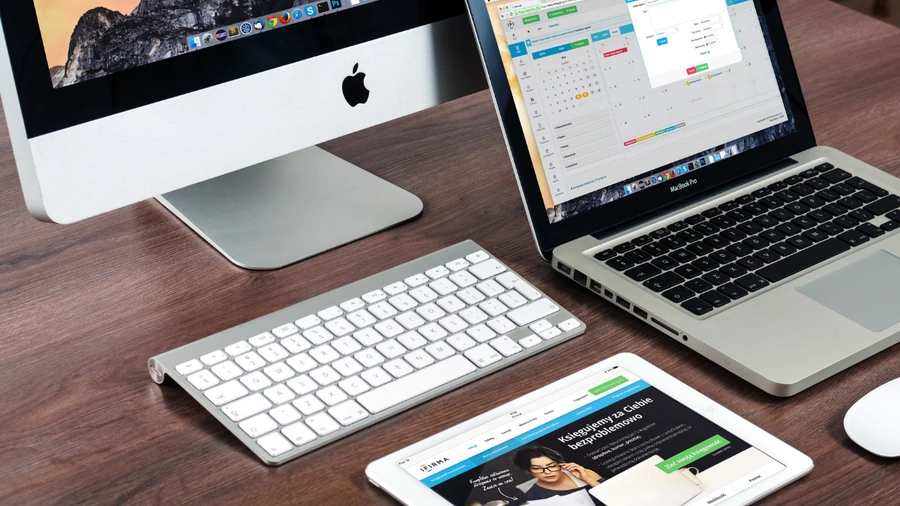
Image Credit:Pixabay
Unlike laptops, desktop computers typically offer better upgradeability, larger displays, stronger cooling, and more performance for the money. They are particularly useful for home offices, businesses, professionals, accountants, programmers, designers, and anyone who spends most of the day working at a desk.
In this guide, we compare the best desktop computers for work in 2026, focusing on performance, productivity, reliability, upgradeability, connectivity, energy efficiency, and overall value.
Quick Comparison: Best Desktop Computers for Work
| Desktop Computer | Best For | Key Feature | CPU Platform | RAM | Rating |
|---|---|---|---|---|---|
| Apple iMac | Best All-in-One | Excellent display + simple setup | Apple silicon | 16GB+ | 9.7/10 |
| Apple Mac mini | Best Compact | Powerful and space-saving | Apple silicon | 16GB+ | 9.8/10 |
| Dell OptiPlex | Best Business | Enterprise-focused design | Intel/AMD | 16GB+ | 9.5/10 |
| HP EliteDesk | Best Office | Business reliability | Intel/AMD | 16GB+ | 9.5/10 |
| Lenovo ThinkCentre | Best Corporate | Manageability + reliability | Intel/AMD | 16GB+ | 9.5/10 |
| Dell Inspiron Desktop | Best Home Office | Strong everyday performance | Intel/AMD | 16GB+ | 9.2/10 |
| HP Pavilion Desktop | Best Value | Affordable productivity | Intel/AMD | 16GB+ | 9.1/10 |
| Lenovo IdeaCentre | Best Family Office | Versatile productivity | Intel/AMD | 16GB | 9.1/10 |
| ASUS ExpertCenter | Best Small Business | Compact business design | Intel/AMD | 16GB+ | 9.3/10 |
| Dell Precision Workstation | Best Professional | Workstation performance | Intel/AMD | 32GB+ | 9.6/10 |
Configurations vary by model, generation, and region. Check the exact processor, RAM, storage, graphics, display, and operating system before purchasing.
1. Apple Mac mini: Best Desktop Computer for Work Overall
The Apple Mac mini is our overall choice for work because it combines powerful performance with a remarkably compact design.
Unlike an all-in-one PC, the Mac mini doesn’t include a display, keyboard, or mouse. This lets you create a customized workstation using your preferred accessories.

- SIZE DOWN. POWER UP — The far mightier, way tinier Mac mini desktop computer is five by five inches of pure power. Built…
- LOOKS SMALL. LIVES LARGE — At just five by five inches, Mac mini is designed to fit perfectly next to a monitor and is e…
- CONVENIENT CONNECTIONS — Get connected with Thunderbolt, HDMI, and Gigabit Ethernet ports on the back and, for the first…
Key Features
- Apple silicon
- Compact desktop design
- 16GB+ memory configurations
- Fast SSD storage
- USB-C/Thunderbolt
- HDMI
- Ethernet
- Wi-Fi
- macOS
- Excellent power efficiency
Why Buy?
The Mac mini is excellent for:
- Office applications
- Remote work
- Programming
- Content creation
- Web development
- Video conferencing
- Photo editing
- Multitasking
It’s particularly attractive for users who already own a good monitor and peripherals.
Best for: Professionals, home offices, developers, and Apple users.
Rating: 9.8/10
2. Apple iMac: Best All-in-One Desktop for Work
The Apple iMac is ideal for users who want a clean workstation without dealing with separate monitor purchases.

- BRILLLLLLIANT — iMac is the ultimate all-in-one desktop computer, powered by the M4 chip and built for Apple Intelligenc…
- FITS PERFECTLY IN YOUR SPACE — The all-in-one desktop design is strikingly thin, comes in seven vibrant colors, and elev…
- BUILT FOR APPLE INTELLIGENCE — Apple Intelligence is the personal intelligence system that helps you write, express your…
Key Features
- High-resolution built-in display
- Apple silicon
- 16GB+ configurations
- Integrated speakers
- Built-in webcam
- USB-C
- Wireless connectivity
- Compact all-in-one design
Why Buy?
The iMac combines the computer, display, speakers, and webcam into a single unit.
This makes it excellent for:
- Home offices
- Creative professionals
- General productivity
- Video calls
- Photo editing
- Web browsing
- Content creation
The biggest advantage is its simple setup and clean appearance.
Best for: Home offices, professionals, designers, and users who want an all-in-one workstation.
Rating: 9.7/10
3. Dell OptiPlex: Best Business Desktop
The Dell OptiPlex family has long been associated with business computing.
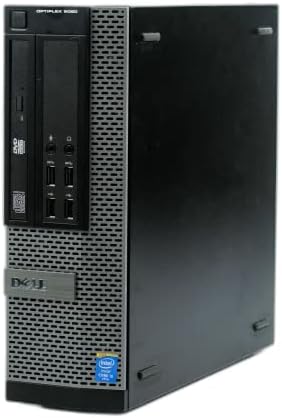
- This Certified Refurbished product is tested and certified to look and work like new. The Refurbishing Process includes …
- Dell OptiPlex 9020-SFF, Intel Core i5-4570 3.2GHZ, 16GB RAM, 512GB SSD Solid State.
- Port: RJ-45, Serial Port, VGA, (2) Display Port, (2) PS/2.
Key Features
- Intel/AMD processor options
- Multiple form factors
- SSD storage
- Expandable configurations
- Multiple USB ports
- Display outputs
- Ethernet
- Business management features
Why Buy?
OptiPlex systems are designed for office environments and can be configured for different workspace requirements.
They are suitable for:
- Accounting
- Microsoft Office
- CRM applications
- Administration
- Customer service
- Business software
- Remote work
Best for: Small businesses, offices, and corporate environments.
Rating: 9.5/10
4. HP EliteDesk: Best Office Desktop
The HP EliteDesk family provides business-focused desktops designed for professional environments.

- 14th Gen Intel 14-Core Powerhouse: Intel Core i5-14500 (6 P-cores up to 5.0GHz + 8 E-cores, 24MB cache) delivers elite p…
- Quad 4K Display for Maximum Productivity: Intel UHD 770 Graphics supports 4 simultaneous 4K displays via 2x DisplayPort …
- 16GB DDR5 RAM & 512GB NVMe SSD: High-speed 16GB DDR5 memory handles virtual machines, large datasets, 50+ browser tabs, …
Key Features
- Intel/AMD processor options
- Compact and tower configurations
- SSD storage
- Business security features
- Multiple USB ports
- Display outputs
- Ethernet
- Upgradeable configurations
Why Buy?
The EliteDesk range is particularly useful for businesses that need dependable desktop computers across multiple workstations.
It’s a good fit for:
- Office administration
- Finance
- HR
- Customer support
- Data entry
- Business applications
Best for: Professional offices and small businesses.
Rating: 9.5/10
5. Lenovo ThinkCentre: Best Corporate Desktop
The Lenovo ThinkCentre lineup is designed around business productivity, security, and reliability.
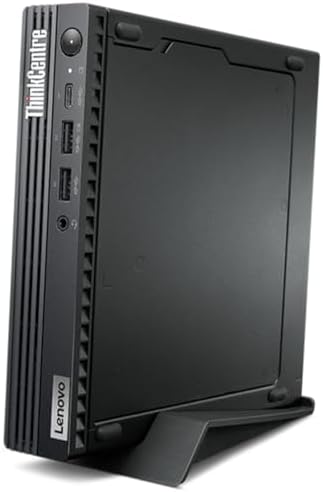
- Unopened retail packaging, sold as configured by Lenovo. One Year Onsite Lenovo Warranty. Add up to 5 years of Lenovo Pr…
- The ThinkCentre M75q Gen 5 Tiny PC is designed to maximize your productivity potential and provide a powerful computing …
- It’s compact and saves space, fitting almost anywhere. Position it vertically or horizontally. Mount it under a desk, or…
Key Features
- Intel/AMD processor options
- Multiple form factors
- SSD storage
- Business security
- TPM support
- Multiple display options
- USB-C
- Ethernet
- Enterprise management capabilities
Why Buy?
ThinkCentre systems are particularly useful for companies managing many desktop computers.
The Tiny models are also excellent for offices where desk space is limited.
Best for: Corporate offices, IT departments, and professional users.
Rating: 9.5/10
6. Dell Inspiron Desktop: Best Home Office Desktop
The Dell Inspiron Desktop provides a practical combination of performance and affordability.

- 【POWERFUL PERFORMANCE】: Effortlessly Tackle Any Task with the Powerful 13th Gen Intel Core i5-13400 Processor.
- 【ENHANCED MEMORY& STORAGE】Equipped with 16GB of DDR4 RAM, the laptop effortlessly handles multiple applications and brow…
- 【WINDOWS 11 Pro EXCELLENCE】Embrace the sophistication of Windows 11 Pro 64-bit operating system, designed for business a…
Key Features
- Intel/AMD processor options
- 16GB+ RAM configurations
- SSD storage
- Multiple USB ports
- HDMI/display outputs
- Ethernet
- Wi-Fi on select models
- Expandable tower design
Why Buy?
It’s a good choice for home users who need more performance and upgradeability than a laptop or mini PC provides.
It’s suitable for:
- Remote work
- Office applications
- Online learning
- Accounting
- Web browsing
- Light content creation
Best for: Home offices and families.
Rating: 9.2/10
7. HP Pavilion Desktop: Best Value Work Desktop
The HP Pavilion Desktop offers affordable desktop computing for everyday productivity.

- PROVEN-PERFORMANCE – Made for the modern family, the HP Pavilion Desktop PC brings the latest technology and reliability…
- DURABLE AND STYLISH – Ditch the dull black box with a polished silver PC that not only perfectly fits in any space, but …
- AMD PROCESSOR AND GRAPHICS – Whether you are playing the latest games, designing the next skyscraper, or crunching scien…
Key Features
- Intel/AMD processors
- SSD storage
- 16GB configurations available
- Multiple USB ports
- HDMI
- Ethernet
- Expandable desktop chassis
Why Buy?
The Pavilion is suitable for users who don’t need workstation-level performance but want a capable computer for everyday work.
Best for: Students, home offices, and budget-conscious users.
Rating: 9.1/10
8. Lenovo IdeaCentre: Best Family Work Desktop
The Lenovo IdeaCentre series is designed for general home and productivity use.

- 【Processor】 13th Gen Intel Core i7-13620H Processor (10 Cores, 16 Threads, 24MB Intel Smart Cache, Base at 2.4 GHz, Up t…
- 【Display】 27 inch FHD (1920×1080) IPS, Non-Touch Display. Aspect Ratio: 16:9, Refresh Rate: 100Hz, Color Gamut: 99% sRGB…
- 【RAM and Storage】 Up to 64GB DDR5 RAM, Up to 4TB PCIe M.2 SSD.
Key Features
- Intel/AMD processor options
- SSD storage
- 16GB+ configurations
- Multiple USB ports
- HDMI
- Ethernet
- Wi-Fi
- Compact tower options
Why Buy?
An IdeaCentre can serve multiple users in a home environment.
It can handle:
- Office work
- Homework
- Browsing
- Streaming
- Video calls
- Basic photo editing
Best for: Families and home users.
Rating: 9.1/10
9. ASUS ExpertCenter: Best Small Business Desktop
The ASUS ExpertCenter lineup focuses on business-oriented desktop computing.

- Power over Ethernet — 8 PoE ports capable of delivering up to 123 watts of power offer a convenient solution for powerin…
- VLAN for Added Security —Each of the Ethernet ports can be assigned to one or more VLAN IDs that provides additional sec…
- Up to 3 WAN Ethernet Ports – 1 gigabit WAN port and 2 gigabit WAN/LAN ports with load balancing optimize multi-line broa…
Key Features
- Intel/AMD processors
- Business-focused configurations
- SSD storage
- Compact designs
- USB-C
- Multiple USB ports
- Display outputs
- Ethernet
Why Buy?
Its compact configurations can be particularly useful for smaller offices where desk space is limited.
Best for: Small businesses and professional offices.
Rating: 9.3/10
10. Dell Precision Workstation: Best for Professional Workloads
The Dell Precision family is designed for demanding professional applications.

- POWERFUL FOR CREATIVITY – The Dell Precision 7000 series, positioned at the apex of the Precision lineup, surpasses the …
- HIGH PERFORMANCE – Powered by Intel Core i7-13850HX vPro Processor for superior efficiency and speed, 64GB DDR5 CAMM RAM…
- CRISP DISPLAY – 16″ FHD+ (1920 x 1200) Anti-Glare 45% NTSC display delivers crisp visuals, supported by the ability to c…
Key Features
- High-performance Intel/AMD processors
- Professional graphics options
- 32GB+ RAM configurations
- Large SSD options
- Multiple expansion slots
- Advanced cooling
- Extensive connectivity
Why Buy?
Workstations are useful for:
- CAD
- 3D modeling
- Engineering
- Architecture
- Scientific applications
- Professional video editing
- Data analysis
For ordinary office work, however, a workstation may be unnecessary.
Best for: Engineers, designers, architects, and professional creators.
Rating: 9.6/10
What Makes a Good Work Desktop?
The best desktop computer for work should provide a balance of performance and reliability.
Consider:
- Processor
- RAM
- SSD storage
- Display support
- Connectivity
- Upgradeability
- Operating system
- Noise
- Power consumption
- Warranty
The right specification depends on your workload.
How Much RAM Do You Need for Work?
8GB
Suitable for basic:
- Browsing
- Word processing
- Simple office tasks
However, 8GB is increasingly restrictive for modern multitasking.
16GB
The recommended choice for most office users.
It’s suitable for:
- Microsoft Office
- Browser multitasking
- Video conferencing
- Accounting
- CRM
- Programming
- General productivity
32GB
Recommended for:
- Video editing
- Programming
- Large spreadsheets
- Virtual machines
- Professional creative applications
64GB+
Useful for specialized professional workloads.
How Much Storage Do You Need?
256GB SSD
Good for basic office users.
512GB SSD
The sweet spot for most work computers.
1TB SSD
Recommended for professionals who store large files locally.
2TB+
Useful for:
- Video editing
- Photography
- Large project files
- Databases
- Media libraries
SSD vs HDD for Work
An SSD should be your first choice for a modern work computer.
| Feature | SSD | HDD |
|---|---|---|
| Speed | Excellent | Slow |
| Boot time | Fast | Slower |
| Application loading | Fast | Slow |
| Noise | Silent | Mechanical noise |
| Durability | Better | Lower |
| Capacity per dollar | Lower | Higher |
If you need lots of inexpensive storage, an HDD can still be useful as secondary storage.
All-in-One vs Desktop Tower
| Feature | All-in-One | Desktop Tower |
|---|---|---|
| Display included | Yes | No |
| Desk space | Excellent | Moderate |
| Upgradeability | Limited | Excellent |
| Cable management | Excellent | Good |
| Performance | Good–excellent | Excellent |
| Repairability | Varies | Usually better |
| Flexibility | Moderate | Excellent |
Choose an all-in-one for simplicity.
Choose a tower if you want maximum flexibility and future upgrades.
Desktop vs Mini PC for Work
Mini PCs are excellent when space is limited.
Traditional desktops are better when you need:
- Dedicated graphics
- More storage
- Expansion cards
- More RAM
- Better cooling
- Hardware upgrades
For standard office tasks, however, either can be excellent.
Best Desktop for Home Office
For a home office, look for:
- 16GB RAM
- 512GB SSD
- Modern processor
- Wi-Fi
- Ethernet
- HDMI/DisplayPort
- USB-C
- Quiet cooling
The Mac mini, Dell Inspiron Desktop, Lenovo IdeaCentre, and HP Pavilion are all strong choices.
Best Desktop for Business
Businesses should prioritize:
- Reliability
- Security
- Manageability
- Warranty
- Easy maintenance
- Upgradeability
Business-class systems such as Dell OptiPlex, HP EliteDesk, and Lenovo ThinkCentre are generally better suited to professional deployments than consumer desktops.
Best Desktop for Programming
Developers should consider:
- 16–32GB RAM
- 512GB–1TB SSD
- Modern multi-core CPU
- Multiple monitor support
- Fast networking
- USB-C
The Mac mini, ThinkCentre, OptiPlex, and higher-end Windows desktops are excellent choices.
Best Desktop for Video Editing
Video editing requires considerably more hardware.
Look for:
- 32GB+ RAM
- 1TB+ SSD
- Powerful CPU
- Dedicated GPU
- Fast storage
- Multiple display outputs
A workstation such as the Dell Precision is more appropriate for professional editing than a basic office desktop.
Best Desktop for Accounting
Accounting software generally doesn’t require extreme hardware.
Prioritize:
- 16GB RAM
- 512GB SSD
- Reliable processor
- Multiple display support
- Good connectivity
- Strong security
A business-class desktop can be an excellent choice.
Multiple Monitor Support
Multiple displays can dramatically improve productivity.
For example:
Monitor 1: Email and communication
Monitor 2: Main application
Monitor 3: Reference documents
Before purchasing, check how many monitors the computer supports and the maximum resolution and refresh rate of each output.
Connectivity to Look For
A good work desktop should include:
- USB-C
- USB-A
- HDMI
- DisplayPort
- Ethernet
- Wi-Fi
- Bluetooth
- Audio output
Businesses may also benefit from systems with additional security and management features.
Desktop Computer Buying Guide
For basic office work
Choose:
16GB RAM + 512GB SSD + modern processor
For professional multitasking
Choose:
16–32GB RAM + 1TB SSD
For programming
Choose:
16–32GB RAM + modern multi-core CPU + 512GB–1TB SSD
For creative work
Choose:
32GB+ RAM + 1TB SSD + dedicated GPU
For engineering
Choose:
32GB+ RAM + professional GPU + workstation CPU
For home offices
Choose:
16GB RAM + 512GB SSD + Wi-Fi + multiple display outputs
Best Desktop Computers by Use Case
| Use Case | Best Choice | Key Feature |
|---|---|---|
| Best overall | Mac mini | Compact performance |
| Best all-in-one | iMac | Built-in display |
| Best business | Dell OptiPlex | Business reliability |
| Best office | HP EliteDesk | Enterprise features |
| Best corporate | Lenovo ThinkCentre | Manageability |
| Best home office | Dell Inspiron Desktop | Everyday performance |
| Best value | HP Pavilion Desktop | Affordable productivity |
| Best family PC | Lenovo IdeaCentre | Versatility |
| Best small business | ASUS ExpertCenter | Compact business design |
| Best workstation | Dell Precision | Professional performance |
Pros and Cons of Desktop Computers for Work
Pros
- More performance for the money
- Larger displays can be used
- Better cooling
- Excellent upgradeability
- Multiple monitor support
- More storage options
- Comfortable desk-based setup
- Easier peripheral connectivity
- Long useful lifespan on many models
Cons
- Not portable
- Requires separate monitor on most models
- Takes more space than a laptop
- Higher power consumption than many mini PCs
- Cable management can be required
How to Choose the Best Desktop Computer for Work
For basic office work: Choose 16GB RAM and a 512GB SSD.
For home offices: Prioritize quiet operation, Wi-Fi, webcam compatibility, and multiple displays.
For businesses: Choose a business-class model with security and management features.
For programming: Choose 16–32GB RAM and a modern multi-core CPU.
For creative work: Prioritize GPU performance and 32GB+ RAM.
For accounting: 16GB RAM and a fast SSD are usually sufficient.
For engineering: Consider a workstation with professional graphics.
For maximum simplicity: Choose an all-in-one.
For maximum flexibility: Choose a traditional desktop tower.
Final Verdict
The Apple Mac mini is our overall pick for the best desktop computer for work in 2026. It delivers excellent performance in a remarkably compact package and works particularly well for home offices, programming, content creation, and general productivity.
For users who want an all-in-one workstation, the Apple iMac is a compelling choice because the display, speakers, webcam, and computer are integrated into one clean setup.
For business environments, the Dell OptiPlex, HP EliteDesk, and Lenovo ThinkCentre are better choices because they focus on reliability, security, manageability, and professional deployment.
For home users, the Dell Inspiron Desktop, HP Pavilion Desktop, and Lenovo IdeaCentre offer strong everyday productivity at generally more accessible price points.
Professionals working with CAD, engineering, 3D applications, and demanding creative workloads should consider a workstation such as the Dell Precision.
For most office workers, the ideal specification is 16GB RAM, a 512GB SSD, a modern processor, multiple display outputs, USB-C, Wi-Fi, and Ethernet. If you regularly edit video, use virtual machines, or work with large professional applications, consider 32GB or more RAM and at least 1TB of storage.
The biggest advantage of a desktop is that you can build a workstation around your workflow instead of adapting your workflow to a small laptop screen.
Frequently Asked Questions
What is the best desktop computer for work in 2026?
The Mac mini is our overall pick for its combination of performance, compact size, efficiency, and versatility.
Is 16GB RAM enough for office work?
Yes. 16GB is sufficient for most office workloads, including Microsoft Office, web browsing, video conferencing, accounting, and multitasking.
Is a desktop better than a laptop for work?
A desktop is usually better if you work primarily from one location and want more performance, upgradeability, and larger displays. A laptop is better for mobility.
What is the best desktop for a home office?
The Mac mini, Dell Inspiron Desktop, Lenovo IdeaCentre, and HP Pavilion Desktop are strong home-office choices.
What is the best business desktop?
The Dell OptiPlex, HP EliteDesk, and Lenovo ThinkCentre are excellent business-focused options.
Is 512GB enough storage for a work computer?
Yes. 512GB is a good starting point for most office users. Professionals who store large media files should consider 1TB or more.
Do I need a dedicated graphics card for office work?
Usually not. Integrated graphics are sufficient for documents, web browsing, accounting, email, and most productivity applications.
What desktop is best for video editing?
Look for a workstation or performance desktop with 32GB+ RAM, a powerful CPU, dedicated GPU, and 1TB+ SSD storage.
Can a desktop computer run two monitors?
Yes. Many modern desktops support two or more displays. Check the available HDMI, DisplayPort, USB-C, and graphics outputs before purchasing.
Are all-in-one computers good for work?
Yes. All-in-one computers are excellent for users who want a clean, simple setup with fewer cables. However, traditional desktops usually provide better upgradeability.
What processor should I choose for work?
For general office work, a modern mainstream Intel, AMD, or Apple processor is sufficient. Professional workloads benefit from higher-end multi-core processors.
How long should a work desktop last?
A quality desktop can remain useful for several years, depending on the workload and whether components can be upgraded. Business desktops with upgradeable RAM and storage can often have particularly long useful lives.