- Home /
- Best Project Management Software (2026 Guide)
Best Project Management Software (2026 Guide)
Managing projects efficiently is essential for businesses, freelancers, and teams. Without proper organization, deadlines can be missed, tasks become confusing, and productivity drops. This is why many organizations rely on project management software to track tasks, manage teams, and monitor progress.
Modern project management tools help teams collaborate, assign tasks, track deadlines, and manage workflows from a single platform. In this guide, we’ll explore the best project management software in 2026, including their key features, benefits, and ideal use cases.
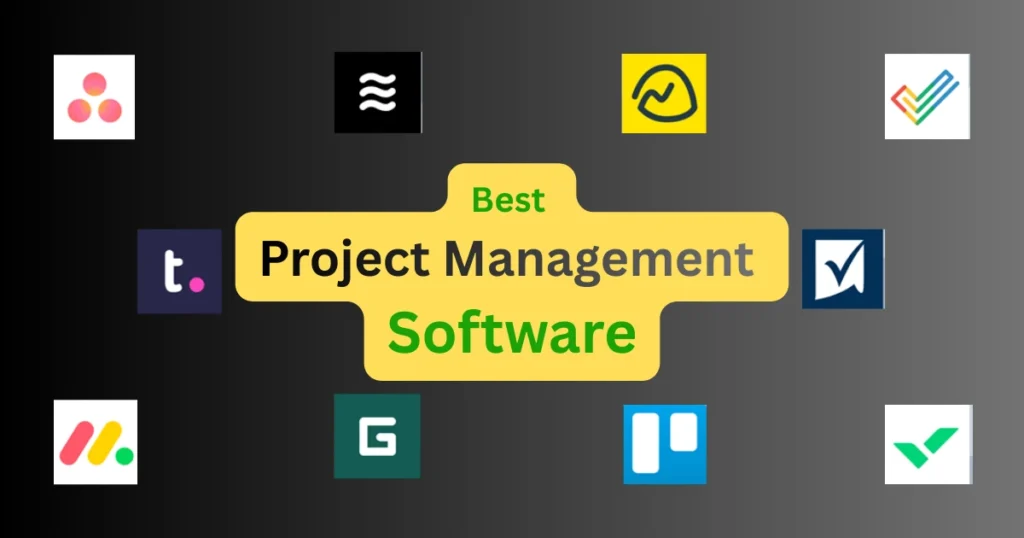
Why Project Management Software Is Important
Project management tools simplify complex workflows and help teams stay organized.
Key benefits include:
- Better team collaboration
- Clear task assignment and tracking
- Improved productivity
- Real-time project updates
- Efficient deadline management
These tools are used by businesses of all sizes, from startups to large enterprises.
Best Project Management Software in 2026
1. Asana
Asana is one of the most popular project management platforms for teams. It offers powerful tools for task management, workflow automation, and project tracking.
Key Features
- Task and project tracking
- Workflow automation
- Timeline and calendar views
- Team collaboration tools
- Integration with popular apps
Pros
✔ Easy-to-use interface
✔ Excellent team collaboration features
✔ Flexible project views
Cons
✖ Advanced features require paid plans
Asana is ideal for marketing teams, startups, and remote teams.
2. Trello
Trello is a visual project management tool that uses a **Kanban board system** to organize tasks.
Key Features
- Drag-and-drop task cards
- Visual boards for workflow management
- Checklists and due dates
- Power-Ups for additional features
- Mobile app support
Pros
✔ Simple and visual interface
✔ Beginner-friendly
✔ Free version available
Cons
✖ Limited features for complex projects
Trello is great for individuals, small teams, and simple project workflows.
3. Monday.com
Monday.com is a flexible work management platform designed for teams of all sizes.
Key Features
- Custom workflows
- Automation tools
- Project dashboards
- Time tracking
- File sharing and collaboration
Pros
✔ Highly customizable
✔ Powerful automation features
✔ Modern interface
Cons
✖ Pricing can be expensive for small teams
Monday.com works well for marketing teams, agencies, and enterprises.
4. ClickUp
ClickUp is an all-in-one productivity platform designed to replace multiple work tools.
Key Features
- Task management and goal tracking
- Document collaboration
- Time tracking tools
- Agile project management features
- Custom dashboards
Pros
✔ Feature-rich platform
✔ Affordable pricing
✔ Highly customizable
Cons
✖ Slight learning curve for beginners
ClickUp is suitable for startups, developers, and remote teams.
5. Notion
Notion is a flexible productivity platform that combines note-taking, task management, and project organization.
Key Features
- Custom databases
- Task management boards
- Document collaboration
- Knowledge base creation
- Project planning templates
Pros
✔ Highly flexible workspace
✔ Ideal for documentation and planning
✔ Great for personal productivity
Cons
✖ Not a dedicated project management system
Notion is perfect for freelancers, content creators, and small teams.
Key Features to Look for in Project Management Software
Choosing the right software depends on the features it offers.
- Task Management: A good tool should allow easy task creation, assignment, and tracking.
- Collaboration Tools: Team communication and file sharing improve workflow efficiency.
- Automation: Automation helps reduce repetitive tasks and improves productivity.
Integration Support: Project management tools should integrate with popular apps such as:
- Email platforms
- File storage services
- Communication tools
Reporting and Analytics: Reports help teams analyze project progress and identify potential issues.
Project Management Methods Supported by Software
Many modern tools support popular project management frameworks.
- Agile Project Management: Agile focuses on flexible workflows and continuous improvement.
- Kanban: Kanban uses visual boards to manage tasks and workflow stages.
- Scrum: Scrum organizes projects into short development cycles called sprints.
- Waterfall: Waterfall follows a structured step-by-step project development process.
Free vs Paid Project Management Tools
Many project management tools offer free plans with limited features.
Free Plans: Free plans typically include:
- Basic task management
- Limited integrations
- Small team collaboration
These plans are ideal for individuals and small teams.
Paid Plans: Premium plans offer:
- Advanced automation
- Detailed reporting
- Larger team support
- Priority customer support
Businesses often benefit from paid versions.
Benefits of Using Project Management Software
Using a project management platform can greatly improve productivity.
Major advantages include:
- Better organization
- Clear project timelines
- Improved communication.
- Efficient resource management
- Reduced project delays
These benefits help teams complete projects faster and more efficiently.
Future of Project Management Software: Project management technology is evolving rapidly with AI and automation.
Future innovations may include:
- AI-powered task recommendations
- Smart workflow automation
- Predictive project analytics
- Automated project reporting
These advancements will make project management tools even more powerful.
Final Verdict
Choosing the best project management software depends on your workflow, team size, and project complexity.
Asana and Monday.com are excellent for team collaboration and complex workflows. Trello is ideal for simple visual project management, while ClickUp provides an all-in-one productivity solution with powerful features.
For flexible productivity and documentation, Notion is a strong option.
By selecting the right project management software, teams can stay organized, improve collaboration, and complete projects more efficiently in 2026 and beyond.
Best Code Editors for Beginners
VS Code vs Sublime Text
Best Programming Languages to Learn
Best IDEs for Developers (2026)


Popular Category
Post