If you click on the links and make a purchase, we may earn a commission.
The best tablets for note-taking can replace notebooks, binders, and even laptops for many students and professionals. Modern tablets combine responsive styluses, high-quality displays, powerful processors, long battery life, cloud synchronization, and note-taking applications in a portable package.
Table of Contents
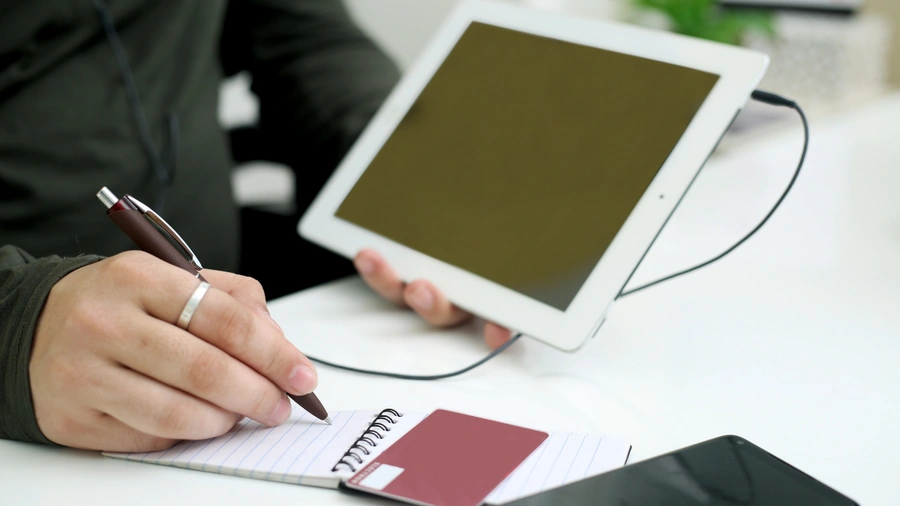
Image Credit: Pixabay
Whether you’re taking university lectures, writing meeting notes, annotating PDFs, planning projects, journaling, or creating handwritten diagrams, choosing the right tablet can make a significant difference. The stylus experience is particularly important because pressure sensitivity, latency, palm rejection, and writing accuracy determine how natural the tablet feels.
In this guide, we’ve compared the best tablets for note-taking in 2026, including iPads, Android tablets, Windows 2-in-1 devices, premium options, and affordable choices.
Quick Comparison: Best Tablets for Note-Taking
| Tablet | Best For | Key Feature | Display | Stylus | Rating |
|---|---|---|---|---|---|
| iPad Pro 13-inch | Best Overall | Apple Pencil Pro & premium display | 13-inch OLED | Apple Pencil Pro | 9.9/10 |
| iPad Air 13-inch | Best Value | Strong performance & Pencil support | 13-inch LCD | Apple Pencil Pro | 9.6/10 |
| Samsung Galaxy Tab S11 Ultra | Best Android | S Pen & huge AMOLED screen | 14.6-inch AMOLED | S Pen | 9.7/10 |
| Samsung Galaxy Tab S11 | Best Portable | S Pen & compact design | 11-inch AMOLED | S Pen | 9.5/10 |
| Microsoft Surface Pro | Best Windows | Desktop software & pen support | 13-inch | Surface Slim Pen | 9.3/10 |
| Lenovo Tab M11 | Best Budget | Large display & stylus support | 11-inch LCD | Compatible pen | 9.0/10 |
| OnePlus Pad 3 | Best Value Android | Large high-resolution display | 13.2-inch LCD | Compatible stylus | 8.9/10 |
*Stylus availability, storage, display specifications, and accessories can vary by configuration and region.
1. iPad Pro 13-inch: Best Tablet for Note-Taking Overall
The 13-inch iPad Pro is our top recommendation for users who want the most advanced combination of hardware, stylus performance, display quality, and note-taking applications.
Its large OLED display provides a spacious digital canvas, while Apple Pencil Pro offers a highly responsive writing experience.
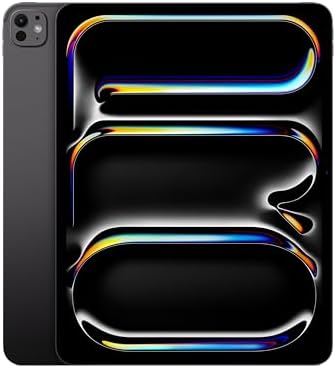
- WHY IPAD PRO — iPad Pro with the Apple M5 chip delivers extraordinary performance for effortless productivity on a stunn…
- PERFORMANCE AND STORAGE — iPad Pro with M5 brings next-generation speed and the power of on-device AI to all your tasks….
- IPADOS — Run pro apps and get more done with iPadOS 26 with Liquid Glass design and game-changing capabilities.* With an…
Key Features
- 13-inch OLED display
- Apple Pencil Pro support
- ProMotion high refresh rate
- Powerful Apple silicon
- Low-latency stylus interaction
- Excellent palm rejection
- USB-C/Thunderbolt
- Large storage options
- Lightweight premium design
- Extensive note-taking app ecosystem
The iPad Pro is particularly useful for students who need to combine handwritten notes with PDFs, web research, presentations, and multimedia.
Applications such as Apple Notes, Goodnotes, Notability, and other productivity tools make the iPad a flexible digital notebook.
Best For
University students, professionals, designers, executives, researchers, and heavy note-takers.
Our Rating: 9.9/10
👉 Check the latest iPad Pro 13-inch price and Apple Pencil Pro bundles.
2. iPad Air 13-inch: Best Value iPad for Note-Taking
The 13-inch iPad Air is an excellent choice for students and professionals who want a large screen and Apple Pencil Pro support without paying for the highest-end iPad Pro.

- WHY IPAD AIR — iPad Air is powerful, versatile, and comes in a choice of two sizes. Featuring a stunning Liquid Retina d…
- BUILT FOR APPLE INTELLIGENCE—Apple Intelligence is the personal intelligence system that helps you write, express yourse…
- 13-INCH LIQUID RETINA DISPLAY — The gorgeous Liquid Retina display features advanced technologies like P3 wide color, Tr…
Key Features
- 13-inch display
- Apple silicon processor
- Apple Pencil Pro compatibility
- USB-C
- Excellent battery efficiency
- Lightweight design
- Large storage options
- Strong app ecosystem
The 13-inch screen gives you plenty of space for handwritten notes, diagrams, PDFs, and split-screen applications.
It’s also powerful enough for browsing, presentations, video calls, and creative applications.
Best For
Students, teachers, professionals, researchers, and users seeking value.
Our Rating: 9.6/10
👉 Compare iPad Air 13-inch prices and Apple Pencil options.
3. Samsung Galaxy Tab S11 Ultra: Best Android Tablets for Note-Taking
The Samsung Galaxy Tab S11 Ultra is an excellent Android choice for handwritten notes.
Its enormous AMOLED display provides a huge digital workspace, while the S Pen makes writing and drawing natural.
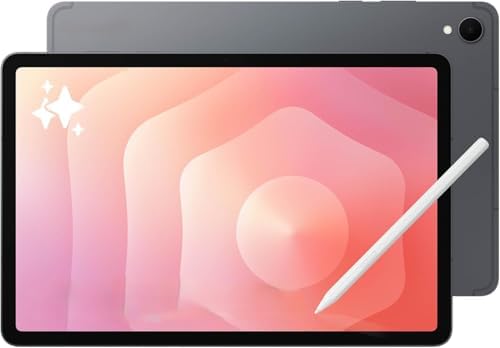
- Latin American Model, NO Warranty in the USA. Tablets are only WIFI, no Calls or Data.Country selection may not be avail…
- Mediatek Dimensity 9400+ (3 nm) Octa-core (1×3.63 GHz Cortex-X925 & 3×3.3 GHz Cortex-X4 & 4×2.4 GHz Cortex-A720) Li-Po 8…
- 11″ Screen 278.1mm (11.0″ full rectangle) / 276.2mm (10.9″ rounded corners) Dynamic AMOLED 2X 16M Accelerometer, Fingerp…
Key Features
- 14.6-inch AMOLED display
- S Pen support
- High refresh rate
- Large workspace
- Powerful processor
- Samsung Notes
- Multi-window multitasking
- Samsung DeX
- Large battery
- Premium construction
Samsung Notes is particularly useful for users who want handwritten notes combined with typed text, drawings, images, and other content.
The large display is excellent for annotating PDFs and viewing multiple documents simultaneously.
Best For
Android users, students, professionals, researchers, and users who prefer very large screens.
Our Rating: 9.7/10
👉 Check Galaxy Tab S11 Ultra prices and S Pen bundles.
4. Samsung Galaxy Tab S11: Best Portable Note-Taking Tablets
The Galaxy Tab S11 offers many of the premium features of Samsung’s larger tablets in a more portable form.
Its 11-inch AMOLED display provides enough room for handwritten notes while remaining comfortable to carry.
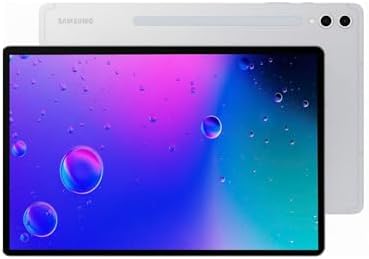
- International Model, NO Warranty in the USA. Tablets are only WIFI, no Calls or Data. Country selection may not be avail…
- Mediatek Dimensity 9400+ (3 nm) Octa-core (1×3.63 GHz Cortex-X925 & 3×3.3 GHz Cortex-X4 & 4×2.4 GHz Cortex-A720) Li-Po 8…
- 11″ Screen 278.1mm (11.0″ full rectangle) / 276.2mm (10.9″ rounded corners) Dynamic AMOLED 2X 16M Accelerometer, Fingerp…
Key Features
- 11-inch AMOLED display
- S Pen support
- High refresh rate
- Samsung Notes
- Multi-window functionality
- Powerful processor
- Long battery potential
- Lightweight design
- USB-C
It’s particularly useful for students who carry their tablets between classrooms, libraries, and home.
Best For
Students, commuters, travelers, teachers, and mobile professionals.
Our Rating: 9.5/10
👉 Compare Galaxy Tab S11 prices and note-taking accessories.
5. Microsoft Surface Pro: Best Windows Tablet for Note-Taking
The Microsoft Surface Pro is ideal for users who want handwritten notes alongside traditional desktop applications.
It runs Windows, allowing you to use Microsoft Office and a wide variety of desktop software.

- Brilliant OLED Display – Incredible image quality – The 13″ PixelSense touchscreen[1], with optional OLED and HDR[2] tec…
- Up to 15.5 hours of battery life[3] – The new Surface Pro is designed for long days, late nights and everything in betwe…
- Work at the speed of your ideas – Built with the latest Qualcomm Snapdragon X2 Elite (12 Core) processors, Surface Pro d…
Key Features
- 13-inch touchscreen
- Windows operating system
- Surface Slim Pen support
- Microsoft OneNote
- Detachable keyboard
- USB-C
- Desktop software compatibility
- External monitor support
- 2-in-1 design
The Surface Pro is particularly attractive to business users and professionals who need both handwriting and traditional computer applications.
Best For
Business professionals, teachers, Microsoft 365 users, consultants, and Windows users.
Our Rating: 9.3/10
👉 Check Surface Pro and Surface Slim Pen pricing.
6. Lenovo Tab M11: Best Budget Tablet for Note-Taking
The Lenovo Tab M11 offers an affordable way to take handwritten notes digitally.
Its 11-inch display gives users plenty of room for writing, reading, and studying.

- MULTITASKING MASTER: The Lenovo Tab M11 combines robust performance with portability in a sleek design and easily switch…
- POWER-PACKED PERFORMANCE: Streamline your day with the ability to work or study at home and on the go—the MediaTek Helio…
- EXPERIENCE VIVID CLARITY: Immerse yourself in vibrant visuals—a 11″ 1920×1200 WUXGA display brings your graphics and pho…
Key Features
- 11-inch display
- Stylus support
- Large battery
- Android software
- Expandable storage
- Quad speakers
- Large screen
- Lightweight design
It’s particularly attractive for students who need a basic digital notebook without paying premium tablet prices.
Best For
Students, beginners, casual note-taking, online learning, and budget buyers.
Our Rating: 9.0/10
👉 Compare Lenovo Tab M11 prices and compatible pen bundles.
7. OnePlus Pad 3: Best Value Android Note-Taking Tablets
The OnePlus Pad 3 combines a large display, powerful hardware, and Android productivity features.
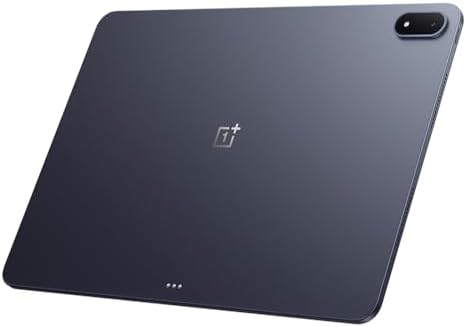
- 13.2 inches, IPS LCD, 68B colors, 2400 x 3392 pixels
- 512GB Storage, 16GB RAM
- Android 15, ColorOS 15, Qualcomm SM8750-AB Snapdragon 8 Elite (3 nm), Octa-core (2×4.32 GHz Oryon V2 Phoenix L + 6×3.53 …
Key Features
- 13.2-inch display
- High resolution
- High refresh rate
- Stylus compatibility
- Large battery
- Fast charging
- Android multitasking
- USB-C
- Large workspace
Its large display makes it useful for handwritten notes, PDF annotation, and split-screen research.
Best For
Students, professionals, value-focused buyers, and Android users.
Our Rating: 8.9/10
👉 Check OnePlus Pad 3 prices and stylus accessories.
What Should You Look for in a Note-Taking Tablets?
1. Stylus Performance
The stylus is the most important accessory for handwritten notes.
Look for:
- Low latency
- Pressure sensitivity
- Tilt support
- Palm rejection
- Accurate tracking
- Comfortable grip
- Magnetic attachment or easy storage
A good stylus should feel natural and respond quickly as you write.
2. Writing Latency
Latency refers to the delay between moving the stylus and seeing the mark appear on the screen.
Lower latency makes writing feel more natural.
Premium tablets generally provide a smoother writing experience, particularly when paired with their first-party styluses.
3. Palm Rejection
Palm rejection allows you to rest your hand on the screen while writing without accidentally creating unwanted marks.
This is essential for serious note-taking.
Without good palm rejection, writing for long periods can become frustrating.
4. Display Size
10–11 inches
Best for:
- Students
- Travel
- Daily note-taking
- Portability
12–13 inches
Excellent for:
- Professional notes
- PDF annotation
- Split-screen research
- Detailed diagrams
14 inches+
Best for:
- Large documents
- Multitasking
- Extensive handwritten notes
- Desktop-style workflows
For most users, 11–13 inches offers the best balance.
5. Battery Life
A note-taking tablet should ideally last through lectures, meetings, or a full workday.
Battery life depends on:
- Display brightness
- Wi-Fi
- Screen refresh rate
- Processor
- Background applications
- Note-taking software
A tablet with fast charging can also be useful for students who frequently move between classes.
6. Note-Taking Applications
Before buying, check which applications are available.
Popular options include:
- Apple Notes
- Goodnotes
- Notability
- Samsung Notes
- Microsoft OneNote
- Nebo
- Evernote
- Concepts
The best app depends on whether you prioritize handwriting, organization, collaboration, PDF annotation, or cloud synchronization.
7. Storage
Note files themselves aren’t usually huge, but PDFs, scans, photos, recordings, and presentations can quickly consume storage.
64GB
Suitable for basic notes and cloud storage.
128GB
Recommended for most students.
256GB+
Better for professionals, researchers, and users who store many PDFs and media files.
Best Tablet for Note-Taking by Use Case
| Use Case | Recommended Tablet |
|---|---|
| Best overall | iPad Pro 13-inch |
| Best value | iPad Air 13-inch |
| Best Android | Galaxy Tab S11 Ultra |
| Best portable | Galaxy Tab S11 |
| Best Windows | Surface Pro |
| Best budget | Lenovo Tab M11 |
| Best value Android | OnePlus Pad 3 |
| University students | iPad Air |
| Business meetings | Surface Pro |
| PDF annotation | Galaxy Tab S11 Ultra |
| Handwritten notes | iPad Pro |
| Travel | Galaxy Tab S11 |
iPad vs. Samsung for Note-Taking
Both ecosystems provide excellent stylus experiences.
iPad Advantages
iPads offer:
- Apple Pencil Pro
- Excellent note-taking apps
- Strong performance
- Excellent accessory ecosystem
- Long-term software support
They are particularly attractive for students and creative professionals.
Samsung Advantages
Samsung tablets offer:
- S Pen support
- Samsung Notes
- Excellent AMOLED displays
- Multi-window functionality
- Android flexibility
- DeX desktop mode
The S Pen is included with selected Galaxy Tab models, which can improve overall value.
Can a Tablet Replace a Notebook?
For many students and professionals, yes.
A digital notebook can provide advantages such as:
- Searchable handwriting
- Cloud backups
- Easy organization
- PDF annotation
- Copy and paste
- Multimedia notes
- Handwriting-to-text
- Easy sharing
The biggest disadvantage is that electronic devices require charging and can be more distracting than paper.
Is a Tablet Better Than a Laptop for Note-Taking?
For handwritten notes, tablets generally have an advantage because you can write directly on the display.
Laptops remain better for:
- Long typing sessions
- Complex software
- Desktop applications
- File-heavy workflows
For students who need both typing and handwriting, a tablets with a keyboard can provide the best of both worlds.
Do You Need a Keyboard?
Not necessarily.
If you mainly write by hand, a stylus is more important than a keyboard.
A keyboard becomes useful when you need to:
- Type essays
- Write reports
- Respond to email
- Search the web
- Create presentations
Students may find a keyboard particularly useful during assignment-heavy periods.
Final Verdict
The 13-inch iPad Pro is our best overall tablet for note-taking because of its excellent Apple Pencil Pro experience, premium display, powerful processor, and extensive note-taking application ecosystem.
The iPad Air 13-inch is our value recommendation and provides an excellent combination of performance, screen size, portability, and stylus support.
For Android users, the Samsung Galaxy Tab S11 Ultra is an outstanding option thanks to its massive AMOLED display, S Pen, and Samsung Notes ecosystem. The Galaxy Tab S11 is better for students who prioritize portability.
The Microsoft Surface Pro is the best choice for Windows users who need handwritten notes alongside desktop applications. For budget-conscious students, the Lenovo Tab M11 provides a practical entry point, while the OnePlus Pad 3 is an attractive value-oriented Android alternative.
When choosing your tablet, prioritize stylus latency, pressure sensitivity, palm rejection, display size, writing accuracy, battery life, note-taking software, storage, and accessory costs. A tablet with a mediocre stylus experience can be frustrating even if the processor is powerful.
Frequently Asked Questions
What is the best tablets for note-taking in 2026?
The 13-inch iPad Pro is our overall choice because of its Apple Pencil Pro support, responsive display, powerful performance, and excellent note-taking application ecosystem.
What is the best Android tablets for handwritten notes?
The Samsung Galaxy Tab S11 Ultra is an excellent Android choice because it combines a large AMOLED display with S Pen support and Samsung Notes.
Is an iPad good for taking notes?
Yes. iPads work particularly well for handwritten notes when paired with a compatible Apple Pencil and applications such as Apple Notes, Goodnotes, or Notability.
Is Apple Pencil Pro good for note-taking?
Yes. Apple Pencil Pro provides pressure sensitivity, tilt support, low-latency interaction, and other features that make it useful for handwriting and drawing.
Does Samsung include an S Pen?
Selected Samsung Galaxy Tab models include an S Pen, but availability can vary by model and market. Check the exact package before purchasing.
What is the best tablet size for note-taking?
An 11- to 13-inch tablet is generally the best balance between writing space and portability. Smaller tablets are easier to carry, while larger models provide more room for PDFs and multitasking.
Is 64GB enough for note-taking?
It can be enough for basic notes, especially if you use cloud storage. However, 128GB is a better choice for students who store PDFs, recordings, presentations, and other files.
Can tablets convert handwriting to text?
Many modern note-taking applications support handwriting recognition and conversion to typed text, although available features vary by app and operating system.
Can I annotate PDFs on a tablets?
Yes. PDF annotation is one of the biggest advantages of using a tablets for school and work. Many note-taking applications allow highlighting, handwriting, drawing, and commenting directly on PDFs.
Is a tablet better than paper for notes?
Digital tablets provide searchable notes, cloud backups, easy organization, and PDF integration. Paper can be simpler and less distracting. The better option depends on your preferences.
Can I use a tablet for university notes?
Absolutely. Tablets are particularly useful for university students because they can combine lecture notes, textbooks, PDFs, research, calendars, and assignments in one device.
Do I need a keyboard for note-taking?
No. A stylus is more important if handwritten notes are your primary use. A keyboard is useful if you also need to type essays, reports, emails, or assignments.
What should I look for in a note-taking stylus?
Prioritize low latency, pressure sensitivity, tilt support, palm rejection, accurate tracking, comfortable ergonomics, and easy charging or storage.
Should I buy an iPad or Samsung tablet for notes?
Choose an iPad if you want Apple’s Pencil ecosystem and extensive note-taking apps. Choose Samsung if you prefer Android, AMOLED displays, S Pen functionality, and Samsung Notes.