If you click on the links and make a purchase, we may earn a commission.
The best tablets for drawing combine accurate displays, responsive stylus technology, powerful processors, comfortable designs, and excellent creative software. Whether you’re a professional illustrator, graphic designer, digital artist, student, or beginner, the right tablet can make drawing more natural and productive.
Table of Contents
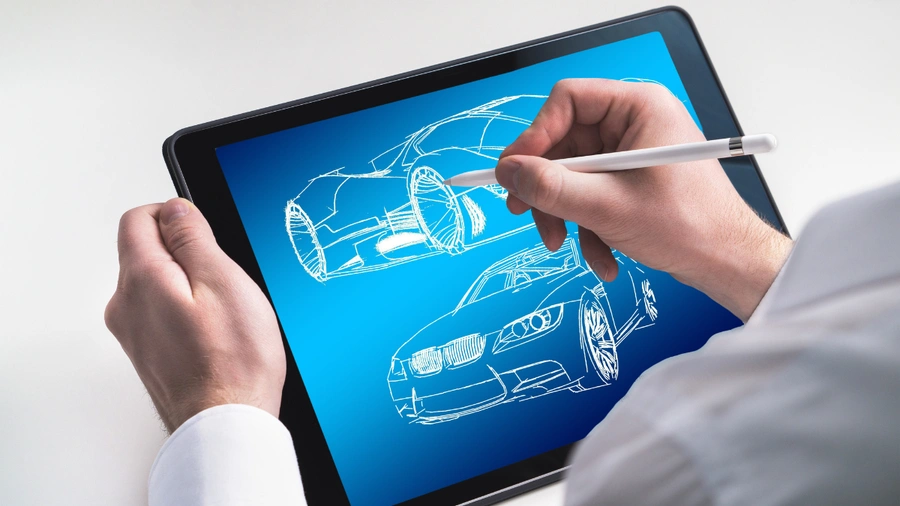
Image Credit: Canva
Unlike traditional drawing tablets that require a computer, modern standalone tablets allow artists to sketch, paint, edit photos, create illustrations, and animate directly on the device. Some models also support professional apps such as Procreate, Adobe Photoshop, Clip Studio Paint, and other creative software.
However, choosing the right drawing tablet isn’t simply about buying the most expensive model. Stylus accuracy, pressure sensitivity, latency, display quality, screen size, palm rejection, storage, battery life, and software compatibility all matter.
In this guide, we compare the best tablets for drawing in 2026 for professional artists, beginners, students, illustrators, and digital creators.
Quick Comparison: Best Tablets for Drawing
| Drawing Tablet | Best For | Key Feature | Display | Stylus | Rating |
|---|---|---|---|---|---|
| iPad Pro 13-inch | Best Overall | OLED display & Apple Pencil Pro | 13-inch OLED | Apple Pencil Pro | 9.9/10 |
| iPad Air 13-inch | Best Value | Strong performance & Pencil support | 13-inch LCD | Apple Pencil Pro | 9.5/10 |
| Samsung Galaxy Tab S11 Ultra | Best Android | Huge AMOLED display & S Pen | 14.6-inch AMOLED | S Pen | 9.7/10 |
| Samsung Galaxy Tab S11 | Best Portable | AMOLED & included S Pen | 11-inch AMOLED | S Pen | 9.4/10 |
| Microsoft Surface Pro | Best Windows | Full Windows creative apps | 13-inch | Surface Slim Pen | 9.3/10 |
| OnePlus Pad 3 | Best Value Android | Large high-resolution display | 13.2-inch | Compatible stylus | 9.0/10 |
| Lenovo Tab P12 | Best Budget | Large display & pen support | 12.7-inch | Compatible pen | 8.7/10 |
*Stylus availability, display specifications, storage, and accessories can vary by region and configuration.
1. iPad Pro 13-inch — Best Drawing Tablet Overall
The 13-inch iPad Pro is our top choice for digital artists who want premium hardware, an excellent display, powerful performance, and access to a large creative-app ecosystem.
Its OLED display provides excellent contrast and vibrant colors, making artwork easier to evaluate and edit.
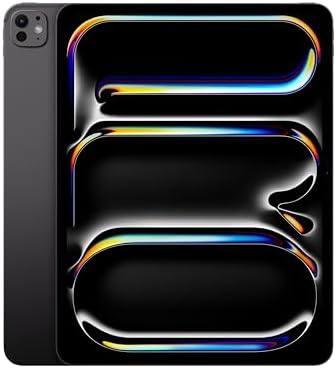
- WHY IPAD PRO — iPad Pro is the ultimate iPad experience in an impossibly thin and light design. Featuring the breakthrou…
- BUILT FOR APPLE INTELLIGENCE—Apple Intelligence is the personal intelligence system that helps you write, express yourse…
- 13-INCH ULTRA RETINA XDR DISPLAY — Ultra Retina XDR delivers extreme brightness and contrast and exceptional color accur…
Key Features
- 13-inch OLED display
- ProMotion high refresh rate
- Apple Pencil Pro support
- Powerful Apple silicon
- USB-C/Thunderbolt connectivity
- Excellent color reproduction
- Low-latency stylus interaction
- Large storage options
- Lightweight premium design
- Extensive creative software support
The Apple Pencil Pro provides pressure-sensitive drawing, tilt support, hover functionality on compatible iPads, and additional interaction features.
For professional illustration, photo editing, graphic design, and animation, the combination is difficult to beat.
Best For
Professional illustrators, digital painters, graphic designers, photographers, animators, and serious hobbyists.
Our Rating: 9.9/10
2. Samsung Galaxy Tab S11 Ultra — Best Android Tablet for Drawing
The Samsung Galaxy Tab S11 Ultra is an excellent choice for Android artists who want an enormous workspace and Samsung’s S Pen ecosystem.
Its 14.6-inch AMOLED display provides substantial room for large illustrations and detailed artwork.

- SLIM & LIGHTWEIGHT With its slim and lighter design and powerful AI features, the Galaxy Tab S11 Ultra delivers a produc…
- DRAWING ASSIST: Instantly turn your ideas into drawing with artificial intelligence and save them in notes. Draw your dr…
- WRITING ASSIST: Writing Assist helps you correct and change your text in seconds. Easily design the meaning you want to …
Key Features
- 14.6-inch AMOLED display
- High refresh rate
- S Pen support
- Flagship processor
- Excellent contrast
- Large workspace
- Multi-window support
- Samsung DeX
- Large battery
- Premium construction
The large screen is particularly useful for artists who prefer keeping their canvas, brushes, layers, and toolbars visible simultaneously.
The S Pen also provides a natural drawing experience with pressure sensitivity and tilt functionality.
Best For
Digital artists, illustrators, designers, Android users, and artists who prefer large displays.
Our Rating: 9.7/10
3. iPad Air 13-inch — Best Value Drawing Tablet
The 13-inch iPad Air provides many of the benefits artists want without the higher cost of the iPad Pro.
It supports Apple Pencil Pro and provides enough performance for illustration, photo editing, note-taking, and many creative applications.
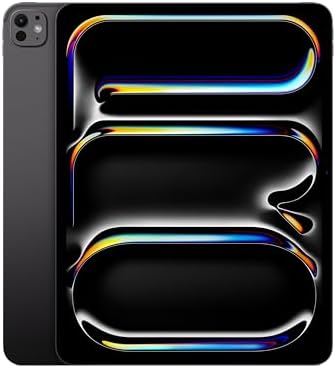
- WHY IPAD PRO — iPad Pro with the Apple M5 chip delivers extraordinary performance for effortless productivity on a stunn…
- PERFORMANCE AND STORAGE — iPad Pro with M5 brings next-generation speed and the power of on-device AI to all your tasks….
- IPADOS — Run pro apps and get more done with iPadOS 26 with Liquid Glass design and game-changing capabilities.* With an…
Key Features
- 13-inch display
- Apple silicon
- Apple Pencil Pro compatibility
- USB-C
- Large storage options
- Lightweight construction
- Excellent app ecosystem
- Strong battery efficiency
The large display provides plenty of workspace for drawing while remaining relatively portable.
For artists who don’t require an OLED display or ProMotion, the iPad Air can provide excellent value.
Best For
Students, hobbyists, illustrators, designers, and professionals seeking better value.
Our Rating: 9.5/10
4. Samsung Galaxy Tab S11 — Best Portable Drawing Tablet
The Galaxy Tab S11 offers premium drawing features in a more compact package than the Ultra model.
Its 11-inch AMOLED display is easier to carry and hold while still offering enough workspace for many artists.
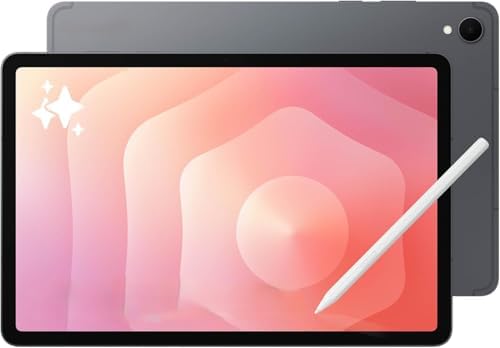
- Latin American Model, NO Warranty in the USA. Tablets are only WIFI, no Calls or Data.Country selection may not be avail…
- Mediatek Dimensity 9400+ (3 nm) Octa-core (1×3.63 GHz Cortex-X925 & 3×3.3 GHz Cortex-X4 & 4×2.4 GHz Cortex-A720) Li-Po 8…
- 11″ Screen 278.1mm (11.0″ full rectangle) / 276.2mm (10.9″ rounded corners) Dynamic AMOLED 2X 16M Accelerometer, Fingerp…
Key Features
- 11-inch AMOLED display
- High refresh rate
- S Pen support
- Flagship performance
- Excellent color and contrast
- Lightweight design
- Multi-window support
- Large battery
The smaller size is useful for artists who frequently draw while traveling.
It can easily fit into a backpack alongside other creative equipment.
Best For
Traveling artists, students, illustrators, sketchers, and mobile creators.
Our Rating: 9.4/10
5. Microsoft Surface Pro — Best Windows Tablet for Drawing
The Microsoft Surface Pro is an attractive option for artists who need Windows-based creative software.
Because it runs Windows, artists can access many desktop applications that aren’t available in full form on mobile operating systems.

- 【Upgraded】Seal is opened for upgrade only, 1-Year warranty on Upgraded RAM/SSD, and original 1-Year Manufacture warranty…
- 【16GB LPDDR5X RAM】High-speed, efficient memory for smooth multitasking, quick app loading, and AI-ready performance. Low…
- 【13″ 2-IN-1 Touchscreen】Compact 13-inch touchscreen with 360° hinge for laptop, tent, and tablet modes. Responsive touch…
Key Features
- 13-inch touchscreen
- Windows operating system
- Surface Slim Pen compatibility
- Detachable keyboard
- USB-C connectivity
- Desktop application compatibility
- External monitor support
- Portable 2-in-1 design
It’s especially useful for professionals already working in Windows-based creative environments.
Artists can use desktop versions of creative applications and connect additional accessories when needed.
Best For
Professional designers, Windows users, creative professionals, and artists who need desktop applications.
Our Rating: 9.3/10
6. OnePlus Pad 3 — Best Value Android Drawing Tablet
The OnePlus Pad 3 provides a large high-resolution display and strong performance at a competitive price.
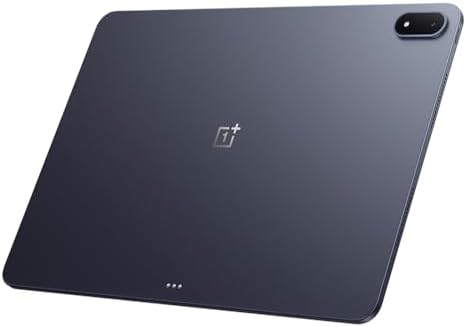
- 13.2 inches, IPS LCD, 68B colors, 2400 x 3392 pixels
- 256GB Storage, 12GB RAM
- Android 15, ColorOS 15, Qualcomm SM8750-AB Snapdragon 8 Elite (3 nm), Octa-core (2×4.32 GHz Oryon V2 Phoenix L + 6×3.53 …
Key Features
- 13.2-inch display
- High refresh rate
- Powerful processor
- Large battery
- Fast charging
- Stylus compatibility
- Large workspace
- Android software
- Strong multitasking
The large display is useful for artists who want more room for their canvas and toolbars.
It’s also a capable general-purpose tablet for entertainment and productivity.
Best For
Budget-conscious artists, students, sketching, note-taking, and general creative work.
Our Rating: 9.0/10
7. Lenovo Tab P12 — Best Budget Drawing Tablet
The Lenovo Tab P12 is a good starting point for beginners who want a large drawing canvas without paying premium prices.

- PREMIUM AI PRODUCTIVITY TABLET – Building on Lenovo’s established large-screen tablet heritage, the Idea Tab Pro combine…
- SMART PEN & AI TOOLS – Unlock a more intuitive way to write, create, and interact with the included Lenovo Tab Pen Plus….
- HIGH PERFORMANCE – Equipped with the MediaTek Dimensity 8300 processor and Integrated ARM G615 MC5 Graphics, the Lenovo …
Key Features
- 12.7-inch display
- Large workspace
- Stylus compatibility
- High-resolution screen
- Large battery
- Android software
- Keyboard support
- Expandable storage
It is suitable for sketching, handwriting, basic digital art, and educational use.
However, professional artists may prefer an iPad Pro, Galaxy Tab S11 Ultra, or Windows-based device because of their more advanced hardware and software ecosystems.
Best For
Beginners, students, hobby artists, and casual sketching.
Our Rating: 8.7/10
What Should You Look for in a Drawing Tablet?
1. Stylus Accuracy
The stylus is arguably the most important component of a drawing tablet.
Look for:
- Pressure sensitivity
- Tilt support
- Low latency
- Palm rejection
- Hover detection
- Accurate tracking
- Comfortable grip
A responsive stylus should make digital drawing feel natural rather than disconnected from the screen.
2. Pressure Sensitivity
Pressure sensitivity allows the tablet to respond differently depending on how hard you press.
This can affect:
- Brush thickness
- Opacity
- Line weight
- Shading
- Painting
- Calligraphy
More pressure levels can provide greater control, although software optimization is equally important.
3. Display Quality
Artists should pay close attention to the display.
Important characteristics include:
- Resolution
- Color accuracy
- Brightness
- Contrast
- Viewing angles
- Refresh rate
- Screen size
An accurate display is particularly important for professional artists who need colors to look consistent.
OLED displays can provide excellent contrast, while high-quality LCD panels can also deliver impressive results.
4. Screen Size
The ideal drawing size depends on your workflow.
10–11 inches
Best for:
- Sketching
- Travel
- Note-taking
- Beginners
12–13 inches
Excellent balance for:
- Illustration
- Graphic design
- Digital painting
- Professional work
14 inches+
Best for:
- Large illustrations
- Detailed artwork
- Multitasking
- Artists who want maximum canvas space
5. Drawing Apps
Software compatibility is extremely important.
Popular creative applications include:
- Procreate
- Adobe Photoshop
- Adobe Fresco
- Clip Studio Paint
- Affinity
- Concepts
- Sketchbook
Before buying, make sure the tablet supports the applications you use.
6. Processor Performance
A powerful processor is useful for:
- Large canvases
- Many layers
- Complex brushes
- Photo editing
- Animation
- 3D applications
If you regularly work with large projects, don’t choose a tablet based solely on price.
7. Storage
Creative files can become large quickly.
We recommend:
128GB: Basic drawing and cloud storage
256GB: Good for most artists
512GB+: Professionals with large libraries and video projects
Cloud storage and external SSDs can supplement internal storage.
Best Drawing Tablet by Use Case
| Drawing Requirement | Recommended Tablet |
|---|---|
| Best overall | iPad Pro 13-inch |
| Best Android | Galaxy Tab S11 Ultra |
| Best value | iPad Air 13-inch |
| Best portable | Galaxy Tab S11 |
| Best Windows tablet | Surface Pro |
| Best value Android | OnePlus Pad 3 |
| Best budget | Lenovo Tab P12 |
| Professional illustration | iPad Pro |
| Large canvas | Galaxy Tab S11 Ultra |
| Beginners | Lenovo Tab P12 |
| Students | iPad Air |
| Travel artists | Galaxy Tab S11 |
iPad vs. Android vs. Windows for Artists
iPad
The iPad is particularly strong for digital art because of its combination of Apple Pencil support, optimized creative applications, performance, and portability.
The biggest advantage is the ecosystem of creative apps.
Android
Android tablets offer more hardware variety and excellent stylus experiences from manufacturers such as Samsung.
Samsung’s large AMOLED displays are particularly attractive to digital artists.
Windows
Windows is the best option if you need traditional desktop creative applications.
It’s particularly useful for professionals who already use a Windows-based workflow.
Is an iPad Better Than a Drawing Tablet?
It depends on your workflow.
A standalone iPad or Android tablet provides:
- Built-in display
- Portability
- No computer required
- Touch interaction
- Mobile drawing
A traditional pen display connected to a computer may provide:
- Larger screen options
- Desktop software
- More specialized controls
- Professional workstation integration
For artists who travel frequently, standalone tablets are much more convenient.
Do You Need a Screen Protector for Drawing?
A quality screen protector can provide additional protection and alter the drawing feel.
Some artists prefer paper-like protectors because they create more friction between the stylus and screen.
However, textured protectors can increase stylus-tip wear and may slightly affect display clarity.
If you use a protector, choose one designed specifically for your tablet and stylus.
Final Verdict
The iPad Pro 13-inch is our top overall choice for drawing because it combines an excellent OLED display, powerful Apple silicon, Apple Pencil Pro support, low-latency interaction, and a strong creative-app ecosystem.
The Samsung Galaxy Tab S11 Ultra is the best Android alternative, especially for artists who want an enormous AMOLED canvas and S Pen functionality.
For better value, the iPad Air 13-inch offers excellent performance and Apple Pencil Pro compatibility without the higher price of the Pro model. The Galaxy Tab S11 is a strong portable option for artists who frequently travel.
Windows users should consider the Microsoft Surface Pro, particularly if their workflow depends on desktop creative applications. The OnePlus Pad 3 provides an attractive Android value proposition, while the Lenovo Tab P12 is a reasonable starting point for beginners and students.
Before buying, prioritize stylus accuracy, pressure sensitivity, tilt support, latency, display color accuracy, screen size, processor performance, storage, software compatibility, and accessory costs. For serious artists, spending more on the right stylus and display can make a much bigger difference than simply choosing a tablet with the fastest processor.
Frequently Asked Questions
What is the best tablet for drawing in 2026?
The 13-inch iPad Pro is our overall recommendation because of its OLED display, Apple Pencil Pro support, powerful processor, and excellent creative software ecosystem.
What is the best Android tablet for drawing?
The Samsung Galaxy Tab S11 Ultra is an excellent Android drawing tablet because it combines a large AMOLED display with S Pen support and powerful hardware.
Is an iPad good for digital art?
Yes. iPads are widely used for digital illustration because of their responsive Apple Pencil technology and large selection of creative applications.
Is Apple Pencil Pro worth it for artists?
For artists who regularly draw, the Apple Pencil Pro can be worthwhile because of its pressure sensitivity, tilt support, hover capabilities, and additional interaction features.
How much storage does a drawing tablet need?
128GB can work for beginners, but 256GB is a better target for many artists. Professionals working with large files may benefit from 512GB or more.
Is a 13-inch tablet good for drawing?
Yes. A 12- to 13-inch display provides an excellent balance between drawing space and portability for many artists.
Is a larger tablet better for drawing?
Not necessarily. Larger tablets provide more canvas space but can be heavier and less portable. The best size depends on your workspace and drawing style.
Can I use Photoshop on a drawing tablet?
Many tablets support Photoshop in some form. Windows tablets generally provide access to the full desktop version, while iPad and Android versions can differ in features.
Is Procreate available on Android?
Procreate is designed for iPadOS. Android artists should consider alternatives such as Clip Studio Paint, Concepts, Sketchbook, or other compatible creative applications.
Can a tablet replace a drawing computer?
For many artists, yes. Modern iPads and Android tablets can handle professional illustration and design workflows. Complex desktop workflows may still benefit from a Windows or Mac computer.
What stylus features matter most for drawing?
Pressure sensitivity, tilt support, low latency, accurate tracking, palm rejection, and a comfortable design are among the most important stylus characteristics.
Do drawing tablets need a screen protector?
They don’t require one, but a screen protector can protect against scratches and change the drawing texture. Textured protectors may provide additional friction for artists who prefer a paper-like feel.
What is the best drawing tablet for beginners?
The Lenovo Tab P12 or iPad Air can be good starting points depending on budget and preferred software. The iPad Air provides a particularly strong combination of performance and creative-app support.
What should I check before buying a drawing tablet?
Check stylus compatibility, pressure sensitivity, latency, display quality, color accuracy, screen size, processor, RAM, storage, drawing applications, battery life, portability, and the cost of the stylus and other accessories.
Best Products
Best Smartphones for Everyday Use in 2026
Best Laptops for Students in 2026