If you click on the links and make a purchase, we may earn a commission.
The best budget tablets can provide excellent value for browsing, streaming, studying, reading, video calls, gaming, and everyday productivity without the cost of a premium iPad or flagship Android tablet.
Table of Contents
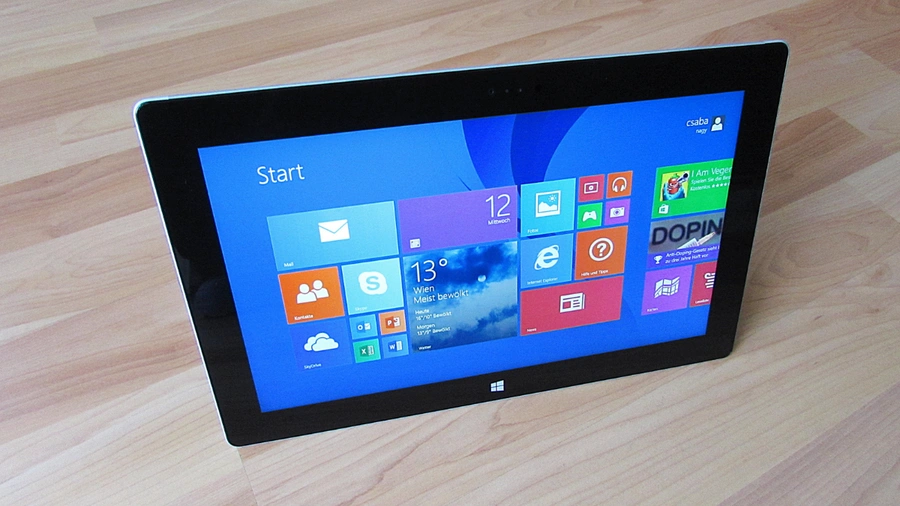
Image Credit: Pixabay
Today’s affordable tablets are much more capable than older budget devices. Many offer large displays, long battery life, USB-C connectivity, expandable storage, modern Android software, and enough performance for common apps. The key is knowing which compromises are acceptable.
Some inexpensive tablets are ideal for basic streaming and web browsing, while others provide better processors, higher-quality displays, stylus support, and keyboard compatibility for students and productivity users.
In this guide, we’ve compared the best budget tablets in 2026 based on display quality, performance, battery life, storage, software, portability, accessories, and overall value.
Quick Comparison: Best Budget Tablets
| Budget Tablet | Best For | Key Feature | Display | Storage* | Rating |
|---|---|---|---|---|---|
| Samsung Galaxy Tab A11+ | Best Overall Budget | Large display & versatile software | 11-inch | Up to 128GB* | 9.3/10 |
| Amazon Fire HD 10 | Best for Streaming | Affordable large screen | 10.1-inch | Up to 64GB | 8.9/10 |
| Lenovo Tab M11 | Best for Students | Large display & stylus support | 11-inch | Up to 128GB | 8.8/10 |
| Redmi Pad 2 | Best Display Value | High-resolution 2.5K display | 11-inch | Up to 256GB* | 9.0/10 |
| OnePlus Pad Go | Best Battery Value | Large screen & long battery | 11.35-inch | Up to 256GB* | 8.9/10 |
| Amazon Fire HD 8 | Best Compact Budget | Small and affordable | 8-inch | Up to 64GB | 8.6/10 |
| Samsung Galaxy Tab A9+ | Best Affordable Samsung | Good everyday performance | 11-inch | Up to 128GB* | 8.8/10 |
Storage, memory, connectivity, and availability vary by region.
1. Samsung Galaxy Tab A11+ — Best Budget Tablet Overall
The Samsung Galaxy Tab A11+ is our top budget recommendation for users who want an affordable Android tablet with a large screen, familiar Samsung software, and useful everyday features.
It is designed for users who don’t need flagship performance but still want a dependable tablet for common tasks.

- POWER FOR ALL YOU DO: Galaxy Tab A11+ gives your family the optimal performance they need for all their day-to-day activ…
- CHARGES UP FAST. LASTS FOR HOURS: Galaxy Tab A11+ keeps your family going with a long-lasting battery that’s perfect for…
- MEMORY AND STORAGE THAT KEEP UP: With up to 6GB of memory and 128GB⁶ of storage, Galaxy Tab A11+ gives your family the s…
Key Features
- Large display
- Smooth refresh rate
- Modern Android software
- Samsung One UI
- Multi-window functionality
- Expandable storage on supported models
- Large battery
- USB-C connectivity
- Samsung ecosystem integration
The large display works well for watching YouTube, browsing websites, reading, attending online classes, and casual gaming.
Samsung’s software experience is another advantage for users already using Galaxy smartphones or other Samsung devices.
Best for: Families, students, streaming, browsing, and everyday use.
Our Rating: 9.3/10
2. Amazon Fire HD 10 — Best Budget Tablet for Streaming
The Amazon Fire HD 10 is an excellent choice if your primary goal is affordable entertainment.
Its 10.1-inch display provides enough screen space for movies, TV shows, YouTube, ebooks, and web browsing.

- Do what you love, uninterrupted — 25% faster performance than the previous generation and is ideal for seamless streamin…
- High-def entertainment — A 10.1″ 1080p Full HD display brings brilliant color to all your shows and games. Binge watch l…
- Thin, light, durable — Tap into entertainment from anywhere with a lightweight, durable design and strengthened glass ma…
Key Features
- 10.1-inch Full HD-class display
- Affordable price
- USB-C charging
- Expandable storage
- Long battery potential
- Alexa integration
- Amazon app ecosystem
- Lightweight design
The Fire HD 10 is particularly appealing when purchased during major Amazon sales.
Its biggest consideration is the Fire OS software ecosystem rather than standard Google Android.
Best for: Streaming, reading, casual browsing, children, and budget entertainment.
Our Rating: 8.9/10
3. Lenovo Tab M11 — Best Budget Tablet for Students
The Lenovo Tab M11 is a strong budget option for students who want a larger display and stylus compatibility.

- MULTITASKING MASTER: The Lenovo Tab M11 combines robust performance with portability in a sleek design and easily switch…
- POWER-PACKED PERFORMANCE: Streamline your day with the ability to work or study at home and on the go—the MediaTek Helio…
- EXPERIENCE VIVID CLARITY: Immerse yourself in vibrant visuals—a 11″ 1920×1200 WUXGA display brings your graphics and pho…
Key Features
- 11-inch display
- High-resolution screen
- Stylus support
- Quad-speaker system
- Large battery
- Expandable storage
- Android software
- Multi-window functionality
The ability to use a compatible pen makes it useful for handwritten notes, PDF annotations, and basic drawing.
The large display also provides enough space to read textbooks and view two applications simultaneously.
Best for: Students, note-taking, online learning, reading, and entertainment.
Our Rating: 8.8/10
4. Redmi Pad 2 — Best Display Value
The Redmi Pad 2 is particularly attractive for buyers who want a high-resolution display without spending premium-tablet money.

- WIFI Version, NO SIM CARD. GLOBAL VERSION GLOBAL ROM FCC ID: 2AFZZRPBFL Support Micro SD Card Up to 2TB. Redmi Pad 2 Pro…
- Size: 12.1″ 2.5K crystal-clear display16:10 aspect ratioResolution: 2560 x 1600, 249 ppiRefresh rate: Up to 120HzTouch s…
- Rear camera:8MP 1/4″, f/2, 1.12μm1080P video at 30fps 720P video at 30fpsPhoto | Video | Document | Teleprompter | HDR F…
Key Features
- 11-inch high-resolution display
- High refresh rate
- Large battery
- Android-based HyperOS
- Quad-speaker setup
- Expandable storage on supported configurations
- Stylus compatibility
- Metal-style construction
The high-resolution display makes it a strong choice for watching movies, reading, browsing, and general multimedia.
It’s also suitable for casual gaming and productivity.
Best for: Entertainment, reading, students, and display-focused buyers.
Our Rating: 9.0/10
5. OnePlus Pad Go — Best Budget Battery Value
The OnePlus Pad Go is designed for buyers who want a large display, strong battery endurance, and a relatively affordable price.

- Performance for Everything you do: Powered by the MediaTek Dimensity 7300-Ultra, it can handle multi-tasking, entertainm…
- All-Day Battery Life: Massive 10,050mAh battery to get through work, streaming, and play. Designed to keep up with your …
- Immersive Display, Smooth Viewing: Enjoy movies, browsing, and gaming on a large 12.1″ vivid Dolby Vision display with a…
Key Features
- Large 11-inch-class display
- High refresh rate
- Large battery
- Fast charging
- Android-based OxygenOS
- Quad speakers
- Expandable storage on supported models
- Cellular options in selected markets
Its large display makes it particularly useful for video streaming and online learning.
The high refresh rate also makes scrolling and compatible games feel smoother.
Best for: Entertainment, students, travel, and everyday use.
Our Rating: 8.9/10
6. Amazon Fire HD 8 — Best Compact Budget Tablet
The Fire HD 8 is a smaller and more portable option for buyers who don’t need a large display.

- SAVE UP TO $70: Get a full-feature tablet (not a toy) made for big kids ages 6–12, 6-month subscription Amazon Kids+ and…
- 2 YEAR WORRY-FREE GUARANTEE INCLUDED: If it breaks, return it and we’ll replace it for free for 2 years.
- AMAZON KIDS+ INCLUDED – Includes 6-months of Amazon Kids+, a digital subscription that provides unlimited access to ad-f…
Key Features
- 8-inch display
- Compact design
- Lightweight construction
- Expandable storage
- USB-C
- Alexa integration
- Long battery potential
- Affordable price
Its smaller size makes it easier to hold for extended reading sessions.
It can also be useful as a secondary household tablet.
Best for: Reading, travel, children, casual browsing, and portability.
Our Rating: 8.6/10
7. Samsung Galaxy Tab A9+ — Best Affordable Samsung Tablet
The Galaxy Tab A9+ remains an attractive budget option for users who want a large-screen Samsung tablet at a relatively low price.

- ATTENTION: this is the WIFI ONLY model
- Packaging contains the cell phone, a USB C to USB C cable, and a sim tray ejector tool. Seller provides a USB C wall ada…
- Display: TFT LCD | 8.7 inches, 214.9 cm2 (~81.7% screen-to-body ratio) | 800 x 1340 pixels, 5:3 ratio (~179 ppi density)
Key Features
- 11-inch display
- Smooth refresh rate
- Samsung One UI
- Multi-window functionality
- Expandable storage on supported models
- USB-C
- Large battery
- Samsung ecosystem integration
It is suitable for browsing, streaming, light gaming, social media, reading, and basic productivity.
Best for: Families, students, streaming, and everyday Android use.
Our Rating: 8.8/10
What Should You Look for in a Budget Tablet?
1. Display
The screen is one of the most important features of any tablet.
For a budget model, look for:
- At least Full HD-class resolution where possible
- Good brightness
- Useful screen size
- Reasonable viewing angles
- Smooth refresh rate
A larger display is helpful for productivity and movies, while smaller screens are easier to carry.
2. Processor
Budget tablets usually use less powerful processors than premium models.
That’s not necessarily a problem.
For basic activities such as:
- YouTube
- Netflix
- Web browsing
- Reading
- Video calls
a modest processor can be sufficient.
If you plan to play demanding games or edit videos, consider moving into the mid-range category.
3. RAM
RAM affects multitasking.
For a budget tablet, 4GB or more can be suitable for basic use, while higher-memory configurations can provide a smoother experience when switching between applications.
If you plan to keep many apps and browser tabs open, prioritize a model with more RAM.
4. Storage
Storage is particularly important because budget tablets often have limited built-in capacity.
Consider:
64GB
Suitable for:
- Streaming
- Browsing
- Reading
- Light app use
128GB
Better for:
- Games
- Photos
- Offline videos
- More applications
256GB+
Useful for heavy local storage.
A tablet with microSD support can be especially valuable because you can expand storage later.
5. Battery Life
Budget tablets are often used for long streaming or study sessions.
Battery life depends on:
- Screen brightness
- Processor
- Wi-Fi
- Streaming
- Gaming
- Background applications
A large battery is useful, but real-world endurance matters more than battery capacity alone.
6. Software
Android tablets provide access to a large application ecosystem through Google Play on supported devices.
However, software support varies considerably by manufacturer.
Before buying, check:
- Android version
- Security-update policy
- Major OS update support
- App compatibility
- Manufacturer support
Amazon Fire tablets use Fire OS rather than standard Google Android, so buyers should check whether their preferred apps are available.
7. Stylus Support
A stylus can make a budget tablet more useful for students.
It can help with:
- Handwritten notes
- Drawing
- PDF annotation
- Digital signatures
- Diagrams
- Study materials
However, check whether the stylus is included or sold separately.
Best Budget Tablet by Use Case
| Use Case | Recommended Tablet |
|---|---|
| Best overall | Samsung Galaxy Tab A11+ |
| Best streaming | Amazon Fire HD 10 |
| Best for students | Lenovo Tab M11 |
| Best display value | Redmi Pad 2 |
| Best battery value | OnePlus Pad Go |
| Best compact | Amazon Fire HD 8 |
| Best affordable Samsung | Galaxy Tab A9+ |
| Reading | Fire HD 8 |
| Movies | Redmi Pad 2 |
| Online classes | Lenovo Tab M11 |
| Kids | Fire HD 8 / Fire HD 10 |
| Casual gaming | Galaxy Tab A11+ |
Are Budget Tablets Good for Students?
Yes. A budget tablet can be an excellent study device.
Students can use tablets for:
- Online classes
- Research
- Reading textbooks
- Note-taking
- PDF annotation
- Google Docs
- Presentations
- Educational applications
A tablet with a large display and stylus support can be particularly useful.
However, if you need to write long assignments, use specialized software, or run desktop applications, a laptop may still be a better primary device.
Are Budget Tablets Good for Gaming?
Budget tablets can handle casual games well, but demanding 3D games may require a more powerful device.
For gaming, look for:
- Modern processor
- At least 4GB RAM
- High refresh rate
- Good cooling
- Large battery
- Adequate storage
If gaming is your primary reason for buying a tablet, spending slightly more on a mid-range model may provide significantly better performance.
Android vs. Amazon Fire Tablets
Android tablets
Advantages include:
- Google Play access on supported devices
- Wider application selection
- Greater customization
- More hardware choices
- Better multitasking on many models
Amazon Fire tablets
Advantages include:
- Low prices
- Strong Amazon integration
- Alexa
- Simple interface
- Excellent value for streaming
If you rely heavily on Google apps, check app availability before choosing a Fire tablet.
Can a Budget Tablet Replace a Laptop?
For basic tasks, sometimes.
A budget tablet can handle:
- Web browsing
- Streaming
- Video calls
- Reading
- Social media
- Light document editing
But tablets have limitations for:
- Advanced spreadsheets
- Professional software
- Desktop applications
- Heavy multitasking
- Complex file management
For serious productivity, consider a laptop or premium tablet with keyboard support.
Final Verdict
The Samsung Galaxy Tab A11+ is our best overall budget tablet recommendation because it combines a large display, modern Android software, useful multitasking features, and Samsung’s broader ecosystem.
The Amazon Fire HD 10 is a strong choice for affordable entertainment, while the Lenovo Tab M11 is particularly attractive for students who want stylus support.
The Redmi Pad 2 stands out for display value, while the OnePlus Pad Go provides a compelling combination of screen size, battery life, and performance.
For buyers who want something small and inexpensive, the Amazon Fire HD 8 is a practical option. Meanwhile, the Galaxy Tab A9+ remains a good choice for users who prefer Samsung’s software and ecosystem at a lower price.
Before purchasing, compare the processor, RAM, storage, display resolution, refresh rate, battery life, software support, stylus compatibility, and expandable storage. A slightly more expensive tablet can sometimes offer significantly better long-term value than the cheapest available model.
Frequently Asked Questions
What is the best budget tablet in 2026?
The Samsung Galaxy Tab A11+ is our top overall budget pick because it offers a large display, modern software, good everyday performance, and useful Samsung ecosystem features.
What is the best cheap tablet for students?
The Lenovo Tab M11 is a strong option for students because of its large display, stylus support, battery life, and multitasking capabilities.
What is the best budget tablet for Netflix?
The Amazon Fire HD 10 and Redmi Pad 2 are both good choices for streaming because they provide large displays and multimedia-friendly features.
Are cheap tablets worth buying?
Yes, if your needs are basic. Budget tablets can be excellent for browsing, streaming, reading, online classes, and light productivity.
How much RAM should a budget tablet have?
At least 4GB can be suitable for basic tasks, while 6GB or 8GB can provide better multitasking and longevity.
Is 64GB enough for a budget tablet?
64GB can be enough for streaming and basic use, particularly if the tablet supports expandable storage. For games and offline media, 128GB or more is preferable.
Are Amazon Fire tablets Android tablets?
Fire tablets use Amazon’s Fire OS, which is based on Android technology but provides a different software and application ecosystem.
Do budget tablets support a stylus?
Some do. Models such as the Lenovo Tab M11 offer stylus compatibility, but availability and included accessories vary.
Can a budget tablet run games?
Yes. Budget tablets can run casual games, but demanding 3D games may require a more powerful mid-range or premium tablet.
Can I use a budget tablet for online classes?
Yes. A tablet with a good webcam, microphone, speakers, Wi-Fi, and sufficient performance can work well for online classes.
Should I buy an Android tablet or an Amazon Fire tablet?
Choose Android if you want broader app access and Google Play on supported models. Choose Fire if you prioritize affordability and Amazon services.
How long do budget tablets last?
A good budget tablet can remain useful for several years, although software support, battery health, storage limitations, and hardware performance affect its usable lifespan.
Is a budget tablet better than a smartphone?
A tablet provides a much larger screen, making it better for movies, reading, studying, documents, and multitasking. A smartphone is more portable and better suited to calls and mobile use.
What should I check before buying a budget tablet?
Check the processor, RAM, storage, display quality, battery life, software-update policy, app compatibility, USB-C support, expandable storage, and the cost of accessories such as keyboards and styluses.
Best Products
Best Smartphones for Everyday Use in 2026
Best Laptops for Students in 2026