If you click on the links and make a purchase, we may earn a commission.
The best tablets for work can be powerful alternatives to traditional laptops for professionals, freelancers, business owners, remote workers, and students. Modern tablets offer bright displays, fast processors, excellent battery life, keyboard support, stylus compatibility, video conferencing features, and increasingly capable multitasking software.
Table of Contents
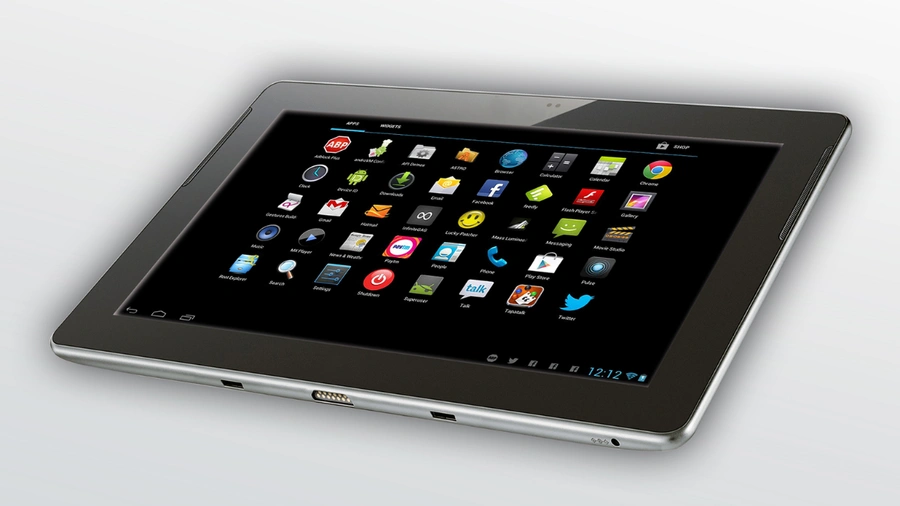
Image Credit: Pixabay
A tablet can be particularly useful if your work involves email, documents, presentations, web research, video meetings, note-taking, content creation, or traveling between locations. Premium models can even provide desktop-style interfaces and connect to external monitors, keyboards, mice, and storage.
However, not every tablet is suitable for professional workloads. The best choice depends on your operating system preferences, applications, screen size, keyboard experience, storage requirements, connectivity, and budget.
In this guide, we compare the best tablets for work in 2026, focusing on productivity, performance, portability, battery life, displays, accessories, multitasking, and overall value.
Quick Comparison: Best Tablets for Work
| Tablet | Best For | Key Feature | Display | Keyboard Support | Rating |
|---|---|---|---|---|---|
| Apple iPad Pro 13-inch | Best Overall | Powerful performance & OLED display | 13-inch OLED | Yes | 9.8/10 |
| Samsung Galaxy Tab S11 Ultra | Best Android | Large AMOLED & DeX | 14.6-inch AMOLED | Yes | 9.7/10 |
| Microsoft Surface Pro | Best Laptop Alternative | Windows desktop software | 13-inch | Yes | 9.6/10 |
| Apple iPad Air 13-inch | Best Value iPad | Strong performance & large screen | 13-inch LCD | Yes | 9.4/10 |
| Samsung Galaxy Tab S11 | Best Portable Android | AMOLED & S Pen | 11-inch AMOLED | Yes | 9.4/10 |
| OnePlus Pad 3 | Best Value Android | Large high-refresh display | 13.2-inch LCD | Yes | 9.2/10 |
| Lenovo Tab P12 | Best Budget Work Tablet | Large screen & stylus support | 12.7-inch LCD | Yes | 8.8/10 |
Specifications, accessories, storage options, and availability may vary by region.
1. Apple iPad Pro 13-inch — Best Tablet for Work Overall
The 13-inch iPad Pro is our top choice for professionals who want a premium tablet with powerful performance, an excellent display, strong accessory support, and a mature productivity ecosystem.
Its combination of high-end hardware and a large OLED display makes it suitable for demanding work as well as entertainment.
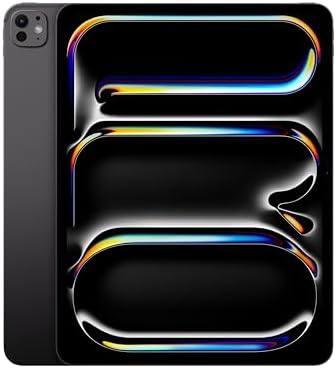
- WHY IPAD PRO — iPad Pro is the ultimate iPad experience in an impossibly thin and light design. Featuring the breakthrou…
- BUILT FOR APPLE INTELLIGENCE—Apple Intelligence is the personal intelligence system that helps you write, express yourse…
- 13-INCH ULTRA RETINA XDR DISPLAY — Ultra Retina XDR delivers extreme brightness and contrast and exceptional color accur…
Key Features
- 13-inch OLED display
- Apple silicon performance
- High refresh rate
- USB-C connectivity
- Apple Pencil Pro support
- Magic Keyboard compatibility
- Face ID
- Thunderbolt/USB 4 support
- Premium lightweight design
- Excellent battery efficiency
The large display is particularly useful for multitasking, spreadsheets, documents, creative applications, and video editing.
With a keyboard and trackpad, the iPad Pro can become a highly capable mobile workstation.
Best For
Professionals, executives, designers, video editors, photographers, consultants, and frequent travelers.
Our Rating: 9.8/10
2. Samsung Galaxy Tab S11 Ultra — Best Android Tablet for Work
The Samsung Galaxy Tab S11 Ultra is one of the best Android tablets for professionals who want a huge display, strong performance, stylus functionality, and desktop-style multitasking.

- SLIM & LIGHTWEIGHT With its slim and lighter design and powerful AI features, the Galaxy Tab S11 Ultra delivers a produc…
- DRAWING ASSIST: Instantly turn your ideas into drawing with artificial intelligence and save them in notes. Draw your dr…
- WRITING ASSIST: Writing Assist helps you correct and change your text in seconds. Easily design the meaning you want to …
Its large AMOLED screen gives professionals considerable workspace for documents, spreadsheets, presentations, and multiple applications.
Key Features
- 14.6-inch AMOLED display
- High refresh rate
- Flagship performance
- S Pen support
- Samsung DeX
- Multi-window multitasking
- Large battery
- Keyboard accessory support
- Premium construction
- USB-C connectivity
Samsung DeX is particularly useful because it provides a more traditional desktop-style interface.
This makes the Tab S11 Ultra attractive to professionals who want Android flexibility but also need a laptop-like working environment.
Best For
Business professionals, executives, multitaskers, creative users, and Android enthusiasts.
Our Rating: 9.7/10
3. Microsoft Surface Pro — Best Tablet for Replacing a Laptop
The Microsoft Surface Pro is arguably one of the strongest options for professionals who want a tablet that can run desktop applications.

- Brilliant LCD Display – The 13″ PixelSense touchscreen[1], with LCD and enriched HDR[2] tech, unveils crisper whites, da…
- Up to 15.5hours of battery life[3] – The new Surface Pro is designed for long days, late nights and everything in betwee…
- Productivity. All Day. Every Day. – Built with the latest Qualcomm Snapdragon X2 Plus (10 Core) processors, Surface Pro …
Unlike Android and iPadOS devices, Surface Pro runs Windows, making it suitable for users who depend on traditional desktop software.
Key Features
- 13-inch touchscreen
- Windows operating system
- Detachable keyboard
- Surface Pen compatibility
- Multiple processor configurations
- USB-C connectivity
- Windows application compatibility
- Lightweight 2-in-1 design
- External display support
The detachable keyboard allows it to function as a conventional laptop while the touchscreen provides tablet flexibility.
Best For
Business users, Microsoft 365 users, consultants, remote workers, and professionals who need Windows applications.
Our Rating: 9.6/10
4. Apple iPad Air 13-inch — Best Value iPad for Work
The 13-inch iPad Air offers many of the productivity advantages of the iPad Pro at a lower price.
It provides a large workspace without reaching the premium price of Apple’s top-end tablet.

- WHY IPAD AIR — iPad Air is powerful, versatile, and comes in a choice of two sizes. Featuring a stunning Liquid Retina d…
- BUILT FOR APPLE INTELLIGENCE—Apple Intelligence is the personal intelligence system that helps you write, express yourse…
- 13-INCH LIQUID RETINA DISPLAY — The gorgeous Liquid Retina display features advanced technologies like P3 wide color, Tr…
Key Features
- 13-inch display
- Apple silicon processor
- Apple Pencil support
- Magic Keyboard compatibility
- USB-C
- Large screen
- Lightweight design
- Strong battery life
- iPadOS multitasking
The iPad Air is a good choice for professionals who want strong performance but don’t need every feature of the Pro series.
Best For
Remote workers, business users, students, content creators, and professionals seeking value.
Our Rating: 9.4/10
5. Samsung Galaxy Tab S11 — Best Portable Android Work Tablet
The Galaxy Tab S11 offers many of Samsung’s premium productivity features in a smaller and more portable design.
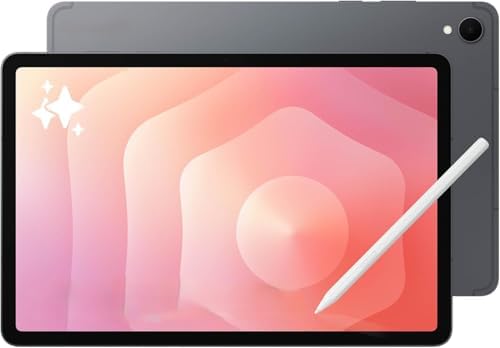
- Latin American Model, NO Warranty in the USA. Tablets are only WIFI, no Calls or Data.Country selection may not be avail…
- Mediatek Dimensity 9400+ (3 nm) Octa-core (1×3.63 GHz Cortex-X925 & 3×3.3 GHz Cortex-X4 & 4×2.4 GHz Cortex-A720) Li-Po 8…
- 11″ Screen 278.1mm (11.0″ full rectangle) / 276.2mm (10.9″ rounded corners) Dynamic AMOLED 2X 16M Accelerometer, Fingerp…
Its 11-inch AMOLED display is easier to carry than the Ultra while still providing plenty of room for documents, email, browsing, and note-taking.
Key Features
- 11-inch AMOLED display
- High refresh rate
- S Pen support
- Samsung DeX
- Powerful processor
- Multi-window support
- Keyboard accessory compatibility
- Long battery potential
- Premium construction
For professionals who regularly travel, the smaller design can be a major advantage.
Best For
Traveling professionals, consultants, students, executives, and mobile workers.
Our Rating: 9.4/10
6. OnePlus Pad 3 — Best Value Android Work Tablet
The OnePlus Pad 3 is an attractive option for users who want strong performance and a large display without paying flagship prices.
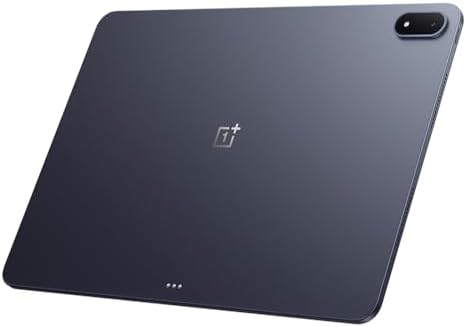
- 13.2 inches, IPS LCD, 68B colors, 2400 x 3392 pixels
- 512GB Storage, 16GB RAM
- Android 15, ColorOS 15, Qualcomm SM8750-AB Snapdragon 8 Elite (3 nm), Octa-core (2×4.32 GHz Oryon V2 Phoenix L + 6×3.53 …
Key Features
- 13.2-inch high-resolution display
- High refresh rate
- Powerful processor
- Large battery
- Fast charging
- Keyboard support
- Stylus compatibility
- Android-based OxygenOS
- Multi-window multitasking
The large screen is especially useful for productivity.
Professionals can use split-screen applications for tasks such as researching information while writing documents or monitoring communication tools.
Best For
Value-focused professionals, remote workers, entertainment, multitasking, and light creative work.
Our Rating: 9.2/10
7. Lenovo Tab P12 — Best Affordable Tablet for Work
The Lenovo Tab P12 is a good option for buyers who want a large display and basic productivity capabilities without spending heavily.

- Large Display: Features a spacious 12.1 inch screen providing ample viewing area for reading, studying, and multimedia c…
- AI-Enhanced Performance: Equipped with artificial intelligence capabilities to optimize performance and enhance the lear…
- Student-Focused Design: Purpose-built tablet designed specifically for educational needs including note-taking, research…
Key Features
- 12.7-inch display
- Large workspace
- Stylus support
- Keyboard compatibility
- Multi-window functionality
- Large battery
- Expandable storage
- Android software
It can handle email, web browsing, documents, online meetings, note-taking, reading, and entertainment.
However, users who rely on advanced desktop applications may prefer a Windows laptop or Surface Pro.
Best For
Students, freelancers, basic office work, remote learning, and budget-conscious professionals.
Our Rating: 8.8/10
What Should You Look for in a Work Tablet?
Choosing a tablet for professional use requires more than looking at screen size and price.
1. Processor Performance
A tablet used for work should have enough processing power for your applications.
For basic productivity, you need enough performance for:
- Web browsing
- Documents
- Video meetings
- Presentations
- Cloud applications
For demanding work such as video editing, programming, large spreadsheets, or graphic design, choose a higher-performance processor.
2. RAM
RAM affects multitasking.
For basic work, moderate memory may be sufficient, but professionals who keep multiple applications open should consider higher-memory configurations.
More RAM can be particularly helpful when switching between:
- Browser tabs
- Documents
- Spreadsheets
- Video conferencing
- Communication applications
For a work tablet intended to last several years, choosing a configuration with more memory can be worthwhile.
3. Display Size
Screen size significantly affects productivity.
11 inches
Best for:
- Travel
- Meetings
- Note-taking
- General productivity
12–13 inches
Best for:
- Documents
- Multitasking
- Presentations
- Spreadsheets
- Creative work
14 inches+
Best for:
- Desktop-style productivity
- Large spreadsheets
- Multitasking
- Video editing
- Professionals who prioritize screen space
For many professionals, a 12–13-inch tablet provides the best balance between workspace and portability.
4. Keyboard Support
If you’re planning to type regularly, keyboard compatibility should be a major consideration.
A good keyboard accessory can transform a tablet into a laptop-like productivity machine.
Look for:
- Comfortable key travel
- Trackpad
- Adjustable viewing angles
- Backlighting
- Protection
- Stable construction
Also consider the keyboard’s price when calculating the total cost of your tablet setup.
5. Stylus Support
Stylus support is valuable for:
- Note-taking
- Signing documents
- Drawing
- PDF annotation
- Presentations
- Marking up images
- Brainstorming
Samsung’s S Pen and Apple’s Pencil ecosystem are particularly useful for professionals who frequently write by hand.
6. Battery Life
A work tablet should ideally last through a normal working session without requiring frequent charging.
Battery performance depends on:
- Processor efficiency
- Display brightness
- Screen refresh rate
- Video calls
- Wi-Fi
- Background applications
- Workload
Fast charging can also be useful for mobile professionals.
7. Connectivity and Ports
Check which ports and wireless technologies the tablet provides.
Important features can include:
- USB-C
- Thunderbolt/USB 4 on supported devices
- Wi-Fi
- Bluetooth
- Cellular connectivity
- External display support
A USB-C port can allow you to connect external storage, monitors, hubs, keyboards, and other accessories.
Best Work Tablet by Use Case
| Work Requirement | Recommended Tablet |
|---|---|
| Best overall | iPad Pro 13-inch |
| Best Android | Galaxy Tab S11 Ultra |
| Laptop replacement | Surface Pro |
| Best value iPad | iPad Air 13-inch |
| Best portable Android | Galaxy Tab S11 |
| Best value Android | OnePlus Pad 3 |
| Best budget option | Lenovo Tab P12 |
| Best for designers | iPad Pro |
| Best for Microsoft Office | Surface Pro |
| Best for handwritten notes | Galaxy Tab S11 |
| Best for travel | Galaxy Tab S11 |
| Best for multitasking | Galaxy Tab S11 Ultra |
iPad vs. Android vs. Windows for Work
iPad
iPadOS provides an excellent combination of hardware, applications, accessories, and battery efficiency.
It’s especially strong for:
- Creative work
- Design
- Video editing
- Note-taking
- Presentations
- Mobile productivity
The main limitation is that some professional desktop applications aren’t available in their full desktop versions.
Android
Android tablets offer:
- Flexible hardware
- More customization
- Multi-window features
- Google ecosystem integration
- Wide range of prices
Samsung DeX adds an especially useful desktop-style environment.
Windows
Windows tablets such as Surface Pro are ideal if you need traditional desktop software.
They’re particularly useful for:
- Microsoft Office
- Business software
- Desktop browsers
- Professional applications
- Enterprise environments
Can a Tablet Replace a Laptop for Work?
For some users, absolutely.
A tablet can replace a laptop if your work mainly involves:
- Web browsing
- Documents
- Presentations
- Video calls
- Note-taking
- Cloud applications
- Social media management
However, a traditional laptop may remain better for users who rely on:
- Advanced Excel workflows
- Desktop development tools
- Specialized business software
- Complex file management
- Professional desktop applications
If you’re unsure, a Windows tablet such as Surface Pro offers the most laptop-like software experience.
Do You Need a Cellular Tablet for Work?
A cellular-enabled tablet can be useful for professionals who travel frequently.
It allows you to access the internet without relying on public Wi-Fi.
Cellular connectivity can be particularly useful for:
- Sales professionals
- Consultants
- Travelers
- Field workers
- Remote employees
If you normally work from home, an office, or locations with reliable Wi-Fi, a Wi-Fi-only model can save money.
Final Verdict
The Apple iPad Pro 13-inch is our best overall work tablet for 2026 because it combines excellent performance, a premium display, strong accessory support, portability, and a powerful productivity ecosystem.
The Samsung Galaxy Tab S11 Ultra is the best Android choice, particularly for professionals who value a huge AMOLED display, S Pen functionality, and Samsung DeX.
If you need traditional desktop applications, the Microsoft Surface Pro is the strongest laptop replacement in this list. The iPad Air 13-inch offers excellent value for professionals who want a large iPad without paying Pro pricing.
For Android users seeking value, the OnePlus Pad 3 is compelling, while the Galaxy Tab S11 is better for professionals who prioritize portability. The Lenovo Tab P12 is a sensible budget option for basic work and study.
Before buying, consider the processor, RAM, storage, keyboard, stylus, display, battery, operating system, connectivity, software compatibility, and total accessory costs. The best tablet for work isn’t simply the most powerful model—it’s the device that fits your specific workflow and remains comfortable and reliable throughout the workday.
Frequently Asked Questions
What is the best tablet for work in 2026?
The 13-inch iPad Pro is our overall choice because of its powerful performance, excellent display, accessory ecosystem, and productivity capabilities.
Is an iPad good for business work?
Yes. An iPad can handle email, documents, presentations, video meetings, web research, note-taking, and many professional applications. A keyboard can make it substantially more useful for typing-intensive work.
What is the best Android tablet for work?
The Samsung Galaxy Tab S11 Ultra is an excellent Android work tablet because of its large AMOLED display, S Pen, multitasking features, and Samsung DeX desktop-style interface.
What is the best tablet for replacing a laptop?
The Microsoft Surface Pro is one of the strongest laptop alternatives because it runs Windows and can use traditional desktop applications.
How much RAM should a work tablet have?
For everyday productivity, a moderate RAM configuration can be sufficient. Heavy multitaskers should consider higher-memory configurations, particularly if they plan to keep the tablet for several years.
Is a keyboard necessary for working on a tablet?
Not necessarily, but a keyboard is highly recommended if you frequently write emails, reports, documents, or long messages. It can make a tablet feel much more like a laptop.
Is a stylus useful for business?
Yes. A stylus is useful for handwritten notes, signing documents, annotating PDFs, drawing diagrams, and marking up presentations.
Can tablets run Microsoft Office?
Yes. iPadOS, Android, and Windows tablets can run Microsoft productivity applications, although the exact features and experience vary between platforms.
Are tablets good for remote work?
Yes. Tablets can be excellent remote-work devices for email, video conferencing, web applications, documents, communication, and cloud-based workflows.
Can a work tablet connect to a monitor?
Many modern tablets can connect to external displays through USB-C, Thunderbolt on supported devices, or wireless technologies. Check the exact model before purchasing.
Should I buy a Wi-Fi or cellular tablet?
Choose cellular if you frequently work away from reliable Wi-Fi. A Wi-Fi model is usually better value if you primarily work from home or an office.
How much storage does a work tablet need?
128GB can be enough for many users, while 256GB or more is preferable if you store large files, videos, applications, or creative projects locally.
Can an Android tablet replace a laptop?
For web-based and everyday productivity, yes. Samsung DeX can make premium Galaxy tablets particularly laptop-like. However, specialized desktop software may still require Windows or macOS.
What should I check before buying a work tablet?
Compare processor performance, RAM, storage, display size, keyboard support, stylus compatibility, battery life, operating system, software availability, connectivity, external-monitor support, and the cost of essential accessories.
Best Products
Best Smartphones for Everyday Use in 2026
Best Laptops for Students in 2026