If you click on the links and make a purchase, we may earn a commission.
The best mini PCs for home and office use provide desktop-class productivity in a remarkably small package. They are ideal for users who want a computer that takes up less desk space, consumes less power, and can easily connect to an existing monitor, keyboard, mouse, and other peripherals.

Image Credit: Pixabay
Modern mini PCs can handle everyday office work, web browsing, video conferencing, streaming, programming, accounting, light photo editing, and multitasking. Some higher-performance models can even handle demanding professional applications and light gaming.
In this guide, we compare the best mini PCs for home and office in 2026, focusing on processor performance, RAM, storage, connectivity, upgradeability, operating system, noise, size, and overall value.
Quick Comparison: Best Mini PCs for Home and Office
| Mini PC | Best For | Key Feature | CPU Platform | RAM | Rating |
|---|---|---|---|---|---|
| Apple Mac mini | Best Overall | Powerful + compact | Apple silicon | 16GB+ | 9.8/10 |
| MINISFORUM UM890 Pro | Best Windows Performance | Powerful AMD platform | AMD Ryzen | 32GB+ | 9.5/10 |
| Beelink SER8 | Best AMD Mini PC | Performance + quiet operation | AMD Ryzen | 24–32GB+ | 9.4/10 |
| Lenovo ThinkCentre Tiny | Best Business | Enterprise reliability | Intel/AMD | 16GB+ | 9.4/10 |
| HP Elite Mini | Best Office | Business features | Intel/AMD | 16GB+ | 9.3/10 |
| Dell OptiPlex Micro | Best Corporate | Compact business PC | Intel | 16GB+ | 9.3/10 |
| ASUS NUC | Best Premium Windows | Compact performance | Intel | 16–32GB+ | 9.3/10 |
| GMKtec NucBox | Best Budget | Affordable performance | Intel/AMD | 16GB+ | 9.0/10 |
| Beelink EQ Series | Best Budget Office | Low-power design | Intel | 16GB+ | 8.9/10 |
| Minisforum AI Series | Best AI Workloads | AI-capable hardware | AMD/Intel | 32GB+ | 9.2/10 |
Specifications and configurations vary by generation and region. Some mini PCs are sold as barebones systems without RAM or storage, so check the exact configuration before buying.
1. Apple Mac mini — Best Mini PC Overall
The Apple Mac mini is our overall pick for users looking for a compact computer for home and office productivity.
Its small desktop footprint makes it easy to place behind a monitor, under a desk, or on a shelf.

- SIZE DOWN. POWER UP — The far mightier, way tinier Mac mini desktop computer is five by five inches of pure power. Built…
- LOOKS SMALL. LIVES LARGE — At just five by five inches, Mac mini is designed to fit perfectly next to a monitor and is e…
- CONVENIENT CONNECTIONS — Get connected with Thunderbolt, HDMI, and Gigabit Ethernet ports on the back and, for the first…
Key Features
- Apple silicon
- Compact enclosure
- 16GB+ memory configurations
- Fast SSD storage
- Multiple USB-C/Thunderbolt ports
- HDMI
- Ethernet
- Wi-Fi
- macOS
- Excellent power efficiency
Why Buy?
The Mac mini provides excellent performance for its size and is particularly attractive to users already invested in the Apple ecosystem.
It’s suitable for:
- Office work
- Web browsing
- Programming
- Photo editing
- Video calls
- Content creation
- Media consumption
- Software development
Because it doesn’t include a display or keyboard, you can pair it with your preferred accessories.
Best for: Home users, professionals, developers, and Apple fans.
Rating: 9.8/10
2. MINISFORUM UM890 Pro — Best High-Performance Windows Mini PC
The MINISFORUM UM890 Pro is designed for users who need significantly more processing power than an entry-level mini PC provides.

- 【Ryzen 9 8945HS Processor】MINISFORUM UM890 Pro Mini PC is an ultra-thin processor manufactured using a 4nm process with …
- 【Powerful Graphics】UM890 Pro Desktop computer adopted the latest Zen 4 architecture, Cinebench shows up to 14% improveme…
- 【8K Display Output】This Micro PC equipped with 2x USB4(8K@60Hz), 2xHDMI(4K@120Hz) and 1x USB4(4K@60Hz) and 1x DP(4K@60Hz…
Key Features
- AMD Ryzen processor options
- 32GB+ configurations
- Fast NVMe SSD
- USB-C
- Multiple USB ports
- HDMI/DisplayPort depending on configuration
- Ethernet
- Wi-Fi
- Compact chassis
Why Buy?
This type of mini PC is ideal for multitasking and demanding productivity.
It can handle:
- Large spreadsheets
- Programming
- Multiple displays
- Office applications
- Photo editing
- Virtual machines
- Development environments
Best for: Power users, developers, and professionals.
Rating: 9.5/10
3. Beelink SER8 — Best AMD Mini PC
The Beelink SER8 is a strong choice for users who want AMD-based performance in a compact chassis.

- 【New SER8 Mini PC】The Beelink SER8 Mini PC is comes with the AMD Ryzen 7 8745HS Processor (TSMC 4nm FinFET, up to 4.9GHz…
- 【Up to 256GB RAM and 8TB SSD】Beelink Ryzen Mini PC 8745HS built-in 32G(2*16G) DDR5 5600MHz dual channel RAM and 1TB M.2 …
- 【 Triples Screen Display, 2.4Gbps Wifi6 】The Beelink Mini PC equipped with HDMI2.1 (4k@120Hz)+DP1.4 (4k@120Hz)+USB4.0, w…
Key Features
- AMD Ryzen processor
- 24GB–32GB+ configurations
- NVMe SSD
- Compact design
- USB-C
- USB-A
- HDMI
- Ethernet
- Wi-Fi
Why Buy?
The SER8 balances performance and compactness effectively.
It works well for:
- Home offices
- Programming
- Office applications
- Streaming
- Multitasking
- Light creative workloads
Best for: Home offices, developers, and power users.
Rating: 9.4/10
4. Lenovo ThinkCentre Tiny — Best Business Mini PC
The Lenovo ThinkCentre Tiny series is one of the best choices for businesses that want reliable, compact desktop computers.
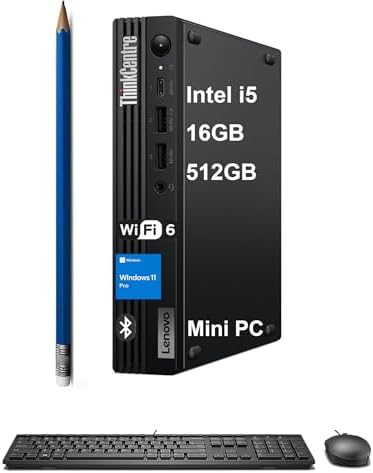
- TINY YET POWERFUL – The stylish, compact ThinkCentre M70q Tiny desktop PC delivers all the power of a tower desktop and …
- HIGH PERFORMANCE – With Intel 10-Core i5-14400T Processor and Intel UHD 730 Graphics, delivering smooth multitasking and…
- RICH CONNECTIVITY – Features 5x USB-A 3.0, USB-A 2.0, USB-C, Headphone/microphone combo jack, DisplayPort 1.4, HDMI, Eth…
Key Features
- Compact business chassis
- Intel or AMD configurations
- Multiple RAM options
- SSD storage
- Enterprise security features
- USB ports
- Display connectivity
- Ethernet
- Wi-Fi on compatible models
Why Buy?
ThinkCentre Tiny systems are designed around business deployment and reliability.
They’re excellent for:
- Accounting
- Reception desks
- Office workstations
- Customer service
- Point-of-sale environments
- Administrative work
- Remote work
They can also be mounted behind compatible monitors.
Best for: Small businesses and professional offices.
Rating: 9.4/10
5. HP Elite Mini — Best Mini PC for Office Productivity
The HP Elite Mini family offers compact business computing with enterprise-oriented features.

- ⚡ 14th Gen Intel Core i5-14500 Processor – Powerful 14-core hybrid architecture (6 P-cores up to 5.0GHz + 8 E-cores up t…
- 🖥️ Intel UHD 770 Graphics with Quad Display Support – Drive up to 4 monitors simultaneously via 2 DisplayPort 1.4, 1 HDM…
- 💾 32GB DDR5 RAM + 1TB PCIe NVMe SSD – Experience lightning-fast boot times, instant application launches, and seamless m…
Key Features
- Intel/AMD processor options
- Compact design
- SSD storage
- Expandable configurations
- Business security
- Multiple display outputs
- USB-C
- Ethernet
Why Buy?
The Elite Mini is particularly useful for businesses that need standardized computers without occupying the space of traditional desktop towers.
Best for: Business users, offices, and IT-managed environments.
Rating: 9.3/10
6. Dell OptiPlex Micro — Best Corporate Mini PC
The Dell OptiPlex Micro is another excellent option for business environments.

- 16GB DDR5 RAM for Smooth Multitasking – Built with 16GB of high-speed DDR5 memory, this desktop handles multiple applica…
- 512GB SSD for Fast Boot & Ample Storage – The 512GB solid-state drive provides quick boot times, rapid file access, and …
- Compact Micro Form Factor for Space-Saving Efficiency – Designed in a compact micro form factor, this Dell Pro desktop f…
Key Features
- Compact micro form factor
- Intel processor options
- SSD storage
- Business management features
- Multiple USB ports
- Display outputs
- Ethernet
- Optional wireless connectivity
Why Buy?
OptiPlex Micro systems are designed for office deployments where desk space is limited.
They are suitable for:
- Microsoft Office
- Accounting
- CRM software
- Web applications
- Video conferencing
Best for: Corporate offices and small businesses.
Rating: 9.3/10
7. ASUS NUC — Best Premium Windows Mini PC
The ASUS NUC line offers compact computing with modern hardware and strong connectivity.

- 【𝗣𝗼𝘄𝗲𝗿𝗳𝘂𝗹 𝗛𝘆𝗯𝗿𝗶𝗱 𝗣𝗲𝗿𝗳𝗼𝗿𝗺𝗮𝗻𝗰𝗲 𝗶𝗻 𝗮 𝗖𝗼𝗺𝗽𝗮𝗰𝘁 𝟰𝘅𝟰 𝗙𝗼𝗿𝗺 𝗙𝗮𝗰𝘁𝗼𝗿】Powered by the 13th Gen Intel Core i7-13620H hybrid processor …
- 【𝗘𝘅𝗽𝗮𝗻𝗱𝗮𝗯𝗹𝗲 𝗠𝗲𝗺𝗼𝗿𝘆 & 𝗠𝘂𝗹𝘁𝗶-𝗧𝗶𝗲𝗿 𝗦𝘁𝗼𝗿𝗮𝗴𝗲 𝗨𝗽𝗴𝗿𝗮𝗱𝗲𝘀】Preloaded with 32GB dual-channel DDR4-3200 SODIMM RAM (2 × 16GB) and a …
- 【𝟴𝗞 & 𝗤𝘂𝗮𝗱 𝟰𝗞 𝗠𝘂𝗹𝘁𝗶-𝗗𝗶𝘀𝗽𝗹𝗮𝘆 𝗨𝗹𝘁𝗿𝗮 𝗛𝗗 𝗢𝘂𝘁𝗽𝘂𝘁】Equipped with dual HDMI 2.1 ports (4K@60Hz with built-in CEC) and dual Thund…
Key Features
- Intel processor options
- Compact chassis
- High-speed USB connectivity
- Thunderbolt/USB-C
- HDMI/DisplayPort
- Ethernet
- Wi-Fi
- Upgradeable configurations
Why Buy?
The NUC format is ideal for users who want a small but capable Windows desktop.
It can be used for:
- Office work
- Programming
- Digital signage
- Home servers
- Media centers
- Productivity
Best for: Enthusiasts and professionals who want a premium compact PC.
Rating: 9.3/10
8. GMKtec NucBox — Best Budget Mini PC
The GMKtec NucBox family offers affordable compact computing for users who don’t need workstation-level performance.
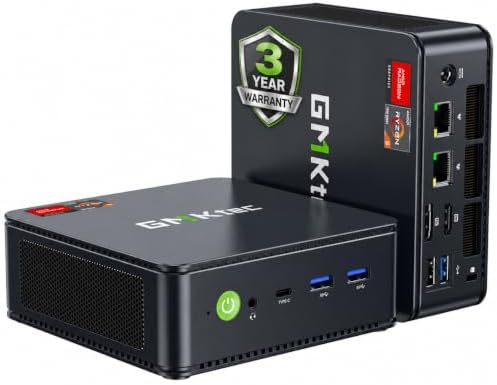
- VALUE & PERFORMANCE MINI PC – GMKtec Nucbox M6 Ultra Series is equipped with the powerful AMD Ryzen 5 7640HS processor. …
- 16GB DDR5 RAM & 512GB PCIe SSD – Installed with DDR5 16GB RAM SO-DIMM Dual Channel (2x8GB), the Nucbox M6 Ultra mini pc …
- GAMING PC – The Radeon 760M iGPU has 8 CUs (512 shaders) running at up to 2,600 MHz. This desktop computer can play mode…
Key Features
- Intel/AMD options
- 16GB+ configurations
- SSD storage
- HDMI
- USB-C
- USB-A
- Ethernet
- Wi-Fi
Why Buy?
Budget mini PCs are excellent for:
- Web browsing
- Office documents
- Streaming
- Online classes
- Basic home-office tasks
Best for: Students, casual users, and budget shoppers.
Rating: 9.0/10
9. Beelink EQ Series — Best Low-Power Office Mini PC
The Beelink EQ series is aimed at everyday users who prioritize affordability and low power consumption.

- 【AMD Ryzen 7 7735U Processor】Beelink EQR7 Mini PC is equipped with AMD Ryzen 7 7735U(8C/16T,max turbo to 4.75GHz,16MB Ca…
- 【High Capacity & Expansion Options】The mini computer is installed 24GB LPDDR5 RAM.LPDDR5 offers higher performance and l…
- 【4K Dual Screen Display & Built-in Power Supply】12core 2200 MHz AMD Radeon Graphics delivers powerful graphics processin…
Key Features
- Efficient Intel processor options
- Compact enclosure
- SSD storage
- 16GB+ configurations
- USB-C
- HDMI
- Ethernet
- Wi-Fi
Why Buy?
For basic office workloads, you don’t necessarily need an expensive processor.
An efficient mini PC can comfortably handle:
- Word processing
- Browsing
- Streaming
- Zoom or video calls
- Spreadsheets
Best for: Home offices and basic productivity.
Rating: 8.9/10
10. Minisforum AI Series — Best Mini PC for AI Workloads
AI-capable mini PCs are becoming increasingly interesting for developers and professionals.

- 【Leading AI Mini PC】MINISFORUM AI X1 Pro-370 Mini PC comes with AMD Ryzen AI 9 HX 370 processor, which uses AMD’s latest…
- 【AMD Radeon 890M Graphics】The X1 Pro Micro Computer equipped with AMD Radeon 890M Graphics which built on the new genera…
- 【Support Copilot】This Mini PC supports Copilot. Copilot is an AI companion that works anywhere and intelligently adapts …
Key Features
- Modern AMD/Intel processors
- High RAM configurations
- Fast SSD
- AI acceleration on compatible platforms
- Multiple display outputs
- USB-C
- Ethernet
- Wi-Fi
Why Buy?
AI acceleration can improve certain supported applications and workloads.
These systems can be useful for:
- AI-assisted productivity
- Local AI experimentation
- Programming
- Content creation
- Data processing
For serious local AI model workloads, however, GPU memory and software compatibility remain critical.
Best for: Developers, AI enthusiasts, and power users.
Rating: 9.2/10
What Is a Mini PC?
A mini PC is a small desktop computer designed to provide the core functionality of a traditional PC while occupying significantly less space.
Most mini PCs require external:
- Monitor
- Keyboard
- Mouse
- Speakers
This modular approach gives users more freedom to choose their preferred peripherals.
Why Buy a Mini PC?
Mini PCs offer several advantages over traditional desktop towers.
1. Small Size
They can fit almost anywhere.
2. Lower Power Consumption
Many mini PCs use significantly less electricity than full-size desktop systems.
3. Quiet Operation
Efficient hardware and compact cooling systems can produce less noise.
4. Flexible Setup
You can pair a mini PC with:
- Existing monitors
- Multiple monitors
- Mechanical keyboards
- Wireless mice
- USB hubs
- Docking accessories
5. Easy Mounting
Many business mini PCs can be mounted behind monitors or under desks.
Mini PC vs Desktop PC
| Feature | Mini PC | Desktop Tower |
|---|---|---|
| Size | Excellent | Large |
| Power consumption | Usually lower | Usually higher |
| Upgradeability | Limited–moderate | Excellent |
| GPU options | Limited | Extensive |
| Portability | Excellent | Poor |
| Cooling | Limited | Better |
| Gaming | Limited–moderate | Excellent |
| Office work | Excellent | Excellent |
| Desk space | Minimal | Significant |
A mini PC is ideal when space and efficiency matter more than maximum expandability.
How Much RAM Does a Mini PC Need?
8GB
Suitable for very basic tasks, but not ideal for a new purchase.
16GB
Recommended for most home and office users.
It handles:
- Web browsing
- Microsoft Office
- Video conferencing
- Multitasking
- Streaming
- Basic programming
32GB
Recommended for:
- Programming
- Content creation
- Virtual machines
- Large spreadsheets
- Heavy multitasking
- AI applications
64GB+
Useful for specialized professional workloads.
How Much Storage Do You Need?
256GB SSD
Suitable for basic office users.
512GB SSD
The best starting point for most users.
1TB SSD
Better for users who store:
- Photos
- Videos
- Games
- Applications
- Development environments
2TB+
Ideal for professionals with large media libraries and data collections.
Connectivity to Look For
A good mini PC should provide several connectivity options.
Look for:
- USB-C
- USB-A
- HDMI
- DisplayPort
- Ethernet
- Wi-Fi
- Bluetooth
- Headphone/audio output
If you’re planning a multi-monitor setup, verify the exact display-output specifications.
Can a Mini PC Replace a Desktop?
For many home and office users, yes.
A modern mini PC can easily replace a traditional desktop for:
- Office work
- Web browsing
- Accounting
- Programming
- Streaming
- Video conferencing
- Schoolwork
However, a traditional desktop remains better for users who need:
- High-end gaming
- Multiple GPUs
- Extensive internal storage
- Advanced workstation graphics
- Maximum hardware upgrades
Are Mini PCs Good for Working From Home?
Absolutely.
A mini PC can provide a clean home-office setup while taking up very little space.
Pair one with:
- 24–32-inch monitor
- Wireless keyboard
- Wireless mouse
- Webcam
- Headset
- USB hub
For remote work, prioritize 16GB RAM, 512GB SSD, modern CPU, Ethernet/Wi-Fi, and multiple display outputs.
Are Mini PCs Good for Programming?
Yes.
Developers can use mini PCs for:
- Python
- Java
- C++
- JavaScript
- Web development
- Databases
- Docker
- Linux
- Development servers
For professional programming, 16GB–32GB RAM and 512GB–1TB SSD storage is recommended.
Are Mini PCs Good for Gaming?
It depends on the model.
Basic mini PCs are generally not designed for demanding AAA games.
Some models with powerful integrated graphics can handle casual gaming, while specialized mini PCs with dedicated GPUs provide much better performance.
If gaming is your primary goal, compare GPU performance carefully rather than choosing based on CPU specifications alone.
Mini PC Operating Systems
Windows
Best for:
- Office applications
- Business software
- Gaming
- General home use
macOS
Available through Mac mini.
Best for:
- Apple ecosystem
- Programming
- Creative work
- General productivity
Linux
Excellent for:
- Developers
- Servers
- Programming
- Technical users
- Home labs
Always verify hardware compatibility before installing Linux.
Best Mini PCs by Use Case
| Use Case | Best Choice | Key Feature |
|---|---|---|
| Best overall | Apple Mac mini | Compact + powerful |
| Best Windows performance | MINISFORUM UM890 Pro | Strong AMD platform |
| Best AMD | Beelink SER8 | Performance + efficiency |
| Best business | Lenovo ThinkCentre Tiny | Enterprise reliability |
| Best office | HP Elite Mini | Business features |
| Best corporate | Dell OptiPlex Micro | Manageability |
| Best premium Windows | ASUS NUC | Compact performance |
| Best budget | GMKtec NucBox | Affordable |
| Best low-power | Beelink EQ | Efficient hardware |
| Best AI | Minisforum AI Series | AI-focused hardware |
Pros and Cons of Mini PCs
Pros
- Extremely compact
- Space-saving
- Low power consumption
- Easy to transport
- Quiet operation on many models
- Multiple monitor support
- Good productivity performance
- Easy to pair with existing accessories
- Ideal for small offices
Cons
- Limited internal upgradeability
- Usually no built-in display
- Dedicated GPU options are limited
- Cooling can restrict sustained performance
- Some models use proprietary components
- Barebones models require additional purchases
How to Choose the Best Mini PC
For basic home use: 8–16GB RAM and 256–512GB SSD.
For office work: 16GB RAM + 512GB SSD.
For programming: 16–32GB RAM + 512GB–1TB SSD.
For content creation: 32GB RAM + 1TB SSD and a stronger CPU/GPU.
For AI: 32GB+ RAM and hardware with appropriate AI/GPU acceleration.
For gaming: Prioritize GPU performance.
For business: Choose a business-class ThinkCentre, OptiPlex, or Elite Mini.
For Apple users: Mac mini offers excellent performance in a compact desktop.
Final Verdict
The Apple Mac mini is our overall choice for the best mini PC for home and office use in 2026. Its compact design, efficient Apple silicon, strong productivity performance, and excellent connectivity make it an excellent desktop replacement for many users.
For Windows users, the MINISFORUM UM890 Pro and Beelink SER8 offer strong performance in compact packages. Business users should consider the Lenovo ThinkCentre Tiny, HP Elite Mini, or Dell OptiPlex Micro because these systems are designed around professional environments and deployment.
The ASUS NUC is an attractive premium Windows option, while GMKtec and Beelink’s more affordable models can provide excellent value for basic home and office tasks.
For most buyers, the ideal configuration is 16GB RAM, a 512GB SSD, a modern processor, Wi-Fi, Ethernet, USB-C, and support for at least one or two external displays. Power users should consider 32GB RAM and 1TB storage.
The biggest advantage of a mini PC is simple: you get a capable desktop computer without sacrificing valuable desk space.
Frequently Asked Questions
What is the best mini PC in 2026?
The Apple Mac mini is our overall pick for home and office use because of its compact design, performance, efficiency, and connectivity.
Are mini PCs good for office work?
Yes. Modern mini PCs are excellent for Microsoft Office, email, web applications, accounting, video conferencing, CRM systems, and multitasking.
How much RAM should a mini PC have?
16GB is recommended for most users. Choose 32GB if you regularly perform programming, content creation, virtualization, or heavy multitasking.
Is a mini PC better than a desktop?
A mini PC is better when you prioritize compact size, low power consumption, and portability. A traditional desktop is better for maximum upgrades, powerful GPUs, and high-end gaming.
Can a mini PC run two monitors?
Many modern mini PCs support two or more displays, but the exact number and maximum resolution depend on the processor and available display outputs.
Are mini PCs good for programming?
Yes. A mini PC with 16GB–32GB RAM and a 512GB–1TB SSD can be an excellent programming workstation.
Can mini PCs run Windows?
Yes. Most Windows mini PCs are sold with Windows preinstalled, although some models are sold as barebones systems.
Are mini PCs good for gaming?
Some are, but performance varies significantly. Look for models with powerful integrated graphics or dedicated GPUs if gaming is important.
Can a mini PC replace a laptop?
It can replace a laptop for stationary work, but it doesn’t include a screen, keyboard, battery, or built-in webcam. A laptop is better if you need mobile computing.
What storage is best for a mini PC?
An NVMe SSD is generally the preferred option because it provides fast application loading and system responsiveness. For most users, 512GB is a good starting point.
Are mini PCs reliable?
Mini PCs from established manufacturers can be reliable when properly cooled and maintained. Business-class models often provide additional durability and management features.
What should I look for when buying a mini PC?
Focus on the processor, RAM, SSD capacity, upgradeability, display outputs, USB ports, Ethernet, Wi-Fi, cooling, operating system, and warranty. For most home and office users, 16GB RAM and a 512GB SSD provide a good balance.