
- Home /
- DaVinci Resolve vs Premiere Pro: Which Video Editor Is Best in 2026?
All products are independently selected and reviewed. purchases made through our links may earn commissions. Learn more›
DaVinci Resolve vs Premiere Pro: Which Video Editor Is Best in 2026?
Two of the most popular professional video editors available today are DaVinci Resolve and Adobe Premiere Pro.
Copy Link
OUR EXPERT

Mobile Reviewer

Cybersecurity Expert
- Updated: Sept. 2026
DaVinci Resolve
SD
EDITORS' CHOICE
9.1
SD DUKAN SCORE
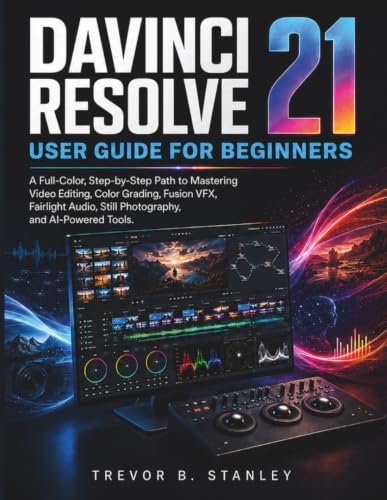
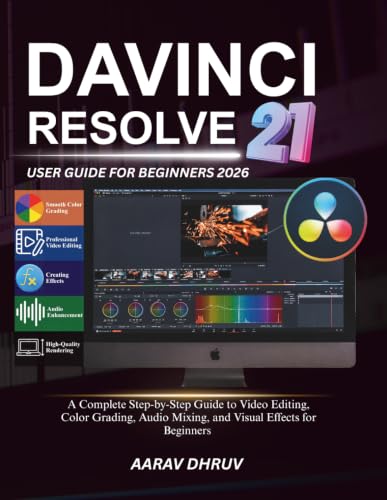
DaVinci Resolve is professional video editing and post-production software developed by Blackmagic Design. Unlike traditional video editors that primarily focus on editing, Resolve combines multiple stages of post-production into one application.
Learn More
DaVinci Resolve Review
Premiere Pro
SD
EDITORS' CHOICE
9.5
SD DUKAN SCORE
Adobe Premiere Pro is a professional non-linear video editing application developed by Adobe. It is widely used for YouTube videos, films, television production, advertising, corporate content, and social media projects.
Learn More
Premiere Pro Review
Our Verdict
So, DaVinci Resolve vs Premiere Pro — which video editor is better?
For overall value, color grading, audio production, and an all-in-one workflow, DaVinci Resolve is our winner. Its powerful free version makes it one of the best options for creators who want professional tools without committing to a monthly subscription.
DaVinci Resolve vs Premiere Pro
Choosing the right video editing software can have a major impact on your productivity, video quality, and overall editing workflow. Two of the most popular professional video editors available today are DaVinci Resolve and Adobe Premiere Pro.
Both programs offer advanced editing tools, effects, audio features, color correction, and support for professional video production. However, they differ significantly in pricing, workflow, color grading, visual effects, and integration with other creative applications.
So, which one should you choose?
In this DaVinci Resolve vs Premiere Pro comparison, we’ll examine their features, pricing, performance, ease of use, color grading, audio, motion graphics, and overall value to help you choose the best video editing software for your needs.
- DaVinci Resolve
DaVinci Resolve vs Premiere Pro: Quick Comparison
| Feature | DaVinci Resolve | Premiere Pro |
|---|---|---|
| Developer | Blackmagic Design | Adobe |
| Best For | All-in-one post-production | Professional video editing |
| Free Version | Yes | No |
| Video Editing | Excellent | Excellent |
| Color Grading | Excellent | Very Good |
| Audio | Excellent | Very Good |
| Visual Effects | Excellent | Excellent with After Effects |
| Motion Graphics | Excellent | Excellent with After Effects |
| AI Features | Advanced | Advanced |
| Collaboration | Excellent | Excellent |
| Learning Curve | Moderate | Moderate |
| Pricing Model | Free + paid Studio | Subscription |
| Overall Value | Excellent | Very Good |
What Is DaVinci Resolve?
DaVinci Resolve is professional video editing and post-production software developed by Blackmagic Design. Unlike traditional video editors that primarily focus on editing, Resolve combines multiple stages of post-production into one application.
It includes dedicated workspaces for editing, color correction, visual effects, motion graphics, and audio production.
One of the biggest advantages of DaVinci Resolve is its free version. Beginners and independent creators can access a powerful set of editing tools without paying a monthly subscription.
Resolve is particularly famous for its professional color-grading capabilities. It is widely suited to filmmakers, content creators, editors, and professionals who need detailed control over the appearance of their footage.
What Is Premiere Pro?
Adobe Premiere Pro is a professional non-linear video editing application developed by Adobe. It is widely used for YouTube videos, films, television production, advertising, corporate content, and social media projects.
One of Premiere Pro’s biggest strengths is its integration with the broader Adobe Creative Cloud ecosystem. Editors can combine Premiere Pro with applications such as After Effects and Photoshop to create sophisticated production workflows.
For users already familiar with Adobe software, Premiere Pro can be especially convenient.
Video Editing Features
Both DaVinci Resolve and Premiere Pro provide professional editing features, including multi-track timelines, transitions, effects, keyframes, media organization, and support for modern video formats.
Premiere Pro has a mature editing environment with a workflow that has been adopted by professional editors across many industries. Its extensive ecosystem also provides access to numerous plugins, templates, extensions, and third-party resources.
DaVinci Resolve has developed into a powerful editing platform while retaining its reputation as a professional color-grading application. Having editing, color, effects, and audio tools in the same program can simplify the overall post-production workflow.
Winner: Tie
For straightforward professional editing, both applications are excellent. Your preferred interface and workflow may ultimately determine which feels better.
Color Grading: DaVinci Resolve Wins
When it comes to color grading, DaVinci Resolve has a major advantage.
Resolve was originally known for professional color correction and grading, and its modern version continues to provide an extensive set of tools for manipulating color, contrast, exposure, skin tones, and cinematic looks.
Premiere Pro includes capable color correction and grading tools, but users who need a dedicated and highly advanced color-grading environment may prefer Resolve.
For filmmakers and creators who consider color a major part of their visual style, DaVinci Resolve is difficult to beat.
Winner: DaVinci Resolve
Motion Graphics and Visual Effects
Premiere Pro becomes particularly powerful when combined with Adobe After Effects.
This combination allows editors to move between video editing, motion graphics, animation, compositing, and visual effects. Users can also work with Photoshop files and other Adobe assets.
DaVinci Resolve provides Fusion for visual effects and motion graphics. Fusion uses a node-based workflow and offers powerful compositing capabilities.
Both solutions are capable, but the better choice depends on your workflow.
Winner: Premiere Pro + After Effects for Adobe-based workflows
Audio Editing
Audio is another area where both applications provide professional capabilities.
DaVinci Resolve includes Fairlight, a dedicated audio post-production environment. It provides tools for editing, mixing, recording, processing, and finishing audio within the same application.
Premiere Pro also includes extensive audio editing and mixing capabilities. For advanced audio production, users can integrate Premiere Pro with Adobe Audition.
If you want audio, video, color, and effects inside one application, Resolve has an advantage.
Winner: DaVinci Resolve
Ease of Use
Neither application should be considered a basic video editor. Both have professional features that require some time to learn.
DaVinci Resolve can initially appear more complicated because it combines editing, color grading, Fusion effects, and Fairlight audio tools into one application.
Premiere Pro has a more focused editing environment and can be easier to understand if your primary goal is editing video. However, advanced Adobe workflows can become more complicated when you add After Effects and other applications.
Winner: Premiere Pro for focused editing
Pricing and Value
Pricing is one of the biggest differences between DaVinci Resolve and Premiere Pro.
DaVinci Resolve offers a powerful free version, making it an attractive option for beginners, students, YouTubers, and independent creators. Blackmagic Design also offers a paid Studio edition for users who need additional professional capabilities.
Premiere Pro follows a subscription model through Adobe. While the subscription provides access to continually updated software, it can cost more over the long term than a one-time software purchase.
For users who want professional editing without a recurring subscription, Resolve provides excellent value.
Winner: DaVinci Resolve
Performance and Hardware
Performance depends heavily on your computer’s processor, graphics card, RAM, storage, project resolution, codecs, and effects.
Both applications can handle professional projects, but demanding 4K and higher-resolution workflows require capable hardware.
DaVinci Resolve’s heavy use of GPU-accelerated processing makes a strong graphics card particularly useful. Premiere Pro can also benefit significantly from modern hardware and GPU acceleration.
Before choosing either editor, check the current system requirements and consider your existing computer hardware.
Winner: Tie
- DaVinci Resolve
DaVinci Resolve Pros and Cons
- Pros
- Powerful free version
- Excellent professional color grading
- Integrated Fairlight audio tools
- Fusion visual-effects environment
- All-in-one post-production workflow
- Excellent value for independent creators
- Cons
- Can be overwhelming for beginners
- Fusion requires additional learning
- Advanced projects can require powerful hardware
- Premiere Pro

- Existing subscribers must first complete current membership term before linking new subscription term
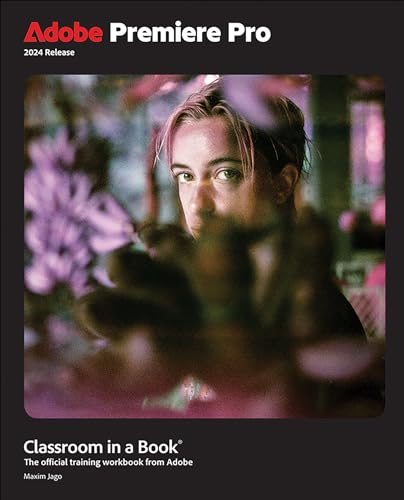
- Premiere Pro is a video editing software app for film, TV, and the web
- Turn raw footage into flawless productions. Edit, adjust color, refine audio, and more
Premiere Pro Pros and Cons
- Pros
- Professional editing workflow
- Strong Adobe Creative Cloud integration
- Excellent partnership with After Effects
- Large third-party ecosystem
- Suitable for professional production
- Familiar to many industry editors
- Cons
- Subscription-based pricing
- Long-term cost can be higher
- Advanced workflows may require additional Adobe applications
DaVinci Resolve vs Premiere Pro: Which Is Better?
The answer depends on what you need from your video editor.
Choose DaVinci Resolve if you want a powerful free option, advanced color grading, professional audio tools, visual effects, and an all-in-one post-production environment.
Choose Premiere Pro if you already use Adobe Creative Cloud, regularly work with After Effects and Photoshop, or prefer a dedicated professional editing workflow.
For beginners and YouTube creators, DaVinci Resolve is particularly appealing because you can start with its free version.
For agencies, professional editors, and Adobe users, Premiere Pro can provide a highly efficient creative workflow.
DaVinci Resolve vs Premiere Pro: Final Verdict
So, DaVinci Resolve vs Premiere Pro — which video editor is better?
For overall value, color grading, audio production, and an all-in-one workflow, DaVinci Resolve is our winner. Its powerful free version makes it one of the best options for creators who want professional tools without committing to a monthly subscription.
Premiere Pro remains an excellent choice for professional editors who are already invested in Adobe Creative Cloud. Its integration with After Effects, Photoshop, and other Adobe applications can make it a highly effective solution for complex creative projects.
Our Overall Ratings
| Category | Winner |
|---|---|
| Video Editing | Tie |
| Color Grading | DaVinci Resolve |
| Audio | DaVinci Resolve |
| Motion Graphics | Premiere Pro + After Effects |
| Visual Effects | Tie |
| Ease of Use | Premiere Pro |
| Free Version | DaVinci Resolve |
| Value for Money | DaVinci Resolve |
| Adobe Integration | Premiere Pro |
| Overall | DaVinci Resolve |
Ultimately, the best video editing software depends on your budget, computer, editing experience, and creative workflow. If you want maximum features and value without a subscription, start with DaVinci Resolve. If you need deep Adobe integration, Premiere Pro may be the better investment.
Frequently Asked Questions
Is DaVinci Resolve better than Premiere Pro?
DaVinci Resolve is better for users who prioritize free professional tools, color grading, audio production, and an all-in-one workflow. Premiere Pro can be better for users who depend on Adobe Creative Cloud.
Is DaVinci Resolve really free?
Yes. DaVinci Resolve offers a free version with extensive video editing and post-production capabilities. A paid Studio edition is also available with additional features.
Which is better for YouTube, DaVinci Resolve or Premiere Pro?
Both are excellent for YouTube. DaVinci Resolve offers outstanding value because its free version is powerful enough for many creators. Premiere Pro is a strong option for creators already using Adobe applications.
Which has better color grading?
DaVinci Resolve is generally the stronger choice for professional color grading and advanced color correction.
Which is easier for beginners?
Both require learning, but DaVinci Resolve’s free version makes it easy to start without paying for software. Premiere Pro can be appealing to beginners who plan to build their workflow around Adobe Creative Cloud.
Should I buy DaVinci Resolve Studio or Premiere Pro?
Consider DaVinci Resolve Studio if you prefer a powerful all-in-one application and want to avoid a recurring subscription. Consider Premiere Pro if Adobe Creative Cloud integration and applications such as After Effects are important to your workflow.
DaVinci Resolve vs Premiere Pro, DaVinci Resolve vs Premiere Pro, DaVinci Resolve vs Premiere Pro, DaVinci Resolve vs Premiere Pro, DaVinci Resolve vs Premiere Pro, DaVinci Resolve vs Premiere Pro, DaVinci Resolve vs Premiere Pro, DaVinci Resolve vs Premiere Pro, DaVinci Resolve vs Premiere Pro, DaVinci Resolve vs Premiere Pro, DaVinci Resolve vs Premiere Pro, DaVinci Resolve vs Premiere Pro, DaVinci Resolve vs Premiere Pro, DaVinci Resolve vs Premiere Pro, DaVinci Resolve vs Premiere Pro, DaVinci Resolve vs Premiere Pro, DaVinci Resolve vs Premiere Pro, DaVinci Resolve vs Premiere Pro
Compare Premiere Pro
Title
Thumbnail


Price
$20.00
$19.29
$38.13
More information
Title
Thumbnail
Price
$20.00
More information
Title
Thumbnail
More information
Title
Thumbnail
Price
$38.13
More information
Mobile Guides


Compare Post
No posts found
Views: 58

