
- Home /
- LibreOffice Review 2026: Features, Pros, Cons & Is It Worth It?
All products are independently selected and reviewed. purchases made through our links may earn commissions. Learn more›
LibreOffice Review 2026: Features, Pros, Cons & Is It Worth It?
LibreOffice is a free and open-source office productivity suite developed by The Document Foundation and supported by a global community.
Copy Link
OUR EXPERT

Mobile Reviewer

Cybersecurity Expert
- Updated: Sept. 2026
Image Credit: LibreOffice
Pros
- Completely free
- PDF export
- Works offline
- Open-source
- No mandatory subscription
- Writer, Calc, and Impress included
- Good Microsoft Office file support
- Regularly developed and improved
- Useful for students and small businesses
- Available for multiple operating systems
Cons
- Interface can feel dated
- Limited cloud collaboration
- Microsoft Office compatibility is not perfect
- Some advanced Excel features are better supported by Microsoft Excel
- Less integrated cloud ecosystem than Microsoft 365
Our Verdict
LibreOffice remains one of the best free Microsoft Office alternatives for users who want reliable desktop productivity software without a subscription.
What Is LibreOffice?
LibreOffice is a free and open-source office productivity suite developed by The Document Foundation and supported by a global community.
It is available for major desktop operating systems and provides several applications designed for different productivity tasks.
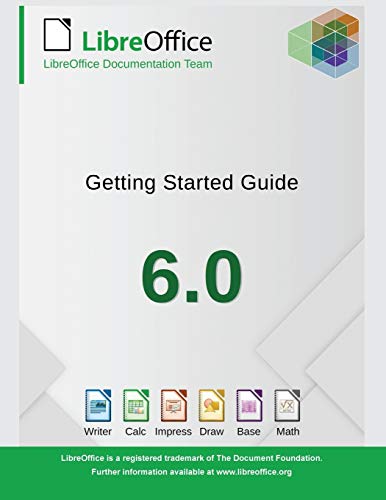
The main LibreOffice applications include:
- Writer – Word processing and document creation
- Calc – Spreadsheets and data analysis
- Impress – Presentations and slideshows
- Draw – Diagrams and basic graphic work
- Base – Database management
- Math – Formula and equation editing
Because the suite is open source and free to download, LibreOffice is particularly attractive to users who want to avoid recurring office-software subscriptions.
- LibreOffice

- The Libre Office Suite Package is the perfect alternative to Word and Excel - Office. It offers you word processing as w...
- LOTS OF EXTRAS: ✓ 20,000 clipart images and ✓ E-Mail Technical Support
- ONE PROGRAM FOR EVERYTHING: Office Suite is the perfect computer accessory, offering a wide range of uses for university...
$12.99
LibreOffice
If you are searching for a free Microsoft Office alternative, LibreOffice is one of the most popular office suites available today. It combines word processing, spreadsheets, presentations, database tools, drawing, and mathematical formulas in a single open-source package.
But is LibreOffice good enough for everyday productivity, business work, students, and professional users? In this LibreOffice review, we examine its features, compatibility, performance, ease of use, pros, cons, and overall value to help you decide whether it is the right office suite for you.
LibreOffice Key Features
1. LibreOffice Writer
Writer is LibreOffice’s word-processing application and the closest equivalent to Microsoft Word.
It supports documents, reports, letters, resumes, books, tables, images, styles, headers, footers, footnotes, and other formatting features.
You can also export documents to popular formats, including PDF.
For students, writers, small businesses, and home users, Writer provides most of the tools needed for everyday document creation.
2. LibreOffice Calc
Calc is the spreadsheet component of LibreOffice.
It supports formulas, functions, charts, sorting, filtering, tables, conditional formatting, and data analysis features.
Users can create budgets, invoices, financial calculations, schedules, reports, and other spreadsheet-based projects.
While Excel remains a dominant choice for advanced business environments, Calc is more than capable for many personal and small-business spreadsheet tasks.
3. LibreOffice Impress
Impress lets you create presentations, slideshows, and visual presentations.
It supports templates, transitions, animations, multimedia, charts, text, images, and speaker-related presentation features.
For classroom presentations, business meetings, and basic marketing presentations, Impress can be a useful free alternative to PowerPoint.
4. PDF Support
One of LibreOffice’s convenient features is its ability to export documents, spreadsheets, and presentations to PDF.
This is useful when you need to share a finished document while preserving its appearance across different devices.
LibreOffice can also work with some PDF content, although it should not be considered a complete replacement for specialized PDF editing software.
5. Open-Source Software
LibreOffice’s open-source nature is one of its biggest advantages.
Users can access the software without purchasing a traditional office subscription. Organizations can also deploy it without the licensing costs associated with many commercial office suites.
The open-source model also provides transparency and allows a global developer community to contribute to the project.
LibreOffice vs Microsoft Office
The biggest question for many users is whether LibreOffice can replace Microsoft Office.
| Feature | LibreOffice | Microsoft 365 |
|---|---|---|
| Word processing | Yes | Yes |
| Spreadsheets | Yes | Yes |
| Presentations | Yes | Yes |
| PDF export | Yes | Yes |
| Desktop applications | Yes | Yes |
| Cloud collaboration | Limited | Strong |
| Real-time collaboration | Limited | Strong |
| Subscription required | No | Typically paid |
| Open source | Yes | No |
| Best for | Offline productivity | Cloud & collaboration |
LibreOffice is particularly attractive if you mainly work offline and want a free office suite.
Microsoft 365 has an advantage for users who depend heavily on cloud storage, real-time collaboration, Microsoft Teams, OneDrive, and other connected services.
File Compatibility
LibreOffice supports its own OpenDocument formats while also working with many Microsoft Office file formats.
This makes it possible to open and edit common Word, Excel, and PowerPoint files.
However, compatibility is not always perfect. Complex documents containing advanced formatting, macros, specialized fonts, or sophisticated spreadsheet features may not look exactly the same when transferred between LibreOffice and Microsoft Office.
For basic documents and spreadsheets, compatibility is generally sufficient. If your workplace depends on highly complex Microsoft Office files, testing your specific workflow before switching is recommended.
Performance and Ease of Use
LibreOffice generally performs well for everyday productivity tasks.
Writer can handle long documents, Calc can manage substantial spreadsheets, and Impress provides a capable presentation environment.
The interface may feel somewhat traditional compared with newer cloud-first productivity suites. However, users familiar with classic office software can usually become comfortable with it quickly.
Another advantage is that LibreOffice can be used without an internet connection, making it useful for users who primarily work offline.
Is LibreOffice Really Free?
Yes. LibreOffice is free and open-source software.
There is no standard monthly subscription required to use its core desktop applications.
This makes LibreOffice particularly appealing to students, home users, nonprofits, freelancers, and small businesses trying to reduce software expenses.
While optional support and related services may be available through different providers, the core office suite itself can be used without purchasing a conventional commercial license.
- LibreOffice
Pros and Cons
- Pros
- Completely free
- PDF export
- Works offline
- Open-source
- No mandatory subscription
- Writer, Calc, and Impress included
- Good Microsoft Office file support
- Available for multiple operating systems
- Regularly developed and improved
- Useful for students and small businesses
- Cons
- Interface can feel dated
- Limited cloud collaboration
- Microsoft Office compatibility is not perfect
- Some advanced Excel features are better supported by Microsoft Excel
- Less integrated cloud ecosystem than Microsoft 365
Who Should Use LibreOffice?
LibreOffice is an excellent choice for:
- Students
- Home users
- Freelancers
- Writers
- Small businesses
- Nonprofit organizations
- Budget-conscious users
- Linux users
- People who prefer open-source software
- Users who primarily work offline
It is less ideal for organizations that rely heavily on real-time collaboration and Microsoft’s cloud ecosystem.
LibreOffice Rating
| Category | Rating |
|---|---|
| Features | 4.7/5 |
| Ease of Use | 4.3/5 |
| Compatibility | 4.2/5 |
| Performance | 4.5/5 |
| Offline Productivity | 5/5 |
| Value for Money | 5/5 |
| Overall | 4.6/5 |
Frequently Asked Questions
Is LibreOffice better than Microsoft Office?
It depends on your needs. LibreOffice offers excellent free offline productivity, while Microsoft 365 provides stronger cloud services, collaboration, and integration.
Is LibreOffice completely free?
Yes. The core LibreOffice suite is free and open source, with no mandatory subscription.
Can LibreOffice open Microsoft Word documents?
Yes. LibreOffice Writer can open and edit many Microsoft Word document formats, although complex formatting may sometimes change.
Can LibreOffice replace Microsoft Office?
For many home users, students, writers, and small businesses, yes. Users requiring advanced Microsoft-specific features or extensive cloud collaboration may prefer Microsoft 365.
Is LibreOffice safe to use?
LibreOffice is a widely used open-source office suite. For security and reliability, download it from its official project website and keep the software updated.
Is LibreOffice Worth It in 2026?
Yes, LibreOffice is worth considering in 2026, especially if you want a powerful office suite without paying for a recurring subscription.
Its biggest advantage is the combination of useful productivity applications, open-source development, offline functionality, and zero mandatory licensing cost.
For everyday documents, spreadsheets, presentations, and PDF exports, LibreOffice provides impressive value.
The main reason not to choose it would be if your workflow depends heavily on Microsoft’s cloud ecosystem, advanced Office-specific features, or flawless compatibility with complex Microsoft Office documents.
Compare LibreOffice
Title
Thumbnail

![OfficeSuite Home & Business 5 in 1 Office Pack Documents, Sheets, Slides, PDF, Mail & Calendar Lifetime License 1 Windows PC 1 User [PC Online code]](https://m.media-amazon.com/images/I/41gPqMH6KFL._AC_.jpg)
Price
$179.97
$99.99
More information
Title
Thumbnail
Price
$179.97
More information
Title
Thumbnail
Price
$99.99
More information
Final Verdict
LibreOffice remains one of the best free Microsoft Office alternatives for users who want reliable desktop productivity software without a subscription.
Writer, Calc, and Impress cover most everyday office needs, while additional applications such as Draw, Base, and Math make the suite even more versatile.
Overall Rating: 4.6/5
If you need free office software for school, home, freelance work, or a small business, LibreOffice is an excellent option. If collaboration and cloud integration are your top priorities, Microsoft 365 may be the better choice.
For budget-conscious users, however, LibreOffice delivers outstanding value and deserves a place among the best free office suites in 2026.
Mobile Guides





Views: 71

