
- Home /
- Filmora Review 2026: Features, Pricing, Pros & Cons
All products are independently selected and reviewed. purchases made through our links may earn commissions. Learn more›
Filmora Review 2026: Features, Pricing, Pros & Cons
Wondershare Filmora is video editing software developed by Wondershare.
Copy Link
OUR EXPERT

Mobile Reviewer

Cybersecurity Expert
- Updated: Sept. 2026
Image Credit: Filmora
Pros
- Beginner-friendly interface
- Easy drag-and-drop editing
- Large collection of effects
- Useful AI-powered features
- Good choice for YouTube creators
Cons
- AI features may have usage limits
- Free exports may include restrictions
- Some advanced features require
Our Verdict
Wondershare Filmora is one of the best video editing options for beginners and intermediate creators in 2026. Its combination of a simple interface, extensive creative assets, AI-powered features, audio tools, and flexible editing capabilities makes it suitable for YouTube, social media, business videos, and personal projects.
Filmora is available for Windows and macOS, with versions and companion tools also available for mobile users. Its main appeal is the balance between a professional-looking result and a relatively simple editing workflow.
You can use Filmora to create:
- YouTube videos
- Vlogs
- Tutorials
- Social media videos
- Product reviews
- Promotional videos
- Gaming content
- Short-form videos
- Filmoora Video editing
Filmora Key Features
1. Easy Drag-and-Drop Editor
Filmora’s biggest advantage is its user-friendly interface. You can import videos, audio, images, and other media and place them directly onto the timeline. Basic editing tasks such as cutting, trimming, splitting, resizing, and rearranging clips are straightforward. This makes Filmora particularly attractive to people who are learning video editing for the first time.
2. AI-Powered Editing Tools
Filmora has increasingly incorporated artificial intelligence into its editing workflow. Depending on the version and plan, AI features can help with tasks such as:
- Removing backgrounds
- Generating or improving text
- Creating captions
- Audio cleanup
- Smart masking
- Object-related editing
- Generative creative tasks
AI tools can reduce the amount of manual work required for common editing jobs. However, availability and usage limits can vary by plan and feature, so users should check the current terms before purchasing.
3. Effects, Transitions and Templates
Filmora includes a large collection of creative assets.
These can include:
- Video effects
- Transitions
- Titles
- Filters
- Stickers
- Motion graphics
- Sound effects
- Stock media
Templates are especially useful for beginners who want to produce attractive videos without designing every element from scratch.
4. Audio Editing
Good audio is just as important as video quality. Filmora provides tools for adjusting audio tracks, adding music, reducing unwanted noise, and managing multiple audio elements. For YouTube creators, these features can be useful for improving voiceovers, interviews, tutorials, and background music.
5. Color Correction
Filmora includes tools for adjusting the appearance of footage. Users can modify settings such as:
- Brightness
- Contrast
- Saturation
- White balance
- Exposure
- Color temperature
These controls are sufficient for everyday editing and basic color correction. Professional colorists may still prefer dedicated tools with more sophisticated workflows.
Filmora for YouTube
Filmora is particularly well suited to YouTube creators who don’t want to spend weeks learning complicated professional software.
You can create:
- Talking-head videos
- Tutorials
- Reviews
- Screen recordings
- Vlogs
- Product videos
- Shorts
The software supports common video resolutions, including Full HD and 4K on supported systems and workflows. Its templates and title tools also make it easier to maintain consistent branding across videos. For a new YouTuber, the main benefit is speed: you can concentrate on creating content instead of learning a complicated interface.
Filmora Performance
Performance depends heavily on your computer, video resolution, effects, codecs, and project complexity. A modern computer with an SSD, sufficient RAM, and a capable processor should provide a smoother editing experience than an older system. For demanding 4K projects, hardware acceleration and a capable graphics processor can make a significant difference. Before buying Filmora, check the current system requirements for your operating system, particularly if you plan to edit high-resolution footage.
Filmora User Interface
Filmora uses a conventional editing layout consisting of:
- Media library
- Preview window
- Timeline
- Effects and transitions
- Editing controls
This arrangement should feel familiar to users who have used other desktop video editors.
The interface is less intimidating than many professional editors, which is one of Filmora’s strongest selling points. Beginners can start with basic cuts and gradually learn more advanced functions.
Filmora Pricing
Filmora uses paid licensing options, and the exact pricing, included features, and AI or asset allowances can change over time. Depending on the current offering, users may encounter options such as:
- Annual plans
- Perpetual purchase options
- Platform-specific plans
- Bundled creative resources
A free version or trial may also be available, but exported projects can have limitations such as a watermark depending on the current terms.
Is Filmora Worth the Price?
For beginners and intermediate creators, Filmora can offer good value because it combines editing tools, effects, templates, and AI features in one relatively easy-to-use application. However, buyers should compare the total cost with alternatives before committing, particularly if they only need basic editing.
- Wondershare Filmoora Video editing
Filmora Pros and Cons
- Pros
- Beginner-friendly interface
- Easy drag-and-drop editing
- Large collection of effects and templates
- Useful AI-powered features
- Good choice for YouTube creators
- Supports advanced video resolutions
- Cons
- Some advanced features require higher-tier plans
- AI features may have usage limits
- Free exports may include restrictions
Filmora vs Premiere Pro
Adobe Premiere Pro is aimed more directly at professional video editors.
| Feature | Filmora | Premiere Pro |
|---|---|---|
| Ease of use | Excellent | Moderate |
| Beginners | Excellent | Moderate |
| Advanced editing | Very good | Excellent |
| Professional workflows | Good | Excellent |
| Templates | Excellent | Good |
| Learning curve | Lower | Higher |
| Best for | Beginners & creators | Professionals |
If you are new to video editing, Filmora is generally easier to learn. Premiere Pro is better suited to complex professional production workflows.
Filmora vs DaVinci Resolve
DaVinci Resolve is another major competitor.
DaVinci Resolve is particularly strong in color grading, audio production, visual effects, and professional editing. Its free version is also a major advantage.
Filmora, however, has a simpler workflow and is easier for beginners.
Choose Filmora if ease of use is your priority.
Choose DaVinci Resolve if you want to learn professional editing and need advanced capabilities.
Who Should Use Filmora?
Filmora is a strong option for:
Beginners
If you have never edited videos before, Filmora provides an approachable starting point.
YouTubers
Its templates, titles, effects, and straightforward timeline make it suitable for regular YouTube production.
Social Media Creators
Filmora can help create content for platforms that require horizontal, square, or vertical videos.
Small Businesses
Businesses can use it for product demonstrations, tutorials, advertisements, and social media campaigns.
Freelancers
Freelancers can use Filmora for relatively simple client projects without the complexity of a professional production suite.
Who Should Avoid Filmora?
Filmora may not be the best choice if you need a highly specialized professional workflow involving large collaborative productions, sophisticated visual effects, or advanced color-grading pipelines. In these situations, Premiere Pro or DaVinci Resolve may provide more suitable professional capabilities.
Filmora Review: Is It Good for Beginners?
Yes. Filmora’s biggest strength is accessibility.
Instead of presenting users with dozens of complicated professional controls, it provides a relatively straightforward workflow. Beginners can learn the fundamentals—cutting clips, adding transitions, creating titles, adjusting audio, and exporting videos—without an overwhelming learning curve.
As your editing skills improve, you can gradually explore more advanced features.
Filmora Review Rating
Overall Rating: 4.5/5
| Category | Rating |
|---|---|
| Ease of Use | 4.8/5 |
| Features | 4.5/5 |
| AI Tools | 4.5/5 |
| Templates & Effects | 4.7/5 |
| Performance | 4.3/5 |
| Value for Money | 4.3/5 |
| Beginner Friendly | 4.9/5 |
Ratings are editorial assessments and can vary according to the user’s needs and plan.
Frequently Asked Questions
Is Filmora good for YouTube?
Yes. Filmora is particularly suitable for YouTubers who want an easy-to-learn editor with templates, effects, titles, audio tools, and AI-assisted features.
Is Filmora free?
Filmora can be tried without purchasing a full license, but free exports may have limitations. Check Wondershare’s current terms before using the trial for published content.
Is Filmora better than Premiere Pro?
Filmora is easier for beginners, while Premiere Pro offers a deeper professional editing environment. The better choice depends on your experience and requirements.
Is Filmora good for beginners?
Yes. Ease of use is one of Filmora’s strongest advantages.
Can Filmora edit 4K video?
Filmora supports high-resolution editing, including 4K workflows, although the exact experience depends on your hardware, project settings, and software version.
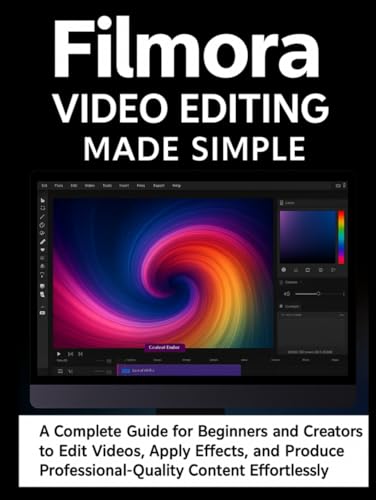
Compare Filmora editing tools
Title
Thumbnail
More information
Title
Thumbnail
More information
Title
Thumbnail
Price
$35.00
More information
Final Verdict
Wondershare Filmora is one of the best video editing options for beginners and intermediate creators in 2026. Its combination of a simple interface, extensive creative assets, AI-powered features, audio tools, and flexible editing capabilities makes it suitable for YouTube, social media, business videos, and personal projects.
Its biggest advantage is simplicity. You don’t need professional editing experience to start producing polished videos.
However, professional editors working on complex productions may eventually need software such as Premiere Pro or DaVinci Resolve.
Overall, Filmora is a strong choice if you want powerful video editing features without the steep learning curve of professional editing software. For beginners starting a YouTube channel or creating regular social media content, it deserves a place near the top of the shortlist.
Mobile Guides

Recent Post
No posts found
Views: 82

