If you click on the links and make a purchase, we may earn a commission.
The best external hard drives provide an affordable way to add terabytes of storage to laptops, desktops, gaming systems, and other compatible devices. While external SSDs are faster and more compact, traditional hard disk drives (HDDs) remain an excellent choice when you need large capacity at a lower cost per terabyte.
Table of Contents
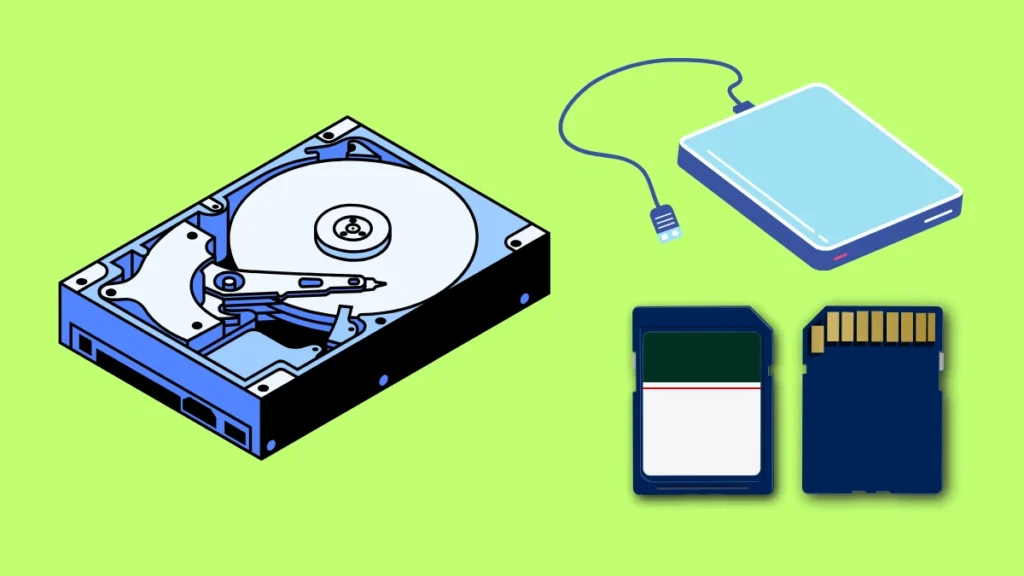
Image Credit: Canva
An external hard drive can be useful for backing up important documents, storing photos and videos, archiving large media libraries, expanding computer storage, or keeping games and other files.
In 2026, you can choose between compact portable HDDs designed for travel and larger desktop drives designed for high-capacity storage. The right option depends on your capacity requirements, portability, speed, durability, and budget.
Below, we’ve compared some of the best external hard drives in 2026 based on storage capacity, portability, compatibility, performance, features, and overall value.
Quick Comparison: Best External Hard Drives
| External Hard Drive | Best For | Key Feature | Capacity | Interface | Rating |
|---|---|---|---|---|---|
| WD My Book | Best Overall | High-capacity desktop storage | Up to 24TB* | USB 3.0 | 9.5/10 |
| Seagate Expansion Desktop | Best High Capacity | Large storage options | Up to 28TB* | USB 3.0 | 9.4/10 |
| WD Elements Desktop | Best Value | Simple plug-and-play storage | Up to 24TB* | USB 3.0 | 9.2/10 |
| Seagate Portable Drive | Best Portable | Compact and affordable | Up to 5TB | USB 3.0 | 9.1/10 |
| WD My Passport | Best Portable Backup | Compact design & backup features | Up to 6TB* | USB 3.0 | 9.1/10 |
| Toshiba Canvio Flex | Best Multi-Device | Broad device compatibility | Up to 4TB | USB 3.0 | 9.0/10 |
| LaCie Rugged Mini | Best Rugged | Shock-resistant portable design | Up to 5TB | USB 3.0 | 9.0/10 |
Maximum capacity and availability can vary by model and region.
1. WD My Book: Best External Hard Drive Overall
The WD My Book is our top overall recommendation for users who want high-capacity desktop storage for backups, media libraries, and general file archiving.
Unlike small portable drives, My Book is designed primarily to remain on a desk. Its larger enclosure allows for greater capacity options, making it particularly useful for users with large collections of photos, videos, documents, and other files.

- Slim durable design to help take your important files with you
- Vast capacities up to 6TB[1] to store your photos, videos, music, important documents and more
- Back up smarter with included device management software[2] with defense against ransomware
Key Features
- High-capacity storage
- USB 3.0 connectivity
- Desktop-oriented design
- Automatic backup support
- Password protection on supported models
- WD Discovery software
- Compatible with Windows and Mac after appropriate formatting
- Designed for stationary use
If you need several terabytes of affordable storage and don’t need to carry the drive around every day, My Book is an excellent option.
Best for: Home backups, photographers, video libraries, desktop users, and large archives.
Our Rating: 9.5/10
2. Seagate Expansion Desktop: Best High-Capacity External Hard Drive
The Seagate Expansion Desktop is designed for users who need substantial storage capacity without paying the premium associated with SSD storage.
Its desktop design makes it suitable for large media collections, backups, and additional computer storage.

- No wall warts: Work freely with its bus-powered USB-C. No wall outlet required.
- Big on space: High-capacity storage to store all your files in one place.
- Reliable backup: Safeguard assignments, projects, or sensitive files with trusted performance.
Key Features
- Very high storage capacities
- USB 3.0 connectivity
- Desktop power adapter
- Plug-and-play setup
- Windows compatibility
- Large file storage
- Simple design
- Suitable for backup and archiving
The Expansion Desktop is particularly attractive if your priority is maximum storage per dollar.
It is a strong option for users who regularly work with large collections of video, photography, music, documents, or other digital files.
Best for: Large backups, media collections, home servers, and desktop storage.
Our Rating: 9.4/10
3. WD Elements Desktop: Best Value External Hard Drive
The WD Elements Desktop focuses on simple, affordable storage.
It doesn’t attempt to add unnecessary features. Instead, it provides a straightforward way to connect a high-capacity HDD to a desktop or laptop.

- High capacity in a small enclosure – The small, lightweight design offers up to 6TB* capacity, making WD Elements portab…
- Plug-and-play expandability
- Vast capacities up to 6TB[1] to store your photos, videos, music, important documents and more
Key Features
- Large capacity options
- USB 3.0
- Plug-and-play functionality
- Desktop form factor
- Compatible with Windows
- Suitable for backups
- Simple setup
- Affordable cost per terabyte
This makes it an attractive choice for users who simply need more storage.
Best for: Budget-conscious buyers, home backups, media storage, and desktop users.
Our Rating: 9.2/10
4. Seagate Portable Drive: Best Portable External Hard Drive
The Seagate Portable Drive is one of the better choices for users who want inexpensive storage that can travel with them.
Its compact design allows you to carry additional terabytes of storage in a laptop bag or backpack.
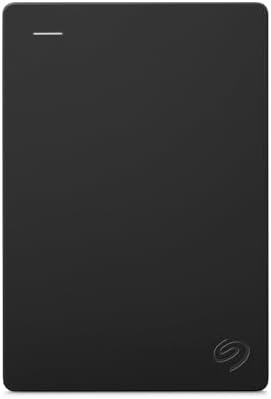
- Easily store and access 5TB of content on the go with the Seagate portable drive, a USB external hard Drive
- Designed to work with Windows or Mac computers, this external hard drive makes backup a snap just drag and drop
- To get set up, connect the portable hard drive to a computer for automatic recognition software required
Key Features
- Portable design
- Up to 5TB options
- USB 3.0 connectivity
- USB-powered operation
- Plug-and-play functionality
- No external power adapter required
- Compatible with Windows
- Suitable for laptops
It is particularly useful for students, travelers, and laptop users who need additional storage without carrying a larger desktop drive.
Best for: Students, travelers, laptop users, and portable backups.
Our Rating: 9.1/10
5. WD My Passport: Best Portable Backup Drive
The WD My Passport combines a compact portable design with useful backup and security features.
It’s designed for users who want to take their files with them while maintaining a convenient backup solution.
- Slim durable design to help take your important files with you
- Vast capacities up to 6TB[1] to store your photos, videos, music, important documents and more
- Back up smarter with included device management software[2] with defense against ransomware
Key Features
- Compact portable design
- Multiple capacity options
- USB connectivity
- Password protection
- Hardware encryption on supported models
- Backup software
- Lightweight construction
- Windows compatibility
The My Passport is particularly appealing for professionals who need to carry documents, photographs, project files, and other important data between locations.
Best for: Portable backups, students, professionals, photographers, and travelers.
Our Rating: 9.1/10
6. Toshiba Canvio Flex: Best External Hard Drive for Multiple Devices
The Toshiba Canvio Flex is designed with multi-device use in mind.
Its compatibility makes it useful for users who work across laptops, Macs, tablets, and other supported devices.

- Massive Storage Capacity: With 4TB of storage space, this Toshiba Canvio Flex external hard drive offers ample storage f…
- High-Speed Data Transfer: Equipped with a USB 3.0 interface, this Canvio Flex drive delivers fast transfer speeds of up …
- Stylish and Sleek: With its sleek silver finish, the Canvio Flex not only offers high-performance storage but also adds …
Key Features
- Portable design
- USB 3.0 connectivity
- Multiple capacity options
- Compact construction
- Compatible with Windows and Mac
- Designed for multi-device use
- USB-C compatibility through included/adapted connectivity depending on model
For people who frequently switch between different computers, a flexible storage solution can be more convenient than a drive designed around a single platform.
Best for: Multi-device users, students, Mac and Windows households, and travelers.
Our Rating: 9.0/10
7. LaCie Rugged Mini: Best Rugged External Hard Drive
The LaCie Rugged Mini is designed for users who need a portable hard drive with additional protection against everyday travel hazards.
Its distinctive rugged exterior is particularly popular among photographers and creators who frequently work outside the office.

- Connect quickly and easily to the latest Windows and Mac computers with Rugged’s reversible USB-C cable
- USB-C and Thunderbolt 3 compatibility. Micro B to USB C (included). USB Micro B to USB Type A Cable (not included)
- Shuttle unit resistant to drops, shocks, dust, water, crush and rain, allows you to tackle any terrain
Key Features
- Rugged portable design
- Shock-resistant construction
- USB 3.0
- Compact form factor
- Multiple capacity options
- Portable backup solution
- Designed for travel
- Compatible with computers
It is a good choice when durability is more important than achieving the fastest possible transfer speeds.
Best for: Photographers, travelers, students, field workers, and outdoor creators.
Our Rating: 9.0/10
What Should You Look for in an External Hard Drive?
Buying an external HDD is mainly about finding the right balance between capacity, portability, speed, and price.
1. Storage Capacity
Capacity should be your first consideration.
1TB
Suitable for documents, smaller photo libraries, and everyday backups.
2TB
A good choice for general users who need additional storage.
4TB–5TB
Ideal for large photo collections, videos, games, and extensive backups.
8TB+
Better for desktop users with large media libraries and long-term archives.
16TB+
Designed for users who need serious storage capacity for professional workloads, large backups, or extensive collections.
For many users, 4TB or 5TB provides a good balance between capacity and price.
2. Portable vs. Desktop Hard Drives
External HDDs generally fall into two categories.
Portable HDD
Portable drives are:
- Smaller
- Lightweight
- USB-powered
- Easy to travel with
- Usually available up to around 5TB–6TB
Desktop HDD
Desktop drives are:
- Larger
- Usually require external power
- Available in much larger capacities
- Better suited to stationary use
- Ideal for large backups
If you travel frequently, choose a portable drive. If the drive will stay beside your desktop computer, a desktop HDD is usually the better choice.
3. USB Connection
Most modern external hard drives use USB connectivity.
Common specifications include:
- USB 3.0
- USB 3.2
- USB-C
Remember that USB-C describes the connector shape rather than the actual transfer speed.
Some drives use a USB-C cable or adapter while internally operating at the same performance level as a traditional USB 3.x interface.
4. Backup Software
Some external hard drives include software for automated backups.
This can be useful if you want the drive to regularly copy important files without manually dragging folders.
However, third-party backup applications and operating-system tools can also provide similar functionality.
5. Security
If the drive stores sensitive files, consider models with password protection or hardware encryption.
You should also avoid relying on one external drive as your only copy of important information.
A failed HDD can potentially result in significant data loss.
Best External Hard Drive by Use Case
| Use Case | Recommended HDD |
|---|---|
| Best overall | WD My Book |
| Maximum capacity | Seagate Expansion Desktop |
| Best value | WD Elements Desktop |
| Portable storage | Seagate Portable |
| Portable backup | WD My Passport |
| Multi-device use | Toshiba Canvio Flex |
| Rugged travel | LaCie Rugged Mini |
| Photo storage | WD My Book |
| Video archive | Seagate Expansion Desktop |
| Student storage | Seagate Portable |
| Home backup | WD Elements Desktop |
| Professional archive | Seagate Expansion Desktop |
External HDD vs. External SSD
Both technologies have advantages.
External HDD advantages
- Lower price per terabyte
- Very large capacities
- Excellent for archival storage
- Good for backups
- Cost-effective bulk storage
External SSD advantages
- Much faster
- Smaller and lighter
- Silent
- Better shock resistance
- Better for frequent file transfers
If you need affordable bulk storage, choose an HDD.
If you regularly move large files and want faster performance, an SSD is usually worth the additional cost.
Many users benefit from using both: an SSD for active projects and an HDD for backups and archives.
Are External Hard Drives Good for Backup?
Yes. External HDDs remain one of the most affordable ways to create local backups.
You can use an external drive to back up:
- Documents
- Photos
- Videos
- Work projects
- Music
- Financial files
- Computer system images
For important data, consider following the 3-2-1 backup strategy: maintain three copies of important data, on at least two types of storage or media, with at least one copy stored separately.
Are External Hard Drives Good for Gaming?
External hard drives can be useful for storing games, especially when you need inexpensive additional capacity.
However, loading performance is generally slower than with an SSD.
For current-generation gaming systems, check the platform’s rules regarding which games can be played directly from external HDD storage and which must be moved to internal or compatible SSD storage.
For PC gaming, an HDD can be useful for storing less frequently played games.
How Long Do External Hard Drives Last?
There is no guaranteed lifespan for an external HDD.
Drive longevity depends on factors including:
- Usage
- Operating temperature
- Physical handling
- Drive quality
- Power conditions
- Operating hours
Because HDDs contain moving mechanical components, they should not be treated as permanent storage.
Regular backups are essential for important data.
How to Protect an External Hard Drive
Follow these simple practices:
- Keep the drive away from moisture.
- Avoid dropping or hitting it.
- Safely eject it when appropriate.
- Don’t block ventilation on desktop models.
- Keep important files backed up elsewhere.
- Avoid extreme temperatures.
- Use reliable USB cables and power adapters.
- Regularly verify your backups.
A rugged enclosure can help if you frequently travel with a portable HDD.
Final Verdict
The WD My Book is our top overall external hard drive for users who want high-capacity desktop storage, while the Seagate Expansion Desktop is an excellent choice when maximum capacity is the priority.
For affordable bulk storage, the WD Elements Desktop is a strong option. Users who need portability should consider the Seagate Portable Drive or WD My Passport, while the Toshiba Canvio Flex is useful for multi-device households.
If you frequently travel or work outdoors, the LaCie Rugged Mini provides additional physical protection.
Before purchasing, consider how much storage you actually need, whether you require portability, the available USB connection, backup requirements, and current price per terabyte. For critical files, remember that an external hard drive should be part of a broader backup strategy rather than your only copy of important data.
Frequently Asked Questions
What is the best external hard drive in 2026?
The WD My Book is our top overall choice for high-capacity desktop storage, backups, and large media libraries.
Are external hard drives still worth buying?
Yes. External HDDs remain excellent for affordable bulk storage and backups, especially when you need several terabytes of capacity.
Is an external SSD better than an HDD?
An SSD is faster, quieter, and more resistant to physical shock. An HDD generally provides more storage for less money.
How much external hard drive storage do I need?
For general users, 2TB to 5TB is often sufficient. Users with large video libraries or extensive backups may benefit from 8TB or more.
What is the best portable external hard drive?
The Seagate Portable Drive and WD My Passport are strong options for users who need compact, USB-powered storage.
Are external hard drives good for backups?
Yes. External HDDs are cost-effective for local backups, but important files should ideally have additional copies in separate locations.
Can I use an external hard drive with a laptop?
Yes. Most modern external hard drives connect through USB and work with compatible Windows and Mac computers after appropriate formatting.
Can I use an external hard drive with a Mac?
Yes. Many external HDDs can be used with Macs. You may need to format the drive depending on whether you want Mac-only use or compatibility with both Mac and Windows.
Can external hard drives be used for gaming?
Yes. External HDDs can provide additional game storage, although SSDs generally offer faster loading and some gaming platforms have specific external-storage limitations.
Are portable or desktop external hard drives better?
Portable HDDs are better for travel because they are smaller and USB-powered. Desktop HDDs are better for very large capacities and stationary backup systems.
How long do external hard drives last?
There is no fixed lifespan. HDD longevity varies depending on usage, environment, physical handling, and other factors. Always maintain backups of important data.
Should I buy a 4TB or 8TB external hard drive?
A 4TB drive is a good choice for general users and moderate media collections. An 8TB drive is better if you regularly store large video libraries, backups, or extensive archives.
Can an external hard drive fail?
Yes. Like all storage devices, external HDDs can fail. This is why important files should never exist in only one location.
What is the best external hard drive for photographers?
A high-capacity desktop drive such as the WD My Book is excellent for photo archives, while the LaCie Rugged Mini is better for photographers who need portable storage in the field.
Best Products
Best Smartphones for Everyday Use in 2026
Best Laptops for Students in 2026