If you click on the links and make a purchase, we may earn a commission.
The best Wi-Fi routers can make a major difference in internet speed, coverage, gaming performance, streaming quality, and the overall reliability of your home network. While internet service providers often supply a basic router, upgrading to a modern Wi-Fi router can provide better wireless performance, stronger coverage, more connected-device capacity, and advanced networking features.
Table of Contents
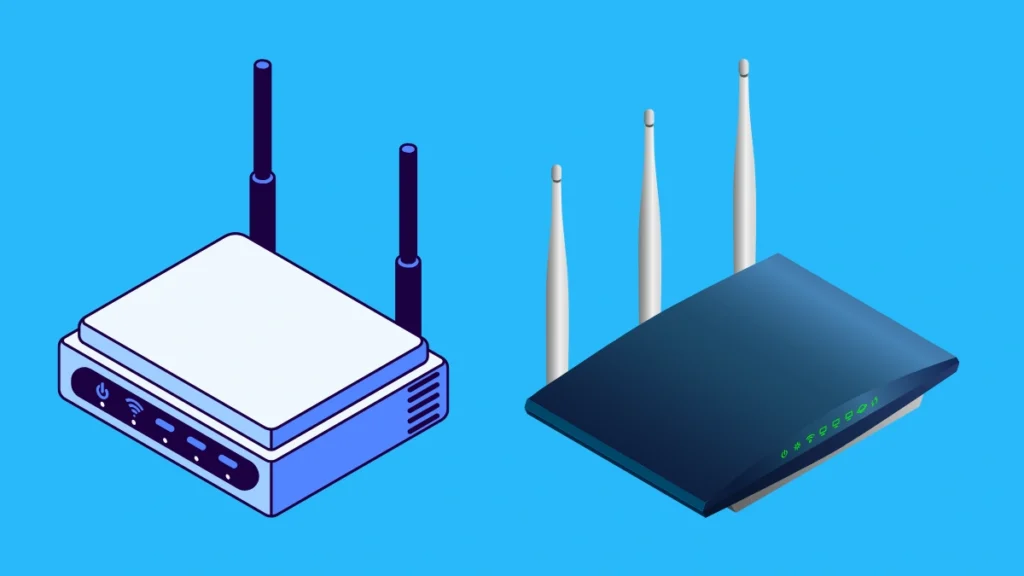
Image Credit: Canva
Today’s routers include Wi-Fi 6, Wi-Fi 6E, and Wi-Fi 7, along with multi-gigabit Ethernet, mesh compatibility, automatic security updates, parental controls, VPN features, and intelligent traffic management.
The right router depends on your internet connection, home size, number of devices, and how you use your network. A budget Wi-Fi 6 router may be perfect for a small apartment, while large homes and demanding users may benefit from a Wi-Fi 7 router or mesh system.
In this guide, we’ve compared the best Wi-Fi routers in 2026 for gaming, streaming, large homes, apartments, gigabit internet, families, and high-performance networking.
Quick Comparison: Best Wi-Fi Routers
| Wi-Fi Router | Best For | Key Feature | Wi-Fi Standard | Ethernet | Rating |
|---|---|---|---|---|---|
| TP-Link Archer BE800 | Best Overall | High-performance Wi-Fi 7 | Wi-Fi 7 | Multi-Gig | 9.7/10 |
| ASUS ROG Rapture GT-BE98 Pro | Best Gaming | Extreme gaming performance | Wi-Fi 7 | Multi-Gig | 9.8/10 |
| TP-Link Archer AX73 | Best Wi-Fi 6 Value | Excellent everyday performance | Wi-Fi 6 | Gigabit | 9.4/10 |
| ASUS RT-AX88U Pro | Best Wi-Fi 6 Pro | Strong coverage & features | Wi-Fi 6 | Multi-Gig | 9.5/10 |
| Netgear Nighthawk RS700S | Best Premium | Powerful Wi-Fi 7 | Wi-Fi 7 | Multi-Gig | 9.6/10 |
| TP-Link Archer BE550 | Best Wi-Fi 7 Value | Affordable next-gen networking | Wi-Fi 7 | 2.5GbE | 9.4/10 |
| Amazon eero Pro 6E | Best Mesh | Simple whole-home Wi-Fi | Wi-Fi 6E | Multi-Gig* | 9.2/10 |
| ASUS ZenWiFi XT9 | Best Mesh Performance | Strong whole-home coverage | Wi-Fi 6 | 2.5GbE | 9.3/10 |
1. TP-Link Archer BE800: Best Wi-Fi Router Overall
The TP-Link Archer BE800 is our top overall choice for users looking for a modern high-performance router.
It uses Wi-Fi 7 technology and includes multi-gigabit networking, making it well suited to fast internet connections and homes with many connected devices.

- Wave 2 Wireless Internet Router: Achieve up to 600 Mbps on the 2.4GHz band and up to 1300 Mbps on the 5GHz band. Dual-ba…
- OneMesh Compatible Router- Form a seamless WiFi when work with TP-Link OneMesh WiFi Extenders.
- MU-MIMO Gigabit Router, 3 simultaneous data streams help your devices achieve optimal performance by making communicatio…
Key Features
- Wi-Fi 7
- Multi-gigabit Ethernet
- High wireless throughput
- Multi-Link Operation
- 320MHz channel support where available
- Multiple Ethernet ports
- Advanced security features
- Mesh compatibility
- Mobile management app
Wi-Fi 7 introduces technologies designed to improve throughput, latency, and connection efficiency on compatible devices.
Best For
Large households, gigabit-plus internet, streaming, gaming, smart homes, and future-ready networking.
Our Rating: 9.7/10
👉 Check TP-Link Archer BE800 prices and current offers.
2. ASUS ROG Rapture GT-BE98 Pro: Best Wi-Fi Router for Gaming
The ASUS ROG Rapture GT-BE98 Pro is aimed at gamers and enthusiasts who want extremely powerful networking hardware and extensive configuration options.

- Beyond-fast WiFi 7 (802.11be) with new 320MHz channels in the 6 GHz band and 4096-QAM significantly increases network ca…
- Multi-link Operation links to multiple bands at the same time to ensure stable internet connections and efficient data t…
- Cutting-edge external dual-feeding antennas boost coverage by providing high efficiency and significantly enhanced signa…
Key Features
- Wi-Fi 7
- Multi-gigabit Ethernet
- Gaming optimization features
- Advanced QoS
- Multiple high-speed Ethernet ports
- VPN functionality
- Security features
- Gaming-focused software
- Extensive network controls
Its advanced hardware and networking features make it particularly attractive for gaming PCs, consoles, VR systems, and high-bandwidth households.
Best For
Competitive gaming, high-end gaming PCs, multi-gigabit internet, streamers, and enthusiasts.
Our Rating: 9.8/10
👉 Compare ASUS ROG Rapture GT-BE98 Pro prices.
3. TP-Link Archer AX73: Best Wi-Fi 6 Value
If you don’t need Wi-Fi 7, the TP-Link Archer AX73 remains an excellent value-oriented option.

- Wi-Fi 6 Technology: Archer AX1450 comes equipped with the new wireless technology, Wi-Fi 6, for faster speeds, greater c…
- Next-Gen 1.45 Gbps Speeds: Archer AX1450 dual-band router reaches even faster speeds up to 1.45 Gbps (1201 Mbps on 5 GHz…
- Connect More Devices: Wi-Fi 6 technology communicates more data to more devices using revolutionary OFDMA technology whi…
Key Features
- Wi-Fi 6
- Dual-band wireless
- High wireless throughput
- Gigabit Ethernet
- OFDMA
- MU-MIMO
- WPA3 security
- OneMesh compatibility
- Mobile app management
For many households, Wi-Fi 6 provides more than enough speed and capacity.
Best For
Apartments, families, streaming, remote work, and general home networking.
Our Rating: 9.4/10
👉 Check TP-Link Archer AX73 prices and availability.
4. ASUS RT-AX88U Pro: Best Wi-Fi 6 Pro Router
The ASUS RT-AX88U Pro combines Wi-Fi 6 performance with a strong feature set and multi-gig networking.

- New-generation WiFi 6 – Enjoy ultrafast speeds up to 5400 Mbps with the latest WiFi 6 (802.11ax) and 160MHz channels
- Mobile Game Mode – Minimize lag and latency for mobile gaming with just a tap on the ASUS Router app
- Choose your lighting vibe – Feature ASUS Aura RGB lighting effects that you can choose from a variety of lighting effect…
Key Features
- Wi-Fi 6
- Multi-gig Ethernet
- Multiple LAN ports
- AiMesh support
- Advanced QoS
- VPN support
- AiProtection security
- Parental controls
- Gaming optimization
It’s an excellent choice for users who want advanced networking features without necessarily moving to Wi-Fi 7.
Best For
Gaming, home offices, large households, and advanced users.
Our Rating: 9.5/10
👉 Compare ASUS RT-AX88U Pro prices and current deals.
5. Netgear Nighthawk RS700S: Best Premium Wi-Fi 7 Router
The Netgear Nighthawk RS700S targets users who want premium Wi-Fi 7 performance and a modern high-speed network.

- Blazing-fast WiFi 7 speeds up to 5.5 Gbps for gaming, smooth streaming, video conferencing and entertainment
- WiFi 7 delivers 1.2x faster speeds than WiFi 6 to maximize performance across all devices. This is a Router not a Modem.
- This router does not include a built-in cable modem. A separate cable modem (with coax inputs) is required for internet …
Key Features
- Wi-Fi 7
- Multi-gig Ethernet
- High wireless throughput
- Multi-Link Operation
- Advanced wireless technologies
- Security features
- Nighthawk app
- Premium hardware design
It’s especially suitable for homes with multiple high-bandwidth devices and fast broadband connections.
Best For
Premium home networks, multi-gigabit internet, high-end streaming, and advanced users.
Our Rating: 9.6/10
👉 Check Netgear Nighthawk RS700S pricing and availability.
6. TP-Link Archer BE550: Best Value Wi-Fi 7 Router
The TP-Link Archer BE550 makes Wi-Fi 7 more accessible to users who want next-generation networking without buying an ultra-premium router.

- TP-LINK ARCHER AX11000 WI-FI 6 TRI-BAND GIGABIT GAMING ROUTER
Key Features
- Wi-Fi 7
- 2.5GbE ports
- Multi-Link Operation
- 320MHz channels where supported
- Mesh compatibility
- WPA3 security
- HomeShield features
- Mobile app
It provides an attractive combination of modern wireless technology and multi-gig connectivity.
Best For
Families, gamers, home offices, and users upgrading to Wi-Fi 7.
Our Rating: 9.4/10
👉 Compare TP-Link Archer BE550 prices and offers.
7. Amazon eero Pro 6E: Best Mesh Wi-Fi System
The eero Pro 6E is designed for users who prioritize simple setup and whole-home coverage.

- WIFI AT THE SPEED OF LIFE – eero Pro 7 brings next-generation speed and reliability to home and business networks with h…
- RELIABLE CONNECTIVITY – eero Pro 7 helps eliminate dead spots, so you stay connected across different floors and rooms t…
- PRO-LEVEL SPEED – Support for internet plans up to 5 Gbps with two auto-sensing 5 GbE ports and wireless speeds up to 3….
Key Features
- Wi-Fi 6E
- Mesh networking
- Easy app-based setup
- Automatic network management
- 6GHz support
- Gigabit+ connectivity on supported hardware
- Smart-home integration
- Automatic updates
Mesh systems are particularly useful in larger homes where a single router may struggle to provide reliable coverage.
Best For
Families, large homes, smart homes, and users who want simple networking.
Our Rating: 9.2/10
👉 Check eero Pro 6E pricing and available configurations.
8. ASUS ZenWiFi XT9: Best Mesh Performance
The ASUS ZenWiFi XT9 is a strong mesh networking option for users who want excellent whole-home coverage and advanced controls.
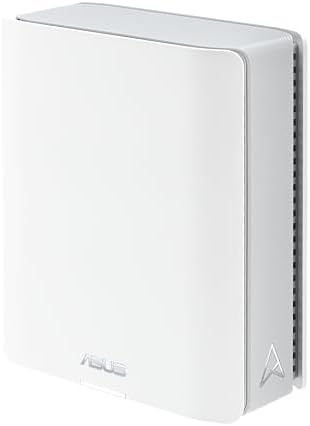
- Tri-band WiFi 7 speeds up to 14 Gbps with 6 GHz WiFi, MLO, and 4K-QAM
- AI-powered Smart AiMesh boosts coverage up to 3000 sq. ft. (1-pack) and easy extendibility with compatible ASUS routers …
- Seven internal antennas and eight high-power front-end modules eliminates WiFi dead zones
Key Features
- Wi-Fi 6
- Tri-band design
- 2.5GbE
- AiMesh compatibility
- Strong coverage
- Advanced security
- VPN support
- Parental controls
- Mobile management
Its tri-band architecture can be particularly useful for multi-node mesh networks.
Best For
Large homes, multi-story properties, gaming, streaming, and advanced users.
Our Rating: 9.3/10
👉 Compare ASUS ZenWiFi XT9 prices and configurations.
What Is a Wi-Fi Router?
A Wi-Fi router connects your home or office network to the internet and allows wireless devices to communicate with each other.
It can connect:
- Smartphones
- Laptops
- Tablets
- Smart TVs
- Gaming consoles
- Security cameras
- Smart speakers
- Printers
- Streaming devices
- IoT products
Modern routers also provide network management, security, parental controls, guest networks, and other features.
Wi-Fi 6 vs. Wi-Fi 6E vs. Wi-Fi 7
| Feature | Wi-Fi 6 | Wi-Fi 6E | Wi-Fi 7 |
|---|---|---|---|
| 2.4GHz | Yes | Yes | Yes |
| 5GHz | Yes | Yes | Yes |
| 6GHz | No | Yes | Yes |
| Multi-Link Operation | No | No | Yes |
| 320MHz channels | No | No | Yes |
| Maximum potential | High | Higher | Highest |
| Best for | Most users | Modern devices | High-end networks |
Wi-Fi 7 is the newest generation, but you need compatible client devices to take full advantage of its features.
Do You Need a Wi-Fi 7 Router?
Not necessarily.
Wi-Fi 7 makes the most sense if you have:
- Multi-gigabit internet
- New Wi-Fi 7 devices
- Many connected devices
- High-performance gaming systems
- Large file transfers
- Advanced home networking requirements
If your internet connection is 300–500Mbps and your devices primarily support Wi-Fi 5 or Wi-Fi 6, a quality Wi-Fi 6 router can provide excellent performance.
What Should You Look for in a Wi-Fi Router?
1. Wi-Fi Standard
For new purchases, Wi-Fi 6 is a strong baseline, while Wi-Fi 7 provides greater future-proofing.
2. Ethernet Ports
Check whether the router includes:
- Gigabit Ethernet
- 2.5GbE
- 5GbE
- 10GbE
If you have internet faster than 1Gbps, multi-gig Ethernet can be particularly important.
3. Coverage
Router coverage depends on:
- Home size
- Wall materials
- Floor plan
- Interference
- Router placement
- Number of nodes
Don’t rely solely on the manufacturer’s advertised square-foot coverage.
4. Number of Devices
Homes with dozens of smart devices, laptops, phones, TVs, cameras, and gaming systems can benefit from a router designed to handle high device density.
5. Security
Look for features such as:
- WPA3
- Automatic firmware updates
- Firewall
- Guest network
- Security monitoring
- Parental controls
Router vs. Mesh Wi-Fi
A traditional router is generally best when one device can provide adequate coverage.
A mesh system uses multiple nodes to create a larger wireless network.
| Feature | Traditional Router | Mesh System |
|---|---|---|
| Setup | Usually simple | Usually very simple |
| Coverage | Limited by placement | Excellent for larger homes |
| Expansion | Limited | Easy |
| Cost | Usually lower | Usually higher |
| Large homes | May struggle | Better |
| Apartments | Excellent | Sometimes unnecessary |
| Dead zones | Can remain | Designed to reduce them |
If your home has Wi-Fi dead zones, upgrading to a mesh system may provide a bigger improvement than simply buying a more expensive single router.
Best Wi-Fi Router by Use Case
| Use Case | Recommended |
|---|---|
| Best overall | TP-Link Archer BE800 |
| Best gaming | ASUS ROG Rapture GT-BE98 Pro |
| Best Wi-Fi 6 value | TP-Link Archer AX73 |
| Best Wi-Fi 6 premium | ASUS RT-AX88U Pro |
| Best premium Wi-Fi 7 | Netgear Nighthawk RS700S |
| Best Wi-Fi 7 value | TP-Link Archer BE550 |
| Best mesh | Amazon eero Pro 6E |
| Best mesh performance | ASUS ZenWiFi XT9 |
| Best for apartments | TP-Link Archer AX73 |
| Best for large homes | ASUS ZenWiFi XT9 |
| Best for gaming | ASUS ROG Rapture GT-BE98 Pro |
| Best for gigabit internet | TP-Link Archer BE800 |
| Best for multi-gig internet | Wi-Fi 7 multi-gig routers |
How to Get Better Wi-Fi Performance
Even the best router won’t perform well if it’s placed poorly.
For better results:
- Place the router centrally.
- Keep it elevated.
- Avoid enclosed cabinets.
- Keep it away from large metal objects.
- Minimize walls between router and devices.
- Use Ethernet for stationary high-bandwidth devices.
- Update router firmware.
- Choose less congested channels when appropriate.
- Consider mesh networking for difficult layouts.
Router placement can have a surprisingly large impact on real-world performance.
Wi-Fi Router for Gaming
Gamers should look beyond advertised wireless speeds.
Important features include:
- Low latency
- Quality of Service
- Gaming traffic prioritization
- Wired Ethernet
- Strong 5GHz/6GHz performance
- Multi-gig connectivity
- Stable firmware
For competitive gaming, Ethernet remains preferable whenever practical.
A premium gaming router cannot eliminate latency caused by your ISP, server distance, or network congestion outside your home.
Wi-Fi Router for Streaming
For Netflix, YouTube, Disney+, and other streaming platforms, you don’t necessarily need the fastest router available.
A quality Wi-Fi 6 router is generally sufficient for most households.
However, households with multiple simultaneous 4K streams may benefit from:
- Stronger coverage
- More wireless capacity
- 5GHz or 6GHz connectivity
- Multi-gig Ethernet
- Mesh networking
Final Verdict
The TP-Link Archer BE800 is our best overall Wi-Fi router because it combines Wi-Fi 7 technology, high-speed networking, strong wireless capabilities, and features designed for modern connected homes.
Gamers and enthusiasts should consider the ASUS ROG Rapture GT-BE98 Pro, while the TP-Link Archer AX73 remains a compelling choice for users who want excellent Wi-Fi 6 performance at a more accessible price.
For users moving into Wi-Fi 7, the TP-Link Archer BE550 provides a strong balance between next-generation features and value. Premium buyers can consider the Netgear Nighthawk RS700S.
If your primary problem is poor coverage rather than speed, a mesh system such as the Amazon eero Pro 6E or ASUS ZenWiFi XT9 may be a better solution.
Before buying, consider your internet speed, home size, number of devices, Wi-Fi standard, Ethernet ports, mesh compatibility, security features, and budget.
For most households, a good Wi-Fi 6 or Wi-Fi 7 router is enough. If you have a large home or multiple dead zones, prioritize a quality mesh system instead.
Frequently Asked Questions
What is the best Wi-Fi routers in 2026?
The TP-Link Archer BE800 is our overall pick for its combination of Wi-Fi 7 performance, multi-gigabit networking, and modern features.
Is Wi-Fi 7 worth buying?
Wi-Fi 7 is worth considering if you have compatible devices, multi-gigabit internet, or want a future-ready network. For many users, Wi-Fi 6 remains sufficient.
Is Wi-Fi 6 still good in 2026?
Yes. Wi-Fi 6 provides excellent performance for most homes and remains a strong choice for streaming, gaming, remote work, and smart-home devices.
What is the best Wi-Fi router for gaming?
The ASUS ROG Rapture GT-BE98 Pro is an excellent premium gaming router with advanced QoS, high-speed connectivity, and gaming-focused networking features.
Do I need a mesh Wi-Fi system?
You may need mesh Wi-Fi if your home has dead zones, multiple floors, thick walls, or a layout that a single router cannot cover effectively.
Is a more expensive router faster?
Not necessarily. Your internet connection, device capabilities, distance from the router, interference, and home layout all affect real-world speeds.
Does Wi-Fi 7 work with older devices?
Yes. Wi-Fi 7 routers are designed to support compatible older Wi-Fi devices, although older devices won’t receive the full benefits of Wi-Fi 7 technologies.
Should I use 2.4GHz or 5GHz Wi-Fi?
2.4GHz generally provides better range and wall penetration, while 5GHz typically provides higher speeds and lower congestion. Modern routers can automatically manage compatible connections.
What is the 6GHz Wi-Fi band?
The 6GHz band, introduced with Wi-Fi 6E and used by Wi-Fi 7, provides additional spectrum for compatible devices. It can offer higher performance and less congestion at shorter ranges.
What Ethernet speed should my router have?
Gigabit Ethernet is enough for many households. If you have internet faster than 1Gbps or transfer large files across your network, consider 2.5GbE or faster.
Can a Wi-Fi router improve internet speed?
A router cannot increase the speed provided by your ISP, but a better router can improve wireless performance and help your devices make better use of your existing connection.
How often should I replace my Wi-Fi routers?
There is no fixed replacement schedule. Consider upgrading when your router no longer receives security updates, lacks required features, struggles with your devices, or cannot support your internet speed.
What should I look for when buying a Wi-Fi router?
Focus on Wi-Fi standard, coverage, Ethernet speed, number of devices supported, security updates, mesh compatibility, parental controls, QoS, VPN features, and price.
Routers, Routers, Routers, Routers, Routers, Routers, Routers, Routers, Routers, Routers, Routers, Routers, Routers, Routers