If you click on the links and make a purchase, we may earn a commission.
The best USB flash drives make it easy to carry files, photos, videos, documents, backups, and other data between computers and devices. They’re small, affordable, and convenient enough to keep in a laptop bag, backpack, or even on a keychain.
Table of Contents
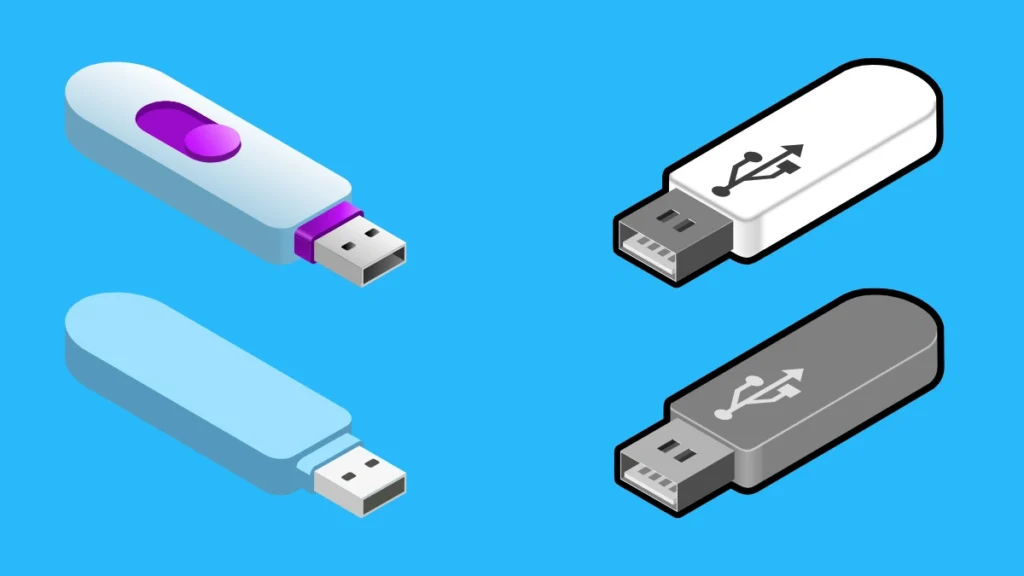
Image Credit: canva
Modern flash drives are much faster and more versatile than older USB sticks. Depending on the model, you can find USB 3.2 connectivity, USB-C ports, dual connectors, high-capacity storage, rugged designs, hardware encryption, and fast transfer speeds.
Choosing the right USB flash drive depends on how you plan to use it. A basic 64GB drive may be enough for documents, while photographers, students, and video creators may prefer 256GB, 512GB, or 1TB models. If you frequently transfer large files, performance also matters.
In this guide, we’ve compared the best USB flash drives in 2026 for everyday storage, fast file transfers, USB-C devices, laptops, smartphones, gaming, travel, and backup purposes.
Quick Comparison: Best USB Flash Drives
| USB Flash Drive | Best For | Key Feature | Interface | Capacity Options* | Rating |
|---|---|---|---|---|---|
| Samsung BAR Plus | Best Overall | Durable metal design | USB 3.1/3.2* | Up to 256GB* | 9.6/10 |
| SanDisk Extreme Pro USB | Best Performance | Very fast transfers | USB 3.2 | Up to 1TB* | 9.7/10 |
| SanDisk Ultra Dual Drive Luxe | Best USB-C | USB-C + USB-A | USB 3.2 | Up to 1TB* | 9.5/10 |
| Kingston DataTraveler Max | Best USB-C Speed | High-speed transfers | USB 3.2 Gen 2 | Up to 1TB* | 9.6/10 |
| PNY Pro Elite V2 | Best Value Performance | High-capacity options | USB 3.2 | Up to 1TB* | 9.3/10 |
| Samsung Type-C USB Flash Drive | Best for USB-C | Compact Type-C design | USB 3.1/3.2* | Up to 256GB* | 9.3/10 |
| SanDisk Ultra Flair | Best Budget | Affordable everyday storage | USB 3.0 | Up to 512GB* | 9.1/10 |
| Kingston DataTraveler Exodia | Best Budget Capacity | Affordable storage | USB 3.2 Gen 1 | Up to 256GB* | 9.0/10 |
Capacity and interface specifications vary by exact model and market.
1. Samsung BAR Plus — Best USB Flash Drive Overall
The Samsung BAR Plus is our best overall USB flash drive for users who want a combination of durability, portability, performance, and everyday convenience.
Its metal construction gives it a premium feel while helping protect the drive during everyday transportation.

- MOVE FILES IN A FLASH: Fast and convenient read speeds up to 300 MB/s* with the latest USB 3.1 standard give you more ti…
- RUGGED REFINEMENT: As strong as it is stylish; The sturdy metal body keeps your data safe and intact, and the integrated…
- TOUGH & TRUSTED: The Bar Plus a trustworthy drive to store your valuable data; It works through it all with a waterproof…
Key Features
- Metal housing
- USB 3.x connectivity
- Compact design
- Keyring loop
- Water-resistant construction
- Shock-resistant design
- Temperature resistance
- Multiple capacities
The BAR Plus is an excellent choice for students, office workers, travelers, and anyone who wants a reliable everyday flash drive.
Best For
Everyday file storage, documents, photos, schoolwork, travel, and general backups.
Our Rating: 9.6/10
2. SanDisk Extreme Pro USB — Best for Performance
The SanDisk Extreme Pro USB family is designed for users who frequently move large files and want much faster transfer performance than a basic flash drive.

- FAST TRANSFERS. High-performance speeds allow you to quickly transfer files up to 200x faster than standard USB 2.0 driv…
- EXPAND YOUR STORAGE. Quickly increase your computer’s storage capacity up to 2TB(1) and make storage worries a thing of …
- PREMIUM METAL DESIGN. Built with a premium metal design and keyring hole for easy portability.
Key Features
- High-speed USB connectivity
- Fast sequential read performance
- Metal construction on selected models
- Large storage capacities
- Password protection on selected versions
- Durable design
- Compact form factor
It’s particularly useful when transferring large videos, photo collections, application files, and backups.
Best For
Content creators, photographers, professionals, and users who frequently transfer large files.
Our Rating: 9.7/10
3. SanDisk Ultra Dual Drive Luxe — Best USB-C Flash Drive
The SanDisk Ultra Dual Drive Luxe is one of the most convenient options for people who use both USB-A and USB-C devices.
Its dual-connector design allows you to move files between older computers and newer USB-C devices without carrying an adapter.

- The 2-in-1 flash drive with a reversible USB Type-C and a traditional Type-A connector.
- Seamlessly move content between your USB Type-C smartphone, tablets and Macs and USB Type-A computers(2) | (2) Mobile de…
- Free up space on your USB Type-C smartphone(2)
Key Features
- USB-C connector
- USB-A connector
- Rotating metal design
- Compact construction
- Multiple storage capacities
- Mobile-device compatibility on supported devices
- SanDisk management software
It’s particularly useful for modern laptops, smartphones, tablets, and desktop PCs.
Best For
USB-C laptops, Android devices, computers, tablets, and users with mixed USB-A/USB-C hardware.
Our Rating: 9.5/10
4. Kingston DataTraveler Max — Best USB Flash Drive for Speed
The Kingston DataTraveler Max is designed for users who want high-speed flash storage in a compact form factor.

- usb 3.2 gen 1 performance for easy access to laptops, desktop pcs, monitors and other digital devices.
- quick transfers and convenient storage of documents, music, videos and more.
- large loop easily attaches to key rings
Key Features
- USB 3.2 Gen 2
- High sequential read/write speeds
- USB-C and USB-A versions
- Large capacity options
- Sliding connector design
- Keyring loop
- Compact body
If you regularly transfer large video files, project folders, or backups, a high-performance drive like the DataTraveler Max can save considerable time.
Best For
Large file transfers, video editing, photographers, professionals, and power users.
Our Rating: 9.6/10
5. PNY Pro Elite V2 — Best Value Performance
The PNY Pro Elite V2 offers a balance between speed and capacity for users who need more storage without moving into specialized external SSDs.

- Transfer speeds of up to 1,100MB/s read and 1,000MB/s write
- Compatible with USB Type-C and Type-A enabled PC and Mac computers, as well as USB Type-C and Type-A enabled tablets, vi…
- Ideal for gamers looking to maximize external storage while utilizing the latest Gen 2 technology
Key Features
- USB 3.2 connectivity
- High-capacity configurations
- Fast transfer performance
- Compact design
- Sliding connector
- Durable construction
- Portable form factor
It’s a practical option for users who need to carry large amounts of data.
Best For
Large file storage, students, professionals, backups, and general portable storage.
Our Rating: 9.3/10
6. Samsung Type-C USB Flash Drive — Best Compact USB-C Drive
The Samsung Type-C USB Flash Drive is designed specifically for modern USB-C devices.

- USB-C STORAGE ON THE GO: This sleek drive is supported by Samsung NAND flash and is incredibly compact to fit in the pal…
- PERFORMANCE WITH SPEED: No need to choose between performance and reliability; Experience a fast, powerful flash drive t…
- MODERN MEETS ICONIC: The ultra-sleek USB-C drive looks as good as it performs; Featuring a reversible plug, the Type-C i…
Key Features
- USB-C connector
- Compact design
- Portable construction
- USB 3.x interface
- Multiple capacity options
- Broad compatibility with supported devices
It’s particularly useful for smartphones, tablets, modern laptops, and USB-C desktops.
Best For
USB-C devices, smartphone file transfers, documents, photos, and travel.
Our Rating: 9.3/10
7. SanDisk Ultra Flair — Best Budget USB Flash Drive
The SanDisk Ultra Flair is a straightforward choice for users who want affordable portable storage.

- High-speed USB 3.0 performance of up to 150MB/s(1) [(1) Write to drive up to 15x faster than standard USB 2.0 drives (4M…
- Transfer a full-length movie in less than 30 seconds(2) [(2) Based on 1.2GB MPEG-4 video transfer with USB 3.0 host devi…
- Transfer to drive up to 15 times faster than standard USB 2.0 drives(1)
Key Features
- USB 3.0
- Metal housing
- Compact design
- Multiple capacities
- Keyring loop
- Affordable pricing
It isn’t designed to compete with the fastest premium drives, but it’s perfectly suitable for documents, photos, music, and everyday file transfers.
Best For
Students, office users, casual storage, and budget buyers.
Our Rating: 9.1/10
8. Kingston DataTraveler Exodia — Best Budget Capacity
The Kingston DataTraveler Exodia is an affordable USB flash drive designed for everyday file storage.

- USB 3.2 Gen 1 performance for easy access to laptops, desktop PCs, monitors and other digital devices.
- Quick transfers and convenient storage of documents, music, videos and more.
- Large loop easily attaches to key rings
Key Features
- USB 3.2 Gen 1
- Multiple capacities
- Protective cap
- Keyring loop
- Compact design
- Affordable pricing
It’s a good option when your primary goal is inexpensive portable storage rather than maximum transfer speed.
Best For
Documents, school projects, photos, music, and basic backups.
Our Rating: 9.0/10
What Is a USB Flash Drive?
A USB flash drive is a small portable storage device that uses flash memory to store digital data.
It connects to computers and compatible devices through USB.
You can use one to:
- Transfer files
- Store documents
- Carry photos
- Move videos
- Back up important data
- Install operating systems
- Transfer music
- Share files between computers
Unlike an external hard drive, a flash drive usually has no separate power cable.
USB-A vs. USB-C Flash Drives
One of the most important decisions is choosing the connector.
| Feature | USB-A | USB-C |
|---|---|---|
| Older computers | Excellent | May require adapter |
| Modern laptops | Often available | Excellent |
| Smartphones | Limited | Excellent on supported devices |
| Reversible connector | No | Yes |
| Convenience | Good | Excellent |
| Future compatibility | Moderate | Strong |
If you own modern USB-C devices, a USB-C or dual-connector flash drive can be the more flexible choice.
What Should You Look for in a USB Flash Drive?
1. Storage Capacity
Choose capacity based on what you’re storing.
32GB–64GB
Suitable for:
- Documents
- School files
- PDFs
- Small photo collections
128GB
A good general-purpose size for:
- Photos
- Documents
- Music
- Moderate file collections
256GB
Excellent for:
- Large photo collections
- Videos
- Backups
- Professional files
512GB–1TB
Best for:
- Large media libraries
- Video files
- Extensive backups
- Large project folders
2. Transfer Speed
USB standards can be confusing because advertised theoretical speeds don’t always translate directly into real-world performance.
Look beyond the USB version and consider the drive’s actual read and write performance.
For large files, write speed can be particularly important.
A cheap flash drive may have reasonable read performance but significantly slower sustained writes.
3. USB 3.0 vs. USB 3.2
USB naming has changed over time, making comparisons confusing.
| USB Standard | Typical Marketing Name |
|---|---|
| USB 3.0 | USB 3.2 Gen 1 |
| USB 3.1 Gen 1 | USB 3.2 Gen 1 |
| USB 3.1 Gen 2 | USB 3.2 Gen 2 |
| USB 3.2 Gen 2×2 | Higher-speed USB 3.2 |
Actual performance depends on both the flash drive and the host device.
4. USB-C Compatibility
USB-C is becoming increasingly common on:
- Laptops
- Smartphones
- Tablets
- Desktop PCs
- Gaming devices
A dual USB-A/USB-C drive is especially convenient if you frequently move files between older and newer devices.
5. Durability
If you carry your flash drive everywhere, durability matters.
Look for:
- Metal construction
- Protective caps
- Water resistance
- Shock resistance
- Keyring attachment
- Dust resistance
However, don’t assume that every metal drive is waterproof. Check the manufacturer’s specifications.
USB Flash Drive vs. External SSD
| Feature | USB Flash Drive | External SSD |
|---|---|---|
| Size | Very small | Small |
| Performance | Good to very fast | Usually faster |
| Capacity | Moderate to high | Very high |
| Durability | Varies | Generally strong |
| Portability | Excellent | Excellent |
| Large sustained transfers | Moderate | Better |
| Price per GB | Often affordable | Competitive |
| Best for | Convenience | Heavy workloads |
For occasional file transfers, a flash drive is convenient.
For frequent large-file transfers, an external SSD is usually the better choice.
Are USB Flash Drives Good for Backup?
They can be useful as one backup copy, but they shouldn’t be your only backup.
Important files should ideally follow a multiple-copy strategy.
For example:
- Keep the original files on your computer.
- Maintain a backup on an external drive.
- Keep another copy in secure cloud or offline storage.
Flash drives can be lost, damaged, or corrupted, so don’t rely on a single USB stick for irreplaceable data.
Can USB Flash Drives Be Used With Smartphones?
Yes, many modern smartphones support USB flash drives through USB-C, provided the phone supports USB OTG or equivalent functionality.
USB-C flash drives can be especially convenient for transferring:
- Photos
- Videos
- Documents
- Music
- Downloads
Check your smartphone’s compatibility before buying.
Best USB Flash Drive by Use Case
| Use Case | Recommended |
|---|---|
| Best overall | Samsung BAR Plus |
| Best performance | SanDisk Extreme Pro |
| Best USB-C | SanDisk Ultra Dual Drive Luxe |
| Best speed | Kingston DataTraveler Max |
| Best value performance | PNY Pro Elite V2 |
| Best compact USB-C | Samsung Type-C |
| Best budget | SanDisk Ultra Flair |
| Best budget capacity | Kingston DataTraveler Exodia |
| Best for students | Samsung BAR Plus |
| Best for photographers | SanDisk Extreme Pro |
| Best for smartphones | SanDisk Ultra Dual Drive Luxe |
| Best for large files | Kingston DataTraveler Max |
| Best for travel | Samsung BAR Plus |
How to Protect Your USB Flash Drive
Follow a few simple practices to reduce the risk of data loss:
- Safely eject the drive when required.
- Avoid removing it during active transfers.
- Keep important files backed up elsewhere.
- Protect the connector from physical damage.
- Avoid extreme heat and moisture unless the drive is rated for those conditions.
- Scan suspicious files for malware.
- Store the drive somewhere secure.
Final Verdict
The Samsung BAR Plus is our best overall USB flash drive for everyday users because it combines a durable design, portability, practical performance, and a range of useful capacities.
For users who prioritize speed, the SanDisk Extreme Pro USB and Kingston DataTraveler Max are excellent choices for large file transfers. If you need compatibility with both modern and older devices, the SanDisk Ultra Dual Drive Luxe is particularly convenient because it combines USB-C and USB-A connectors.
Budget buyers can consider the SanDisk Ultra Flair or Kingston DataTraveler Exodia, while users who need larger storage capacities should look at options such as the PNY Pro Elite V2 and high-capacity versions of the Kingston and SanDisk ranges.
Before buying, consider connector type, capacity, actual read/write speeds, USB standard, durability, compatibility, warranty, and price per gigabyte.
For most users, 128GB or 256GB is a good balance of capacity and price. If you’re regularly moving large videos or backups, consider 512GB or 1TB. And if sustained performance is your priority, an external SSD may be a better investment than a conventional USB flash drive.
Frequently Asked Questions
What is the best USB flash drive in 2026?
The Samsung BAR Plus is our overall choice for everyday use, while the SanDisk Extreme Pro and Kingston DataTraveler Max are better suited to users who prioritize high transfer speeds.
What size USB flash drive should I buy?
For general use, 128GB or 256GB is a good starting point. Choose 512GB or 1TB if you regularly store large videos, photos, or backups.
Is USB-C better than USB-A?
USB-C is more convenient for modern devices because it is reversible and increasingly common on laptops, smartphones, and tablets. USB-A remains useful for older computers.
Are USB 3.2 flash drives fast?
They can be, but USB 3.2 is a standard rather than a guarantee of a particular real-world speed. The flash memory, controller, host device, and workload all affect performance.
Are USB flash drives reliable?
Quality flash drives can be reliable for everyday storage, but they should not be treated as the only copy of important files.
Can I use a USB flash drive with an Android phone?
Many Android phones support compatible USB-C flash drives through USB OTG or similar functionality. Compatibility depends on the phone and operating system.
Are USB flash drives good for video storage?
They can store video files, but frequent large transfers may benefit from an external SSD because SSDs typically offer better sustained performance.
What is the difference between a flash drive and an external SSD?
Both use flash memory, but external SSDs generally offer higher sustained performance, larger capacities, and better suitability for demanding workloads.
Can USB flash drives get viruses?
Yes. Flash drives can carry malware between computers. Use security software and avoid opening suspicious files.
How long do USB flash drives last?
Lifespan varies based on NAND quality, write activity, storage conditions, and usage. Flash drives are best used as portable storage rather than the sole long-term archive for important data.
Should I buy a metal USB flash drive?
Metal construction can provide additional physical durability, but the overall design and manufacturer’s specifications matter more than the material alone.
What is the fastest USB flash drive?
High-performance models such as the SanDisk Extreme Pro and Kingston DataTraveler Max can offer substantially faster transfer performance than basic budget flash drives.
Can I install Windows from a USB flash drive?
Yes. A compatible USB flash drive can be used as installation media for Windows and other operating systems, provided it has sufficient capacity and is prepared correctly.
What should I look for when buying a USB flash drive?
Focus on capacity, connector type, USB standard, real-world read/write performance, durability, compatibility, warranty, and price per gigabyte.
Best Products
Best Smartphones for Everyday Use in 2026
Best Laptops for Students in 2026