If you click on the links and make a purchase, we may earn a commission.
The best NVMe SSDs can dramatically improve PC responsiveness, game loading times, application performance, and large-file transfers compared with older SATA SSDs and traditional hard drives. NVMe drives connect through PCIe and use a high-speed interface designed specifically for modern solid-state storage.
Table of Contents
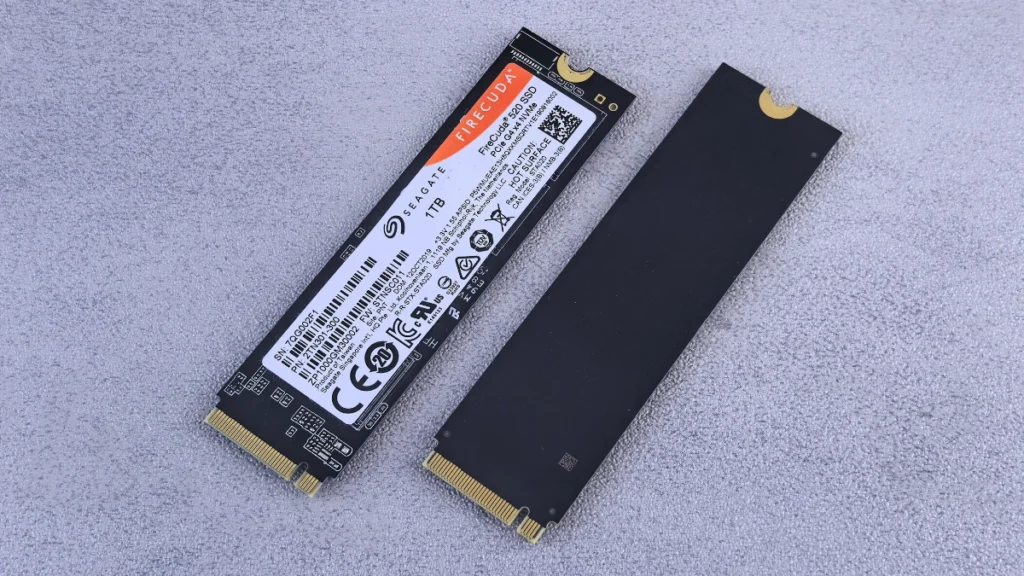
Image Credit: canva
Whether you’re building a new gaming PC, upgrading a laptop, editing 4K video, or simply want faster everyday computing, an NVMe SSD can be one of the most worthwhile upgrades.
Today’s market includes PCIe 4.0 and PCIe 5.0 SSDs, with capacities ranging from 500GB to several terabytes. However, the fastest drive isn’t always the best purchase. Price per gigabyte, sustained performance, thermal management, endurance, warranty, and compatibility can matter more for everyday users.
In this guide, we’ve compared the best NVMe SSDs in 2026 for gaming, laptops, desktops, content creation, high-performance PCs, and budget upgrades.
Quick Comparison: Best NVMe SSDs
| NVMe SSD | Best For | Key Feature | Interface | Capacities* | Rating |
|---|---|---|---|---|---|
| Samsung 990 Pro | Best Overall | Excellent PCIe 4.0 performance | PCIe 4.0 x4 | Up to 4TB | 9.8/10 |
| WD Black SN850X | Best for Gaming | Strong gaming performance | PCIe 4.0 x4 | Up to 4TB | 9.7/10 |
| Crucial T500 | Best Value Performance | Fast PCIe 4.0 speeds | PCIe 4.0 x4 | Up to 2TB | 9.5/10 |
| Samsung 9100 Pro | Best PCIe 5.0 | High-end Gen5 performance | PCIe 5.0 x4 | Up to 4TB | 9.6/10 |
| Crucial T705 | Best Extreme Performance | Very high Gen5 speeds | PCIe 5.0 x4 | Up to 4TB | 9.4/10 |
| WD Black SN770 | Best Budget Gaming | Strong value | PCIe 4.0 x4 | Up to 2TB | 9.2/10 |
| Lexar NM790 | Best Value Capacity | High performance per dollar | PCIe 4.0 x4 | Up to 4TB | 9.3/10 |
| Solidigm P44 Pro | Best Productivity | Consistent Gen4 performance | PCIe 4.0 x4 | Up to 2TB | 9.1/10 |
Capacity availability varies by market and model.
1. Samsung 990 Pro — Best NVMe SSDs Overall
The Samsung 990 Pro remains one of the strongest PCIe 4.0 NVMe SSD choices for users who want excellent all-around performance.
It combines high sequential speeds with strong random performance, making it suitable for gaming, productivity, content creation, and demanding desktop workloads.
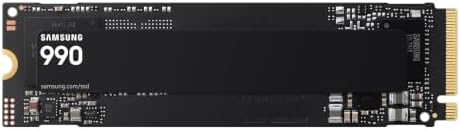
- THE SPEED YOU NEED: Spend less time waiting and more time creating, gaming, and multitasking with up to 7,150/6,450 MB/s…
- POWER CONSCIOUS PERFORMANCE: Strike the right balance between performance and power consumption with up to 38% improved …
- FULL LIBRARY, FEWER COMPROMISES: The days of deleting games or offloading files to free up space are over. With up to 2T…
Key Features
- PCIe 4.0 x4
- High sequential read/write performance
- Strong random performance
- TLC NAND
- DRAM cache
- Samsung Magician software
- Hardware encryption support
- Available in multiple capacities
- Heatsink version available
The 990 Pro is particularly attractive because PCIe 4.0 compatibility is extremely widespread.
Best For
Gaming PCs, professional desktops, content creation, and high-performance upgrades.
Our Rating: 9.8/10
2. WD Black SN850X — Best NVMe SSDs for Gaming
The WD Black SN850X is designed with gaming performance in mind and is one of the most popular high-performance PCIe 4.0 drives.

Key Features
- PCIe 4.0 x4
- High sequential read speeds
- Strong random performance
- TLC NAND
- DRAM
- Gaming-focused firmware
- WD Dashboard software
- Heatsink option
- Multiple capacities
Its strong random performance makes it well suited to gaming and demanding desktop applications.
Best For
Gaming PCs, PS5-compatible storage expansion where supported, game libraries, and performance-focused systems.
Our Rating: 9.7/10
3. Crucial T500 — Best Value Performance
The Crucial T500 provides high PCIe 4.0 performance while often competing aggressively on price.

- PCIe 4.0 Performance: Up to 7,400MB/s read and 7,000MB/s write with up to 1.18M/1.44M IOPS for faster loads and multitas…
- Spacious 2TB Capacity: Store creative projects, games, and apps with Gen4 NVMe speed in a compact M.2 form factor
- Broad Compatibility: Installs easily in desktops, laptops, and workstations with PCIe Gen4 M.2 slots
Key Features
- PCIe 4.0 x4
- TLC NAND
- DRAM cache
- High sequential performance
- Strong random performance
- Hardware encryption
- Multiple capacities
- Heatsink version available
It is an excellent option when you want flagship-class PCIe 4.0 performance without necessarily paying the highest premium.
Best For
Gaming, productivity, photo editing, video editing, and general high-performance computing.
Our Rating: 9.5/10
4. Samsung 9100 Pro — Best PCIe 5.0 NVMe SSDs
For users building a modern PCIe 5.0 platform, the Samsung 9100 Pro represents a much faster generation of NVMe storage.

- BREAKTHROUGH PCIe 5.0 PERFORMANCE: Supercharge your workflow and gaming with PCIe 5.0, boasting up to 14,700/13,400 MB/s…
- EVERY TASK, TURBOCHARGED: Speed past productivity limits. With random read/write speeds up to 1,850K/2,600K IOPS*, enjoy…
- THINK FAST, CREATE FASTER: With random read/write speeds of up to 1,850K/2,600K IOPS*, the 9100 PRO SSD fuels seamless A…
Key Features
- PCIe 5.0 x4
- Very high sequential performance
- Strong random performance
- High-capacity options
- Advanced thermal management
- Samsung Magician software
- High-end workstation performance
PCIe 5.0 drives can deliver significantly higher peak bandwidth than PCIe 4.0 SSDs, although actual real-world gains depend heavily on the workload.
Best For
High-end gaming PCs, workstations, content creators, and enthusiasts.
Our Rating: 9.6/10
5. Crucial T705 — Best Extreme Performance
The Crucial T705 targets users who want extremely high PCIe 5.0 performance.

- PCIe 5.0 Performance: Delivers up to 14,100MB/s read and 12,600MB/s write speeds for quicker game load times, bootups, a…
- Spacious 4TB Capacity: Store AAA titles, 8K+ video, and creative assets with blazing-fast Gen5 NVMe throughput
- Platform-Optimized Compatibility: Designed for Intel 13th/14th Gen and AMD Ryzen 7000 in M.2 Gen5 slots
Key Features
- PCIe 5.0 x4
- Extremely high sequential speeds
- TLC NAND
- DRAM
- Heatsink options
- High-end controller
- Multiple capacities
- Desktop-focused performance
The T705 can produce significant heat under heavy workloads, making proper cooling especially important.
Best For
Enthusiast PCs, workstation applications, large-file transfers, professional content creation, and extreme performance builds.
Our Rating: 9.4/10
6. WD Black SN770 — Best Budget Gaming NVMe SSDs
The WD Black SN770 is a strong option for users who want PCIe 4.0 performance without moving into premium pricing.

- This product has been replaced by our latest generation. Please search for the SANDISK Optimus GX 7100M NVMe SSD
- Supercharge compatible handheld devices such as the ASUS ROG Ally and Valve Steam Deck with speeds up to 5,150 MB/s[2] (…
- Play more games, larger games wherever you are with up to 2TB of trusted SANDISK TLC 3D NAND storage.
Key Features
- PCIe 4.0 x4
- Good gaming performance
- Multiple capacities
- Low-profile M.2 design
- WD Dashboard software
- Efficient operation
Although it isn’t designed to compete with the fastest flagship SSDs, it provides excellent performance for many gaming and everyday workloads.
Best For
Budget gaming PCs, laptop upgrades, everyday computing, and secondary game storage.
Our Rating: 9.2/10
7. Lexar NM790 — Best High-Capacity Value
The Lexar NM790 is attractive for users who want substantial storage capacity without paying flagship SSD prices.

- INCREASED PRODUCTIVITY – Experience rapid file transfers with up to 280MB/s read speeds, saving valuable time and accele…
- EXPANSIVE STORAGE – With a substantial 512GB capacity, this SDXC card provides ample space for high-resolution photos, 4…
- ULTIMATE DURABILITY – Designed to withstand harsh conditions, this memory card operates flawlessly in temperatures from …
Key Features
- PCIe 4.0 x4
- High sequential performance
- TLC NAND
- Efficient controller
- Large capacity options
- Low-power design
For users who need 2TB or 4TB of storage, the NM790 can be a compelling value-oriented option.
Best For
Large game libraries, content storage, productivity, and users who prioritize capacity.
Our Rating: 9.3/10
8. Solidigm P44 Pro — Best for Productivity
The Solidigm P44 Pro offers strong PCIe 4.0 performance for users who want fast everyday computing and productivity performance.

- 【Gen 4 Performance】Super fast PCIe 4.0 with read speed up to 4125 MB/s, write speed up to 2950 MB/s.
- 【Perfect Compatibility】M.2 form factor, 2280 NVMe version 1.4 SSD provides 1TB, 400TBW for PC and laptop upgrades, every…
- 【Power Efficiency】 P41 Plus is optimized for power savings and thermal efficiency to deliver consistent performance with…
Key Features
- PCIe 4.0 x4
- TLC NAND
- DRAM cache
- Strong random performance
- High sequential speeds
- Desktop and laptop compatibility
- Multiple capacities
It’s a solid choice for users who frequently work with applications, documents, creative projects, and large files.
Best For
Productivity, content creation, office work, and high-performance PCs.
Our Rating: 9.1/10
What Is an NVMe SSDs?
NVMe stands for Non-Volatile Memory Express. It is a storage protocol designed to take advantage of the high bandwidth and low latency of PCIe interfaces.
An NVMe SSD typically uses the compact M.2 form factor in modern desktops and laptops.
Compared with older SATA SSDs, NVMe drives can offer substantially higher sequential and random performance.
PCIe 4.0 vs. PCIe 5.0 NVMe SSDs
| Feature | PCIe 4.0 | PCIe 5.0 |
|---|---|---|
| Bandwidth | Very high | Approximately double the interface bandwidth |
| Typical use | Gaming & everyday performance | Enthusiast & professional workloads |
| Heat | Moderate | Generally higher |
| Price | More affordable | Usually higher |
| Compatibility | Very widespread | Requires newer hardware |
| Best for | Most users | High-end systems |
For most gamers and everyday users, a quality PCIe 4.0 SSD remains an excellent choice.
PCIe 5.0 becomes more attractive when you’re building a new high-end platform or regularly moving very large files.
What Should You Look for in an NVMe SSDs?
1. Compatibility
Before buying, check whether your motherboard or laptop supports the required M.2 drive.
Important specifications include:
- M.2 slot
- PCIe generation
- Drive length
- NVMe support
- Available lanes
A PCIe 5.0 SSD can generally operate in a compatible PCIe 4.0 environment, but performance will be limited by the older interface.
2. Read and Write Speeds
Sequential speeds are useful when moving large files.
However, random performance can be more relevant to everyday computing and application responsiveness.
Don’t select an SSD based solely on the largest sequential speed printed on the box.
3. TLC vs. QLC NAND
NAND type affects performance, endurance, and price.
TLC
Stores three bits per cell.
Advantages include:
- Strong performance
- Good endurance
- Excellent general-purpose choice
QLC
Stores four bits per cell.
Advantages include:
- Lower cost
- Higher capacities
For demanding workloads, TLC is often preferable.
4. DRAM Cache
Some NVMe SSDs include dedicated DRAM.
DRAM can help with:
- Mapping data
- Random workloads
- Sustained performance
- Overall responsiveness
However, newer SSD architectures can use other techniques, so the absence of DRAM doesn’t automatically mean an SSD is poor.
5. Endurance
SSD endurance is commonly represented using TBW (terabytes written).
A higher TBW rating can be useful if you frequently write large amounts of data.
For normal gaming and office use, many modern SSDs provide more than enough endurance.
6. Heatsink and Thermal Management
Fast PCIe 5.0 SSDs can generate significant heat.
Thermal throttling can reduce performance when temperatures become too high.
Before purchasing a high-performance SSD, check whether your motherboard includes an M.2 heatsink.
For PCIe 5.0 drives, proper cooling is particularly important.
Best NVMe SSD by Use Case
| Use Case | Recommended |
|---|---|
| Best overall | Samsung 990 Pro |
| Best gaming | WD Black SN850X |
| Best value performance | Crucial T500 |
| Best PCIe 5.0 | Samsung 9100 Pro |
| Best extreme performance | Crucial T705 |
| Best budget gaming | WD Black SN770 |
| Best high-capacity value | Lexar NM790 |
| Best productivity | Solidigm P44 Pro |
| Best for laptops | Samsung 990 Pro / SN770 |
| Best for content creation | 990 Pro / T500 / 9100 Pro |
| Best for large game libraries | Lexar NM790 |
| Best enthusiast PC | Samsung 9100 Pro / Crucial T705 |
How Much NVMe Storage Do You Need?
500GB
Suitable for:
- Office work
- Basic applications
- Small game libraries
- Budget upgrades
1TB
The sweet spot for many users.
Suitable for:
- Windows
- Applications
- Multiple games
- Photos
- General storage
2TB
Excellent for:
- Large game libraries
- Video editing
- Professional workloads
- Multiple applications
4TB+
Best for:
- Content creators
- Large media libraries
- Workstations
- Extensive game collections
For most gaming PCs, 1TB or 2TB is a good starting point.
NVMe SSD vs. SATA SSD
| Feature | NVMe SSD | SATA SSD |
|---|---|---|
| Interface | PCIe | SATA |
| Sequential speed | Much higher | Lower |
| Form factor | Usually M.2 | 2.5-inch/M.2 |
| Cable | Usually none | Usually required for 2.5-inch |
| Gaming | Excellent | Good |
| Price | Competitive | Often inexpensive |
| Best for | Modern PCs | Older systems |
If your motherboard supports NVMe, it is generally the preferred choice for a new PC.
Do NVMe SSDs Improve Gaming?
Yes, an NVMe SSDs can significantly improve game loading and installation times compared with a hard drive.
However, upgrading from a SATA SSD to a high-end PCIe 4.0 NVMe SSD may produce a much smaller difference in everyday gaming than upgrading from an HDD to any modern SSD.
For gaming, capacity and price can therefore be more important than chasing the highest benchmark scores.
Are PCIe 5.0 SSDs Worth It?
For most gamers, not necessarily.
PCIe 5.0 drives offer impressive benchmark performance, but many games and everyday applications don’t fully utilize their additional bandwidth.
PCIe 5.0 makes more sense for:
- Professional content creation
- Large sequential transfers
- Workstations
- Enthusiast PCs
- Future-focused builds
For most users, a quality PCIe 4.0 SSD offers better value.
Final Verdict
The Samsung 990 Pro is our best overall NVMe SSDs because it combines excellent PCIe 4.0 performance, strong random speeds, good endurance, broad compatibility, and useful management software.
The WD Black SN850X is an excellent gaming choice, while the Crucial T500 provides a strong balance of performance and value. For next-generation PCIe 5.0 systems, the Samsung 9100 Pro and Crucial T705 are compelling high-performance options.
Budget-focused gamers should consider the WD Black SN770, while the Lexar NM790 is attractive for buyers who want large capacities at competitive prices.
Before buying, check M.2 compatibility, PCIe generation, capacity, NAND type, DRAM, TBW endurance, sequential and random performance, heatsink requirements, warranty, and price.
For most people, a 1TB or 2TB PCIe 4.0 TLC NVMe SSD provides the best balance of speed, capacity, compatibility, and value. PCIe 5.0 is primarily worth considering for high-end systems and workloads that can actually benefit from its additional bandwidth.
Frequently Asked Questions
What is the best NVMe SSDs in 2026?
The Samsung 990 Pro is our overall choice for its combination of high PCIe 4.0 performance, strong random speeds, endurance, and broad compatibility.
What is the best NVMe SSDs for gaming?
The WD Black SN850X is an excellent gaming-focused NVMe SSD, while the Samsung 990 Pro and Crucial T500 are also strong choices.
Is PCIe 5.0 better than PCIe 4.0?
PCIe 5.0 offers substantially higher theoretical bandwidth, but most everyday users and gamers won’t see proportional real-world benefits. PCIe 4.0 generally provides better value.
Is a 1TB NVMe SSD enough for gaming?
Yes, 1TB is enough for many gamers, but modern games can be very large. A 2TB SSD provides more room for a large game library.
Is 2TB enough for a gaming PC?
For many gamers, 2TB is an excellent capacity. It provides space for Windows, applications, games, and personal files without requiring frequent storage management.
Do NVMe SSDs make games faster?
NVMe SSDs can reduce loading and installation times compared with hard drives. The difference between a good SATA SSD and a high-end NVMe SSD is generally smaller.
Do NVMe SSDs need a heatsink?
Not always. PCIe 4.0 drives may operate adequately with motherboard cooling, while high-performance PCIe 5.0 SSDs can benefit significantly from proper heatsinks and airflow.
What is TBW on an SSD?
TBW means terabytes written and represents an endurance rating indicating how much data the SSD is designed to handle being written over its rated lifespan.
Is TLC better than QLC?
TLC generally offers stronger sustained performance and endurance, while QLC can provide higher capacities at lower prices. TLC is often preferable for demanding workloads.
Does an NVMe SSD work in any M.2 slot?
No. M.2 slots can support different interfaces and protocols. Check your motherboard or laptop specifications to confirm NVMe PCIe compatibility.
Can I install an NVMe SSDs in a laptop?
Many modern laptops support M.2 NVMe SSDs, but compatibility depends on the laptop’s slot, physical dimensions, PCIe support, and manufacturer limitations.
How long do NVMe SSDs last?
Lifespan varies by NAND type, workload, endurance rating, and usage. Modern SSDs can last many years under normal consumer workloads.
Should I buy a PCIe 4.0 or PCIe 5.0 SSD?
For most users, PCIe 4.0 provides the best value. Choose PCIe 5.0 if you have compatible hardware and regularly perform workloads that benefit from extremely high storage bandwidth.
What should I look for when buying an NVMe SSDs?
Focus on PCIe compatibility, capacity, read/write performance, random performance, NAND type, DRAM, TBW, thermal management, warranty, and price per gigabyte.
Best Products
Best Smartphones for Everyday Use in 2026
Best Laptops for Students in 2026